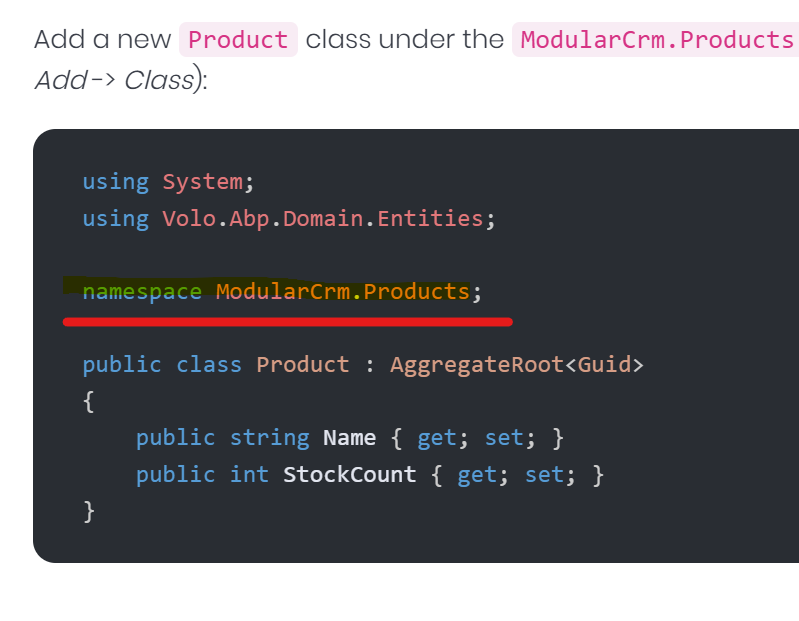
All code created by Suite uses curly bracket namespaces but all the documentation uses file scoped namespaces I would like Suite to use file scoped ones.
Hi @Sturla, yes you are right we should start using file scoped namespaces in the generated code. I have created an internal issue for that.
Great to hear that! Sorry for the temporary inconvenience and thanks for your understanding. Regards.
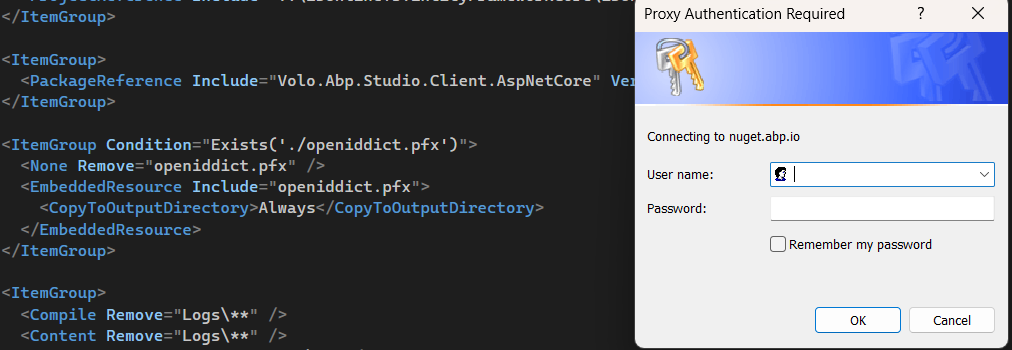
We have rollbacked the nuget.abp.io, can any of you please check whether it is fixed or not for now?
Hello everyone,
I hope that we can get a speedy resolution on this issue, clearly its an issue on your side abp.io because we had successful builds the entire time without any issues.
We have deployments that need to be executed and this is causing a delay within our sprints.
Please see the urgency in this issue.
Hi, we are currently working on that, I'll update you soon.
@EngincanV
I tested locally, and I have a successful build but the issue still persists on the build pipeline, I can concur with @abodur as well.
This issue occurred from today, we had successful builds the entire time.
Can you please also see my comment and check it if all of the nuget sources are valid or not?
We are also experiencing the same issue. Our pipeline cannot restore the Volo.* packages, even though I provided the correct key. I tried your solution, but unfortunately, it did not resolve the problem.
Normally, NuGet tries to find a package from all nuget-sources (global or defined in the NuGet.config file), so one of the nuget-source that you provided (it might be global nuget source) probably is wrong. Can you please check that? Because, this problem should not be related to nuget.abp.io, because these packages are open-source packages and they are hosted in the nuget.org.
You can list nuget-sources with the following command, btw:
dotnet nuget list source
Hi, the package you are mentioned is an open-source package, which can be seen at https://www.nuget.org/packages/Volo.Abp.DistributedLocking.Abstractions.
So, it's normal that this package can't be found in the nuget.abp.io. If you got this error when you build/restore your solution, your NuGet.Config file might be wrong. Can you share it please?
Hi @EngincanV
Thank you for your response,
This is my Nuget.Config:
<?xml version="1.0" encoding="utf-8"?> <configuration> <packageSources> <add key="nuget.org" value="https://api.nuget.org/v3/index.json" /> <add key="nuget.abp.io" value="https://nuget.abp.io/xxx/v3/index.json" /> </packageSources> <packageSourceMapping> <packageSource key="nuget.org"> <package pattern="" /> <package pattern="Microsoft." /> <package pattern="Volo." /> </packageSource> <packageSource key="nuget.abp.io"> <package pattern="Volo." /> </packageSource> </packageSourceMapping> </configuration>
We added packageSourceMapping to the NuGet.config for faster restoring Volo.* packages, however, it seems it might created an issue in your case. So, can you please update this file as follows:
<?xml version="1.0" encoding="utf-8"?>
<configuration>
  <packageSources>
    <add key="nuget.org" value="https://api.nuget.org/v3/index.json" />
    <add key="ABP Commercial NuGet Source" value="https://nuget.abp.io/xxx/v3/index.json" />
  </packageSources>
</configuration>
Then, retry to restore/build your project. Please, don't forget to replace the xxx part with your api-key and let me know if it works.
Hi, the package you are mentioned is an open-source package, which can be seen at https://www.nuget.org/packages/Volo.Abp.DistributedLocking.Abstractions.
So, it's normal that this package can't be found in the nuget.abp.io. If you got this error when you build/restore your solution, your NuGet.Config file might be wrong. Can you share it please?
Hi, you can refer to https://abp.io/docs/latest/suite/generating-crud-page#establishing-creating-relations-with-installed-abp-modules-entit . This document explains how you can "create relations with installed ABP Modules' Entities".
Tell my your GitHub user, to share with you my project.
Here is my Github profile: https://github.com/EngincanV (username: EngincanV)