Hi,
Thanks for the code! I'll tailor it to fit my specific needs.
Thanks.
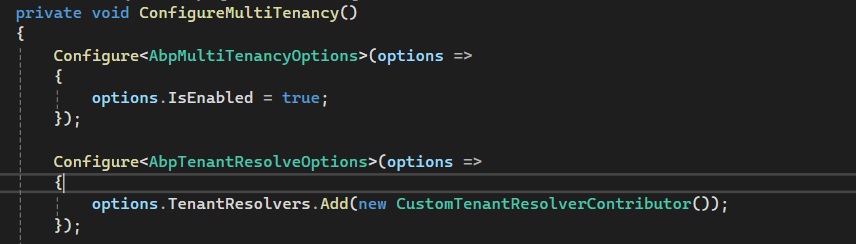
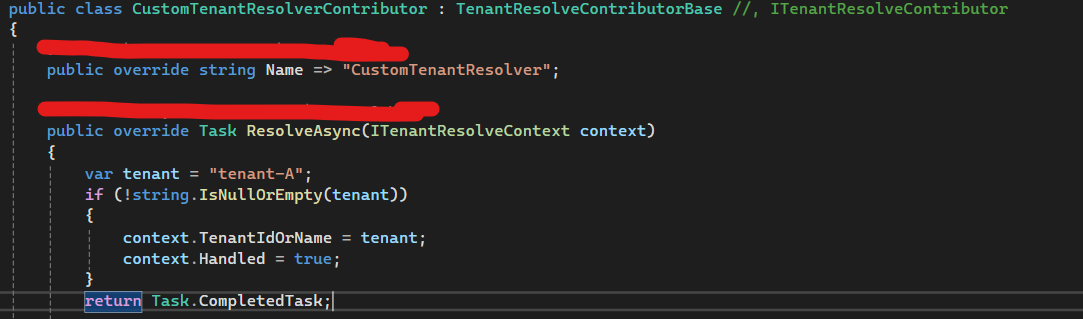
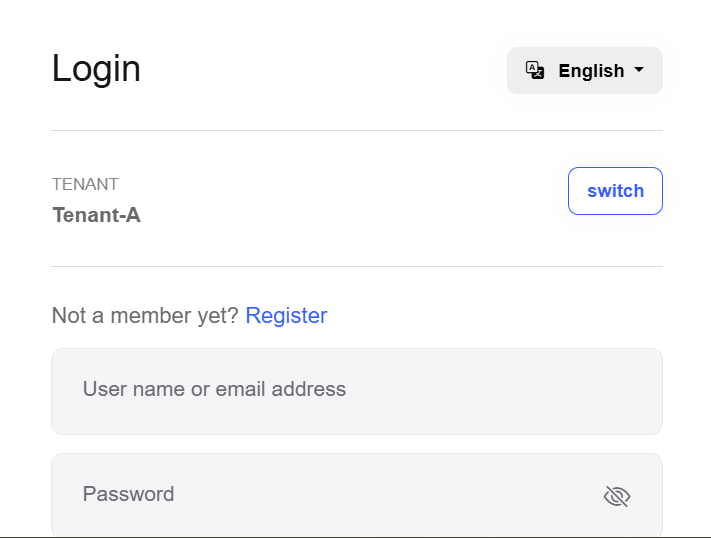
I have implemented my own custom tenant resolver(Please refers screenshot below). My question is why the tenant field still visible even i have resolved the tenant in my custom tenant resolver? Did I miss anything in the implementation? How can I hide the tenant field once the custom tenant resolver successfully identifies the tenant?
Thanks.
Hi,
We found a workaround solution. Currently my project using PackageReference Include="Volo.Abp.Studio.Client.AspNetCore" Version="0.9.24" in csproj.file. After run on abp update and it updated to 0.9.25 and now working as expected. Please advise if this is the correct way to solve the issue.

Thanks
Hi,
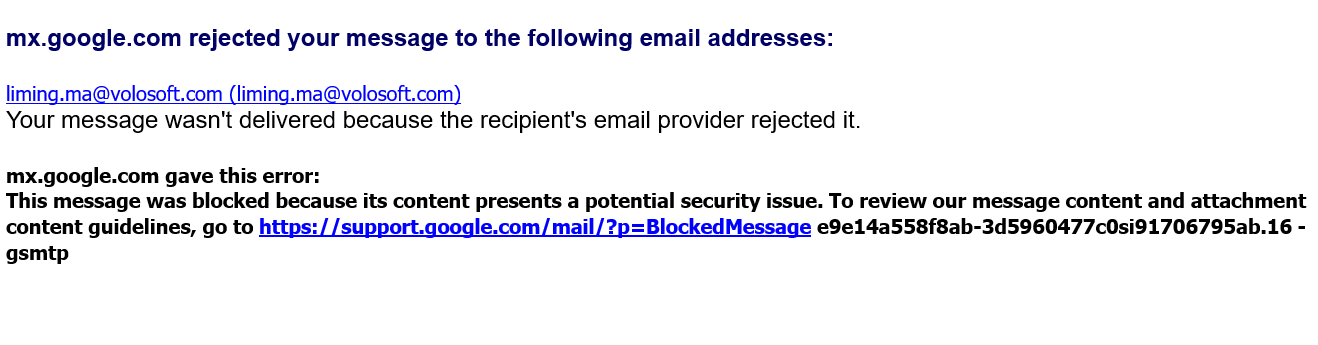
Seem like email was being rejected.
Thanks
Hi,
Yes. I have tried to clear nuget and rebuild the application. Unfortunately, the issue still could not be resolved.
Steps to Reproduce issue:
dotnet nuget locals all --clearabp cleandotnet build dotnet runThanks.
Hi, I have encountered the same issue today. Yesterday was working fine. Please advise.
Abp CLI Version: 0.9.25 Abp Version : 9.1.0
Remarks : The issue not able to resolve after rundotnet nuget locals all --clear

Thanks.
Hi,
The issue was resolved after deleting all databases and regenerating them. Thanks
Hi, I have encountered an issue which the language and audit both modules are missing from frontend Menu. Previously, both modules park under **Administration **Menu. After moved to version 9.1 and found that both modules are missing. May i know anything need to configure inside the code?


hi
You can install the old CLI or add
--oldparameterhttps://abp.io/docs/latest/cli/differences-between-old-and-new-cli
Hi,
I am still facing issue of downloading old version template using latest abp cli.
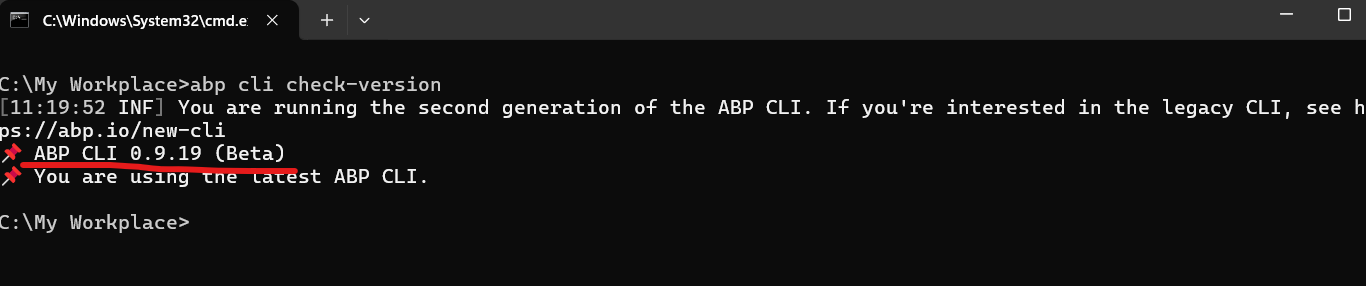
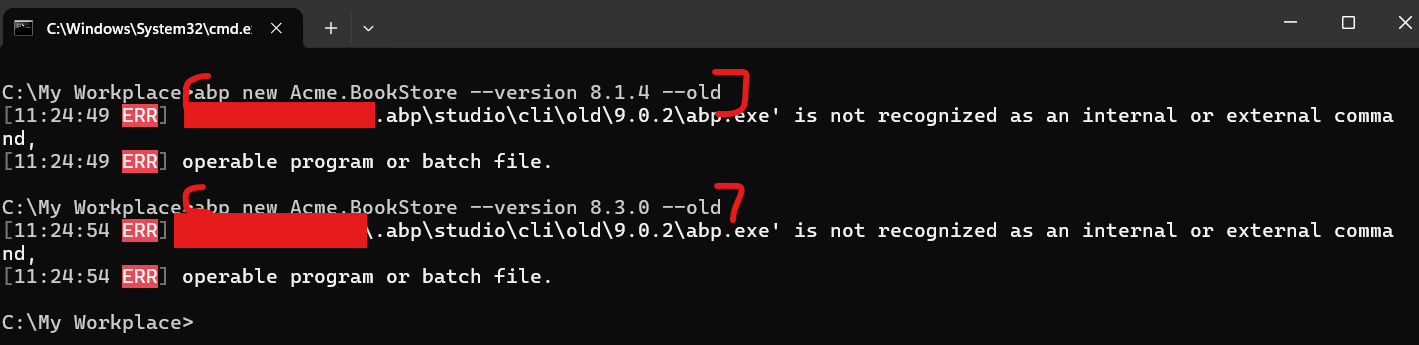
Could you please provide your advice on this?
Hi, I am facing issue of downloading old version(v8.3) template by using the abp cli command below.
abp new Abp.Template -t microservice -u angular -m none --theme leptonx -csf -v 8.3.0
But it ended up generated a template with latest version which is v9.0.2.
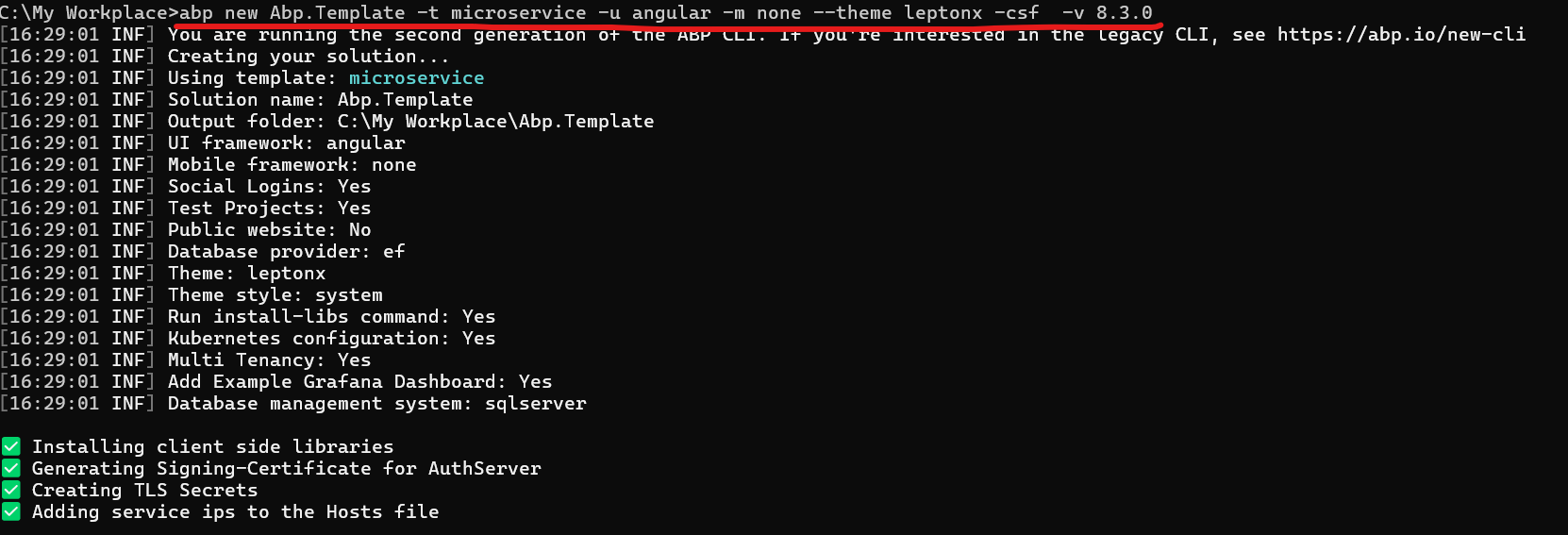
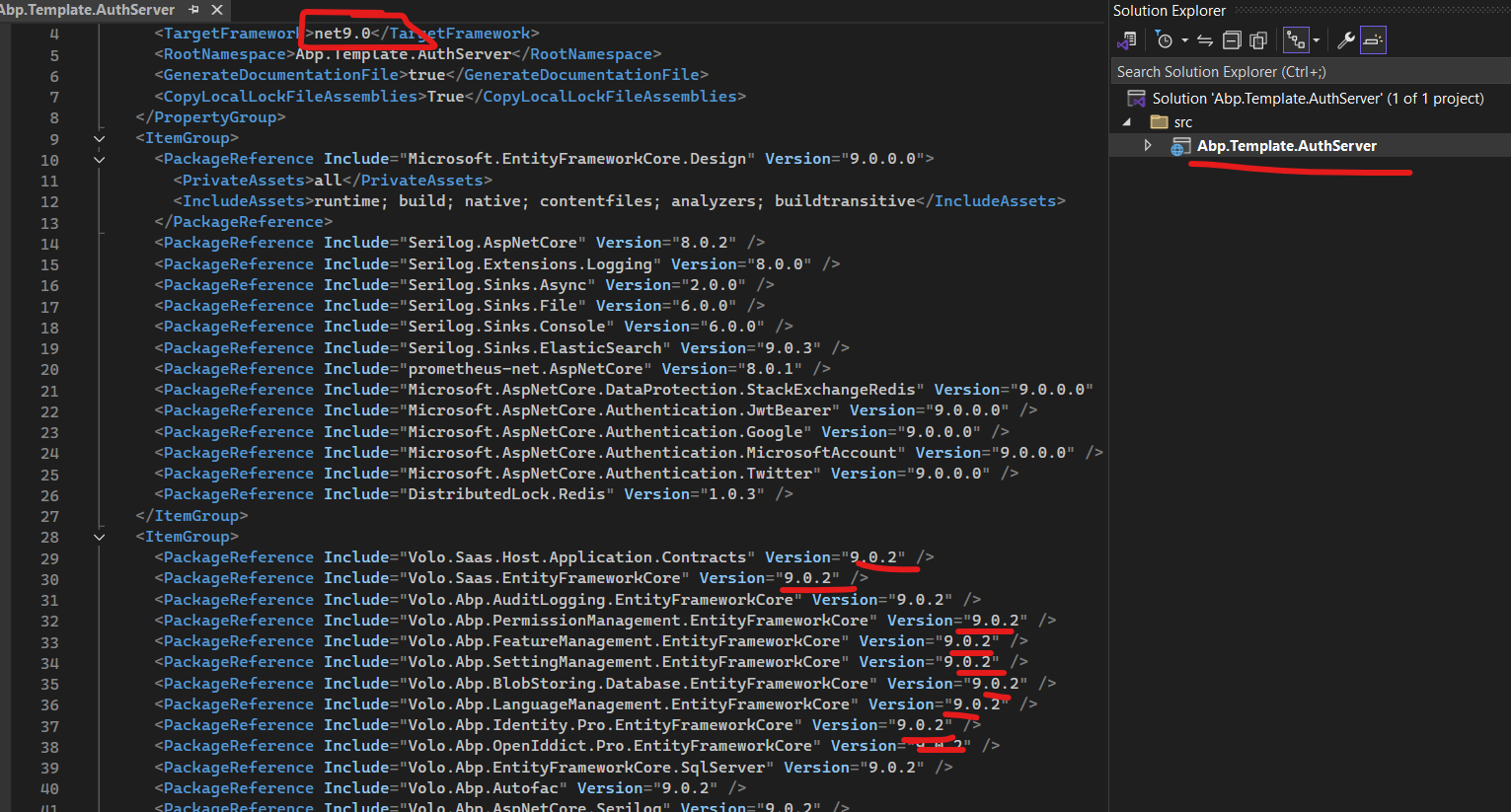
May i check how to force the cli to download template with v8.3 (Net 8)?









