Hi,
sent he local files in an email to liming.ma@volosoft.com
please confirm and help us fix this issue, Let me know if you require anything else
Thanks
[maliming] said: hi
The infinite Problem is only when we run the project locally
In this case, I can't reproduce the problem online. Could you share the local logs.txt file for the auth server project?
Thanks.
Hi yes will provide it you by 24 hr in the mean time can you check the issue with tenant on login which is same in local and deployed server
Thanks
[maliming] said: hi
The logs don't show the infinite login problem.
Can you share an online website? I will test it online
liming.ma@volosoft.com
Thanks.
Hi The infinite Problem is only when we run the project locally
when deployed we don't have this issue
the logs are from the deployed version
here is the online website you can use Public Deployed URL (For Testing) https://dentpalqaaumtech.org/
Username / Password: ABP default credentials
thanks
Hi
The Logs are Sent to the liming.ma@volosoft.com
Please confirm
Thank You
[maliming] said: hi
You can also share full logs.txt of your authserver project to liming.ma@volosoft.com
Thanks.
Hi We will provide you the Logs give us some time as our sever is experiencing downtime now
Thanks
[maliming] said: hi
How can I use your Angular to test the api website?
I can
mkcert apiqadentpalaumtech.org "*.apiqadentpalaumtech.org"and use it in local api website.but how about Angular?
Can you share the full steps to reproduce your problem?
Thanks.
Here are Steps to Reproduce
1. Super Admin Login
Run the project locally (API + Angular).
Open the application in Super Admin context.
Enter valid Super Admin credentials.
Observed Behavior
Login goes into an infinite redirect loop back to the login page.
When incorrect credentials are entered, proper error messages are shown.
This indicates authentication is working, but post-login redirection fails.
2. Tenant Login
Observed Behavior
1. Super Admin Login
Observed Behavior
2. Tenant Login
Observed Behavior
Thanks
Hi use the Sourcecode branch
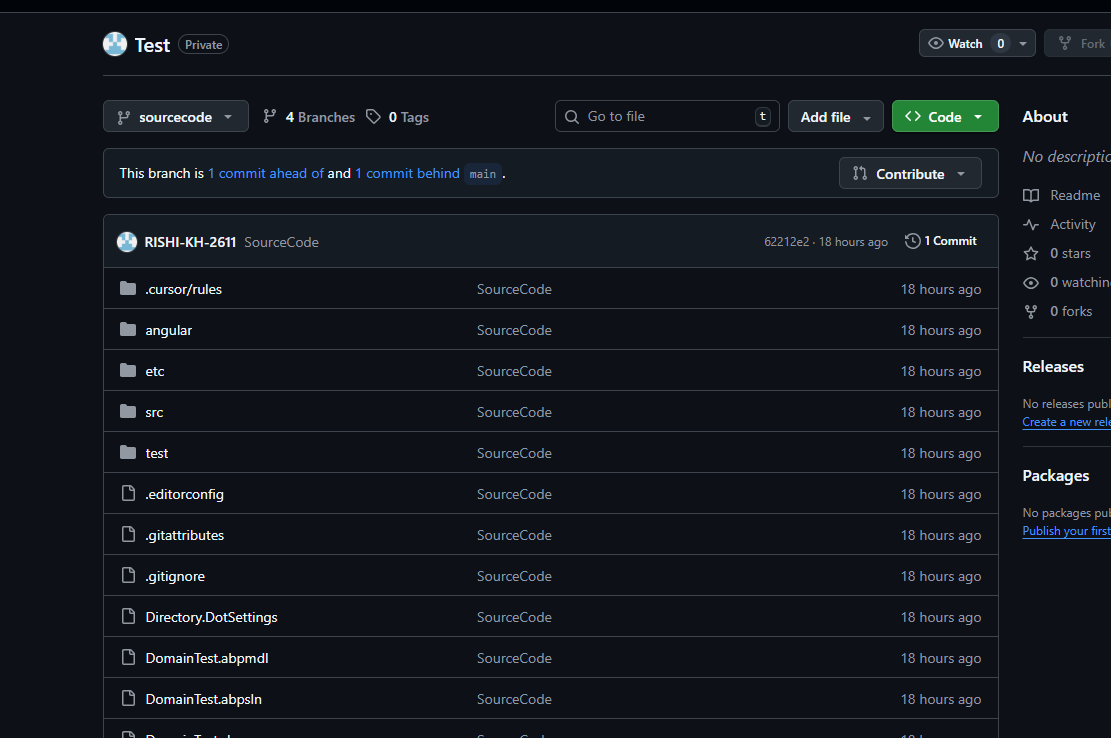
Hi Made the Repo Private and invite sent as a contributor
Hello ABP Support Team,
We are facing issues with Domain-Based Tenant Resolution while using ABP Framework 9.0.4 (Angular + OpenIddict).
We followed the official ABP community article below **exactly **to implement the domain-based tenant resolver:
https://abp.io/community/articles/how-to-use-domainbased-tenant-resolver-in-abp-with-angular-and-openiddict-v9y8da7v
⚠️ Note: The sample source code provided in the article is based on ABP 10.0.2, while our application is using ABP 9.0.4.
ABP Version: 9.0.4
Frontend: Angular
Authentication: OpenIddict
Tenant Resolution: Domain-based tenant resolver
Hosting: Localhost (custom domains) / Deployed environment
GitHub repository with full source code and configuration:
https://github.com/RISHI-KH-2611/Test/tree/sourcecode
We recreated a demo project in **ABP 9.0.4 **and followed the exact same implementation and steps as mentioned in the article and the sample project.
https://dentpalqaaumtech.org/
1️⃣** Localhost + Custom Domains**
Issue: Infinite login redirect loop
Steps:
Run the application locally
Configure and access the app using custom domains
Attempt to log in as a tenant user
Observed Behavior:
Login page continuously redirects
Authentication never completes
Results in an infinite login loop
2️⃣** Deployed Environment**
Issue: Tenant users cannot log in (Host admin works)
Observed Behavior:
Host Admin can log in successfully
Tenant users are unable to log in
Login either redirects back to the login screen or fails silently after authentication
Expected Behavior:
Tenant users should be able to log in based on domain resolution
Authentication flow should work consistently for both host and tenants
Could you please help us understand:
[maliming] said: hi
Issue 1: Host (Super Admin) Login Issue
Please check the debug logs see what happened?
https://abp.io/support/questions/8622/How-to-enable-Debug-logs-for-troubleshoot-problems
Can you also share an online URL and test user and password?
liming.ma@volosoft.com
Thanks.
we will update you with this details give us some time









