we are still investigating the issue.
you can implement it yourself via SignalR. This is the official doc https://docs.abp.io/en/abp/latest/SignalR-Integration And I wrote an article to show how to add notification functionality. It's the simplest form. But you can add your bell icon and make fancy animations etc..
https://community.abp.io/articles/send-realtime-notifications-via-signalr-tsp2uqd3
also I deleted your GitHub link because it's not allowed to share the commercial solution publicly
you cannot use the same organization entity in your module because modules must be independent and not tight coupled to main solution. therefore you need to create a new (duplicate) organization in your module eg: MyOrganization and map the original organization to MyOrganization. otherwise your module cannot be a real module.
as a summary, you shouldn't need your main application while developing your module. otherwise it cannot be a reusable module.
v4.3 is already full. let the team decide its implementation date. I created the issue.
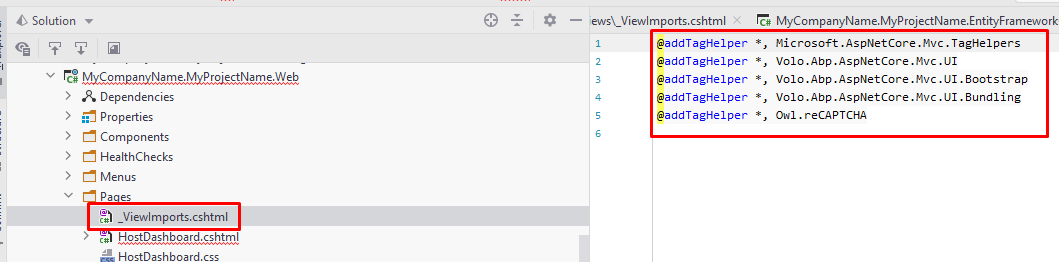
yes it must be in the Page or in in _ViewImports.cshtml
Andrew,
There's no self tenant registration feature right now
I created an internal issue for your request (volo/issues/5794)
As a workaround you can create a custom page, inject ITenantManager and use the following method
Task<Tenant> CreateAsync(string name, Guid? editionId = null)
finally reproduced it :)
What's the default credentials of the ABP Framework login page?









