this component is a typeahead component. it's used for large data. if you want to load all data you can use Dropdown
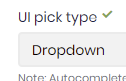
on the other hand you can also increase the max limit of the Autocomplete result.
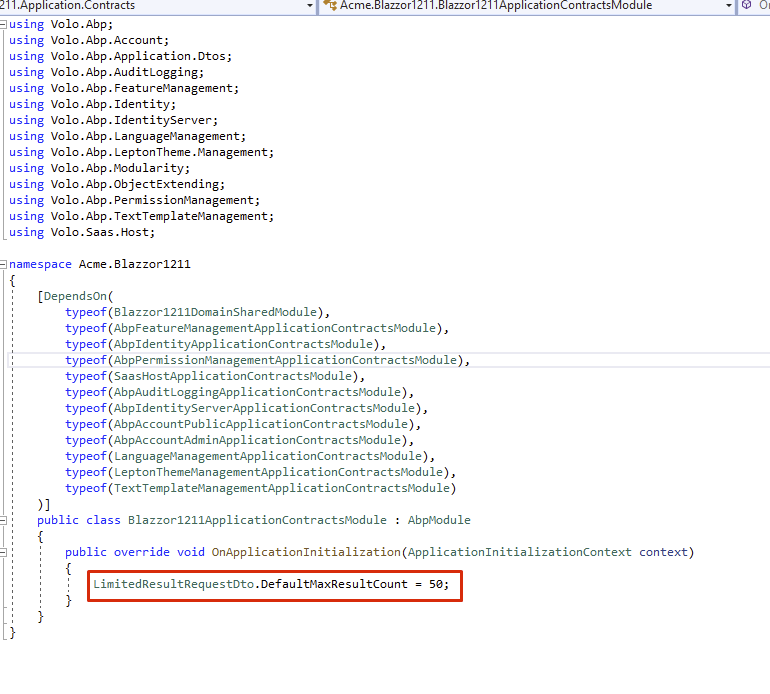
Open ApplicationContractsModule and write LimitedResultRequestDto.DefaultMaxResultCount = 50;
In the microservice structure, we add Application.Contracts packages of all modules to the gateway.
Thus, all permissions can be available and we can get them from the gateway.
For example, In the microservice demo application, the BackendAdminAppGateway.Host project has references
https://github.com/abpframework/abp-samples/blob/master/MicroserviceDemo/gateways/BackendAdminAppGateway.Host/BackendAdminAppGateway.Host.csproj
In this project you can see Application.Contracts of Blogging and ProductManagement module are added.
  <PackageReference Include="Volo.Blogging.Application.Contracts" Version="3.2.1" />
  <ProjectReference Include="..\..\modules\product\src\ProductManagement.HttpApi\ProductManagement.HttpApi.csproj" />
Also essential references of the other cross-cutting featured projects are added. Eg: PermissionManagement, FeatureManagement, and SettingManagement
<PackageReference Include="Volo.Abp.PermissionManagement.Domain.Identity" Version="3.2.1" />
<PackageReference Include="Volo.Abp.PermissionManagement.Domain.IdentityServer" Version="3.2.1" />
<PackageReference Include="Volo.Abp.PermissionManagement.Application" Version="3.2.1" />
<PackageReference Include="Volo.Abp.PermissionManagement.HttpApi" Version="3.2.1" />
<PackageReference Include="Volo.Abp.PermissionManagement.EntityFrameworkCore" Version="3.2.1" />
So the gateway does not route the permission request but sends its own.
Check out Microservice Demo document.
You can also set up a seperate microservice for only Permission Management but it will be unncessary as it's not a part of the business logic.
hi @JmBdo, there's currently no doc for CI/CD pipelines. But you can follow this official Microsoft document. It can be applied to ABP projects. If you block in any step, feel free to ask.
seems like an Identity Server misconfiguration. check your database table IdentityServerClientRedirectUris
Hi, this was inside the Angular app before but we have moved it to the MVC project because we started to use Authorization Code Flow in v3.1. See the related blog post https://blog.abp.io/abp/ABP-Framework-v3.1-RC-Has-Been-Released
after this change account related features are also moved to MVC side.
for your second question @mehmet can you check it out?
I just want you to show that enum declaration is specific to that proeject. Because the namepsace of enum is written here:
"EnumNamespace": "Angular.EfCoreSeperated1215",
GuidePostDesigner.json
{
  "Id": "732251aa-2808-4217-9bfa-9a9ea1b33652",
  "Name": "GuidePostDesigner",
  "OriginalName": "GuidePostDesigner",
  "NamePlural": "GuidePostDesigners",
  "DatabaseTableName": "GuidePostDesigners",
  "Namespace": "GuidePostDesigners",
  "BaseClass": "FullAuditedAggregateRoot",
  "PrimaryKeyType": "Guid",
  "IsMultiTenant": true,
  "ShouldCreateUserInterface": true,
  "ShouldCreateBackend": true,
  "ShouldAddMigration": true,
  "ShouldUpdateDatabase": true,
  "CreateTests": true,
  "Properties": [
    {
      "Id": "34e7af50-3dba-4a88-881f-000d9a598587",
      "Name": "GuidePostId",
      "Type": "long",
      "EnumType": "",
      "EnumNamespace": "",
      "EnumAngularImport": "shared/enums",
      "IsNullable": false,
      "IsRequired": true,
      "MinLength": null,
      "MaxLength": null,
      "SortOrder": 0,
      "SortType": 0,
      "Regex": "",
      "EmailValidation": false,
      "EnumValues": null
    },
    {
      "Id": "0e7c1555-8ae5-4edc-8ed6-2de7cbb5b8eb",
      "Name": "ViewUri",
      "Type": "string",
      "EnumType": "",
      "EnumNamespace": "",
      "EnumAngularImport": "shared/enums",
      "IsNullable": false,
      "IsRequired": true,
      "MinLength": null,
      "MaxLength": null,
      "SortOrder": 0,
      "SortType": 0,
      "Regex": "",
      "EmailValidation": false,
      "EnumValues": null
    },
    {
      "Id": "8911dfc5-1a75-41b9-ac85-285713745a43",
      "Name": "CreateUri",
      "Type": "string",
      "EnumType": "",
      "EnumNamespace": "",
      "EnumAngularImport": "shared/enums",
      "IsNullable": false,
      "IsRequired": true,
      "MinLength": null,
      "MaxLength": null,
      "SortOrder": 0,
      "SortType": 0,
      "Regex": "",
      "EmailValidation": false,
      "EnumValues": null
    },
    {
      "Id": "ffd56da6-8935-40a5-86c2-f4374fb553bd",
      "Name": "UpdateUri",
      "Type": "string",
      "EnumType": "",
      "EnumNamespace": "",
      "EnumAngularImport": "shared/enums",
      "IsNullable": false,
      "IsRequired": false,
      "MinLength": null,
      "MaxLength": null,
      "SortOrder": 0,
      "SortType": 0,
      "Regex": "",
      "EmailValidation": false,
      "EnumValues": null
    },
    {
      "Id": "4e21fa2c-57f4-474f-a8cf-c43254123b90",
      "Name": "Title",
      "Type": "string",
      "EnumType": "",
      "EnumNamespace": "",
      "EnumAngularImport": "shared/enums",
      "IsNullable": false,
      "IsRequired": true,
      "MinLength": null,
      "MaxLength": null,
      "SortOrder": 0,
      "SortType": 0,
      "Regex": "",
      "EmailValidation": false,
      "EnumValues": null
    },
    {
      "Id": "5a010fd1-f0c2-4b2c-9124-204b40618769",
      "Name": "ContentStatus",
      "Type": "enum",
      "EnumType": "ContentStatus",
      "EnumNamespace": "Angular.EfCoreSeperated1215",
      "EnumAngularImport": "shared/enums/content-status",
      "IsNullable": false,
      "IsRequired": false,
      "MinLength": null,
      "MaxLength": null,
      "SortOrder": 0,
      "SortType": 0,
      "Regex": "",
      "EmailValidation": false,
      "EnumValues": {
        "Draft": 1,
        "Reviewed": 2,
        "Published": 3
      }
    }
  ],
  "NavigationProperties": [],
  "PhysicalFileName": "GuidePostDesigner.json"
}
WorkflowSetting.json
{
  "Id": "7f5856e9-41d2-4390-91da-35a9ff0697b8",
  "Name": "WorkflowSetting",
  "OriginalName": "WorkflowSetting",
  "NamePlural": "WorkflowSettings",
  "DatabaseTableName": "WorkflowSettings",
  "Namespace": "WorkflowSettings",
  "BaseClass": "FullAuditedAggregateRoot",
  "PrimaryKeyType": "Guid",
  "IsMultiTenant": true,
  "ShouldCreateUserInterface": true,
  "ShouldCreateBackend": true,
  "ShouldAddMigration": true,
  "ShouldUpdateDatabase": false,
  "CreateTests": true,
  "Properties": [
    {
      "Id": "db2c63a5-f47a-4ca5-8f82-8240408a1995",
      "Name": "DesignerUri",
      "Type": "string",
      "EnumType": "",
      "EnumNamespace": "",
      "EnumAngularImport": "shared/enums",
      "IsNullable": false,
      "IsRequired": true,
      "MinLength": null,
      "MaxLength": null,
      "SortOrder": 0,
      "SortType": 0,
      "Regex": "",
      "EmailValidation": false,
      "EnumValues": null
    },
    {
      "Id": "7b648d0c-ba29-4c54-b938-3ed0ee798e21",
      "Name": "ApiUri",
      "Type": "string",
      "EnumType": "",
      "EnumNamespace": "",
      "EnumAngularImport": "shared/enums",
      "IsNullable": false,
      "IsRequired": true,
      "MinLength": null,
      "MaxLength": null,
      "SortOrder": 0,
      "SortType": 0,
      "Regex": "",
      "EmailValidation": false,
      "EnumValues": null
    },
    {
      "Id": "56361a31-c80d-47e8-be79-d51cefc0dee9",
      "Name": "EnvironmentId",
      "Type": "string",
      "EnumType": "",
      "EnumNamespace": "",
      "EnumAngularImport": "shared/enums",
      "IsNullable": false,
      "IsRequired": true,
      "MinLength": null,
      "MaxLength": null,
      "SortOrder": 0,
      "SortType": 0,
      "Regex": "",
      "EmailValidation": false,
      "EnumValues": null
    },
    {
      "Id": "cc172074-774d-4792-9c90-71388704a0f1",
      "Name": "OrganizationId",
      "Type": "string",
      "EnumType": "",
      "EnumNamespace": "",
      "EnumAngularImport": "shared/enums",
      "IsNullable": false,
      "IsRequired": true,
      "MinLength": null,
      "MaxLength": null,
      "SortOrder": 0,
      "SortType": 0,
      "Regex": "",
      "EmailValidation": false,
      "EnumValues": null
    },
    {
      "Id": "860b9647-9f6e-44e5-b6fb-6d673ed4016a",
      "Name": "RegionalSubDomain",
      "Type": "string",
      "EnumType": "",
      "EnumNamespace": "",
      "EnumAngularImport": "shared/enums",
      "IsNullable": false,
      "IsRequired": true,
      "MinLength": null,
      "MaxLength": null,
      "SortOrder": 0,
      "SortType": 0,
      "Regex": "",
      "EmailValidation": false,
      "EnumValues": null
    },
    {
      "Id": "999992ee-52b9-4c8d-b1a9-32bf4527c859",
      "Name": "Name",
      "Type": "string",
      "EnumType": "",
      "EnumNamespace": "",
      "EnumAngularImport": "shared/enums",
      "IsNullable": false,
      "IsRequired": true,
      "MinLength": null,
      "MaxLength": null,
      "SortOrder": 0,
      "SortType": 0,
      "Regex": "",
      "EmailValidation": false,
      "EnumValues": null
    }
  ],
  "NavigationProperties": [],
  "PhysicalFileName": "WorkflowSetting.json"
}
hi,
I created a new solution with the following command
abp new Angular.EfCoreSeperated1215 -t app-pro -u angular -m none --separate-identity-server -csf
then I copied your Suite json files to my project
removed your enum property and create a new enum called ContentStatus in Domain.Shared project as below
public enum ContentStatus
{
       Draft = 1,
       Reviewed = 2,
       Published = 3
}
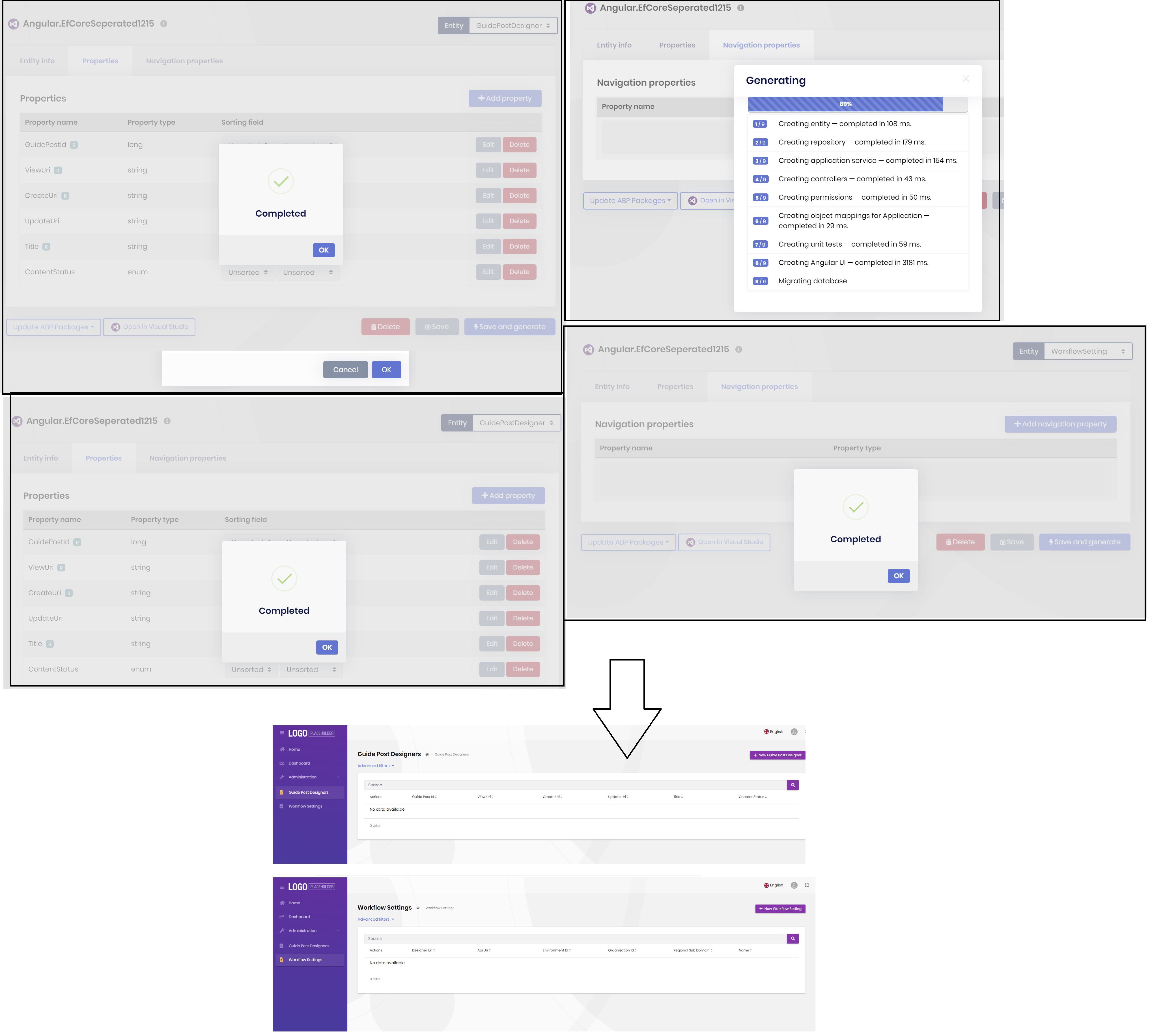
I generated 2 entites ... I saw that we have a Angular issue on v4.0.1 (our Angular team has been fixed this error and it'll be released as v4.0.2) but there's a workaround see this post.
And I can successfully see these 2 entities in my Angular app. I couldn't reproduce your case!
I think you have a problem with the ContentStatus enum. Try to generate the entity without ContentStatus property to see if it works.
it seems like you have removed an existing enum or changed it location. can you try to redefine your entity. and share your entity.json with us. it's in the root directory of your solution.
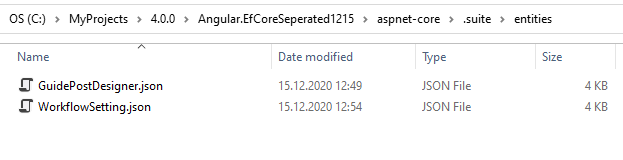
YourProject\aspnet-core\.suite\entities
as far as I know, you cannot host different web applications on the same port.
how about storing all the user tokens in Redis or Database, and after each login revoke all the existing tokens.









