hi berkansasmaz
1.ABP Studio Version. 0.6.5
2.Extension Version (you can find this information from the Extensions button in the Tools section under the File Menu).
3.Screenshot of the contents of the volo.abp.studio.extensions.standardsolutiontemplates folder in the resulting path when you run the dotnet nuget locals global-packages --list command.
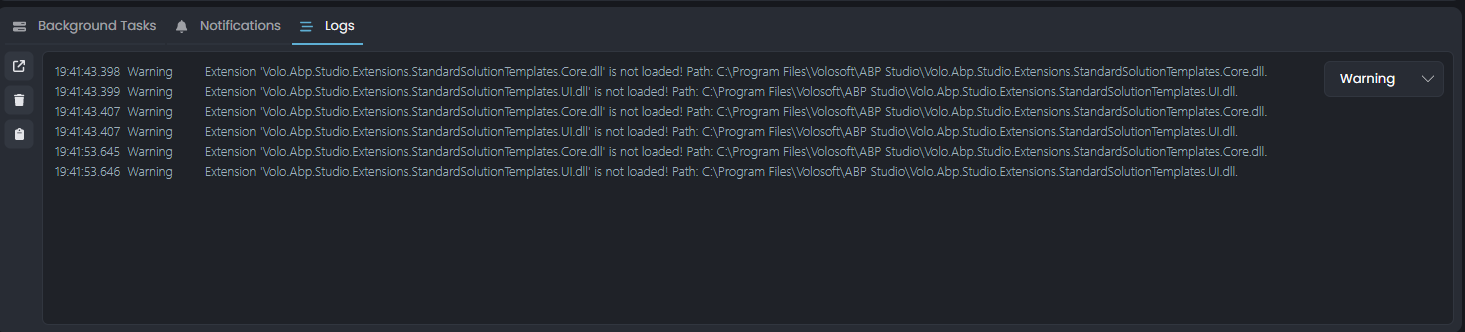
3.When you open the application, do you see any warning that the extension could not be loaded or installed? yes
4.Does the problem persist after logout from ABP Studio and log in again? yes
5.Operating system Win10 x64
Thank you for your information, we will try to reproduce the problem.
The file "Volo.Abp.Studio.Extensions.StandardSolutionTemplates.UI.dll" is missing.
Can you share the following information with us so we can reproduce the problem?
volo.abp.studio.extensions.standardsolutiontemplates folder in the resulting path when you run the dotnet nuget locals global-packages --list command.Hello, I understand you are right, but ABP Studio does not limit your ability to operate with your existing microservice template. Only in the Team license, you cannot create the new microservice template provided with ABP Studio and you cannot access the Kubernetes panel that comes with ABP Studio. Other than that, you can still use all other features. For example, if your existing microservice project is an ABP based project, you can click Initialize Existing Solution from the File Menu and automatically create the necessary files for ABP Studio. Then, you can architecturally change or run your services via ABP Studio but unfortunately, you will not have access to the Kubernetes panel. Some data guided us in making this decision, for example, it was understood that our customers who use Kubernetes or actively develop projects with microservice templates are also organizations with Enterprise or Business licenses. These types of organizations are usually larger than Team licenses and they want to be able to access the source code, even if they are curious one day. Of course, there are rare exceptions like your organization, sorry for that. However, as a team member of the ABP framework, I can easily say that our goal with this decision is not to make a profit, we want to protect the developers using ABP from the hype train and ensure that they have successful businesses in the long run.
I hope I have cleared any doubts in your minds about why we have made this decision. There may be organizations like you, but this is really a minority sorry for that again, but this is our decision for now.
Hello @John,
This is a business decision. To access the new microservice template and ABP Studio's Kubernetes panel, you need to have an Enterprise or Business license type.
By the way, we are already trying to write this information in the documentation. See more: https://docs.abp.io/en/commercial/latest/studio/kubernetes#prerequisites
Thank you for your understanding 🙏
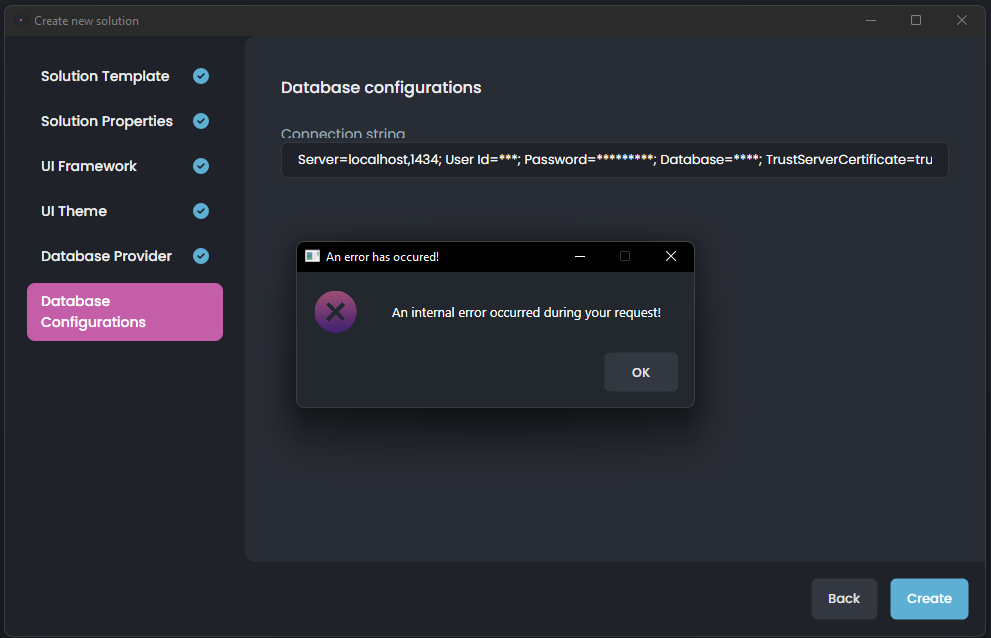
ABP Studio 0.6.5 New Solution Wizard fails on creation
Tired with Most configurations, Including Single Layer, Layered, Blazor, Angular...Error Log: 2024-02-07 13:53:15.920 +08:00 [ERR] Object reference not set to an instance of an object. System.NullReferenceException: Object reference not set to an instance of an object. at Volo.Abp.Cli.ProjectBuilding.SolutionName.Parse(String fullName) at Volo.Abp.Studio.Extensions.StandardTemplates.UI.AppNoLayersPro.AppNoLayersProSolutionTemplateViewService.CreateSolutionBuilderContextConfig(NewSolutionWizardContext wizardContext) at Volo.Abp.Studio.UI.ViewModels.NewSolution.NewSolutionWizardWindowViewModel.UyNGQswyrv() at Volo.Abp.Studio.UI.ViewModels.NewSolution.NewSolutionWizardWindowViewModel.UyNGQswyrv() at Volo.Abp.Studio.UI.ViewModels.NewSolution.NewSolutionWizardWindowViewModel.MUZGoJcLlJ()
Picture:
Hello, can you delete the file below and try again?
%UserProfile%\.abp\studio\extensions.json
~/.abp/studio/extensions.json
Hello @Stloby, thank you for contacting us :)
We are currently considering your organization's beta request for ABP-Studio, you will be notified if it results positively.
Once your beta access is approved, you can create your project as you wish with ABP Studio. Thank you for your understanding.
Hello, we are dealing with the issue, but as a workaround, I suggest you run ABP Studio with administrator privileges. You can use the following code for this:
sudo open /Applications/ABP\ Studio.app
Since it is an internal issue that we are already tracking and a workaround has been provided, I am closing this issue.
Hello, first of all, thank you very much for the information you have provided. I have conveyed to my related teammates how they can reproduce the problem.
Thank you again for your understanding.
Hello again, you stated that you encountered the following error while customizing:
I've got it partially working but have run into some issues due to the javascript for the general settings menu. I don't have much insight into what's happening under the hood, but I'm getting an exception which prevents the user menu from loading.
Uncaught TypeError: Cannot read properties of null (reading 'parentElement')
    at t.initChildren (lepton-x.bundle.min.js?_v=638261408440000000:2:43721)
    at new t (lepton-x.bundle.min.js?_v=638261408440000000:2:41474)
    at t.create (lepton-x.bundle.min.js?_v=638261408440000000:2:41563)
    at t.createSettingGroupWithMenu (lepton-x.bundle.min.js?_v=638261408440000000:2:86551)
    at e [as constructor] (lepton-x.bundle.min.js?_v=638261408440000000:2:68837)
    at new e (lepton-x.bundle.min.js?_v=638261408440000000:2:71613)
    at e.create (lepton-x.bundle.min.js?_v=638261408440000000:2:71708)
    at t.createSettingGroups (lepton-x.bundle.min.js?_v=638261408440000000:2:73132)
    at t.create (lepton-x.bundle.min.js?_v=638261408440000000:2:72833)
    at NodeList.forEach ()
We have intuitive guesses as to where this error might be, but we want to reproduce the error just to be sure. Could you please tell us the steps by which we can reproduce the error?
As an alternative, I thought it would be possible to move the appearance and language menus to the top toolbar like this:
Hello, I have examined your problem in detail, the alternative solution looks good, but I am sorry for the error you have received. We are already aware of the problem and will work to solve it in future versions.
To briefly talk about the problem, LeptonX traverses the DOM elements in order while it is initializing, and if it cannot find an element it expects while it is traversing, it gives an error. So, you may have removed an element in the existing structure, for example, removing General Settings menu will cause this error. Likewise, removing Appearance under General Settings menu or changing its order will cause an error. If you are removing an element from the DOM, instead of removing it, I can recommend you set the visible property to hidden in the style as a workaround for now.