You can consider running that job on a Linux server or configure a wsl2 terminal for that operation.
As a best practice, I suggest you separate your project into modules. In this way, you can generate your client-proxies module by module, This way reduces JSON sizes. Then you won't get any 'Maximum call stack size exceeded' exception.
Hello @Kaspars.Avotin
We've understood the problem. It happens only in win32-x64 systems.
https://github.com/sass/node-sass/issues/1863#issuecomment-299136177
We tried on Ubuntu 20.04 with your json file and everything worked well. So, the problem isn't related with ABP Framework. I have a couple of suggestions for you. You can use different operation system to overcome the problem like Linux or MacOS. But it may not be sustainable. So you can use a Linux distribution like Ubuntu on your Windows machine. The best way to do that is using WSL2.
Let me explain step by step about how we configured it.
Run your HttpApi.Host project on your windows normally.
Expose your localhost to the world with ngrok You can also use IPv4 address to connect to your running application from WSL but there might be a lot of firewall issues according to your computer. This is the best stable way
https://localhost:44360, use the following command to expose your application with https scheme
.\ngrok.exe http https://localhost:44360
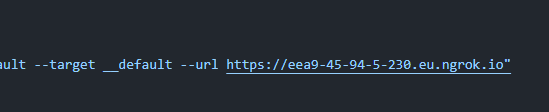
Now you're ready to generate your script in WSL.
Make sure you have an Ubuntu with WSL2 on your windows.
Open a new terminal (PS), navigate to your angular project path and switch to the Ubuntu. It'll automatically go to your mounted angular folder in ubuntu.
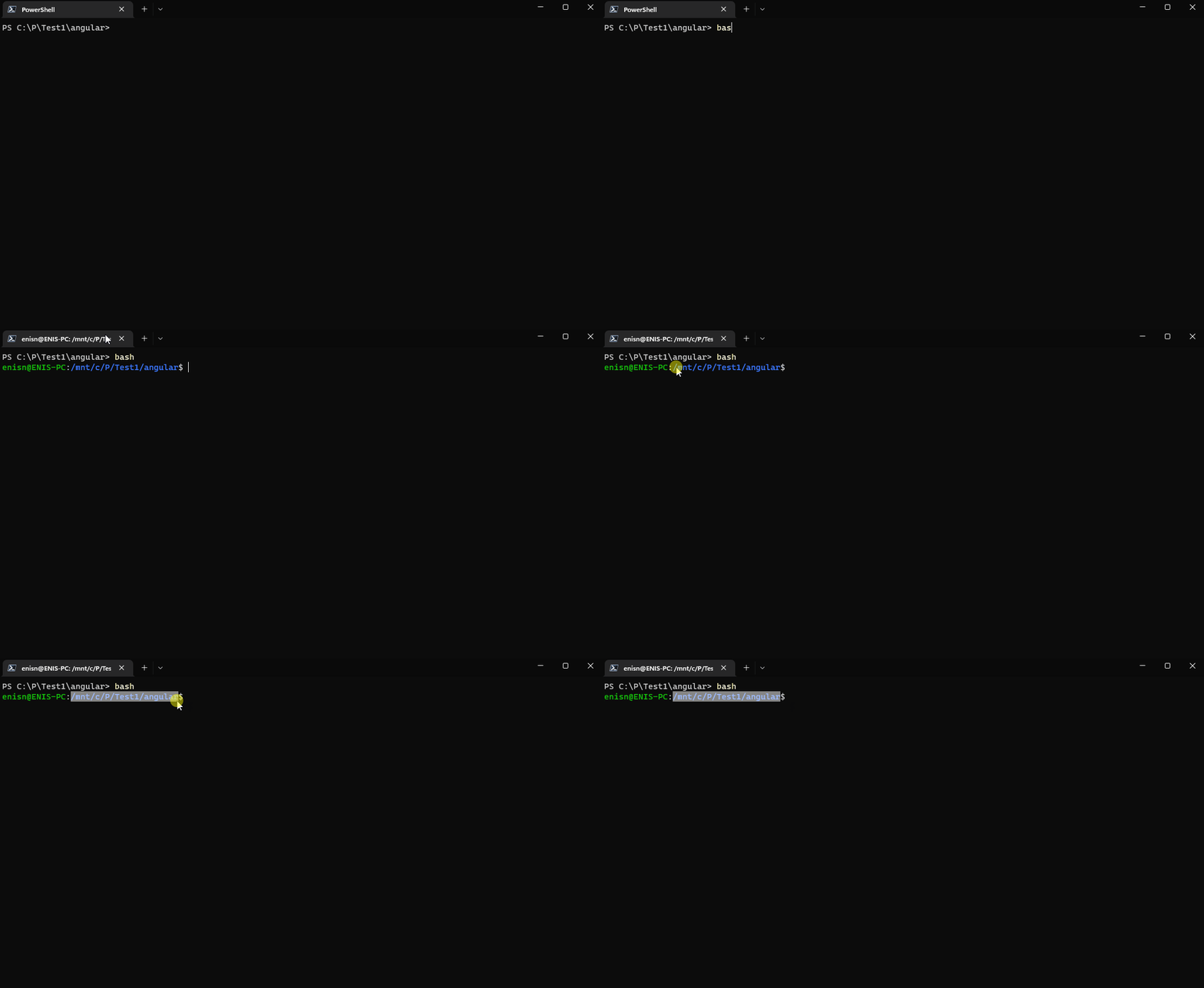
Make sure nodejs and npm are installed on ubuntu instance. Follow this one: https://github.com/nodesource/distributions/blob/master/README.md#installation-instructions
After installation if npm or ubuntu commands aren't available you can run bash command once more.
Generate the proxy in ubuntu terminal.
npm run generate-proxy
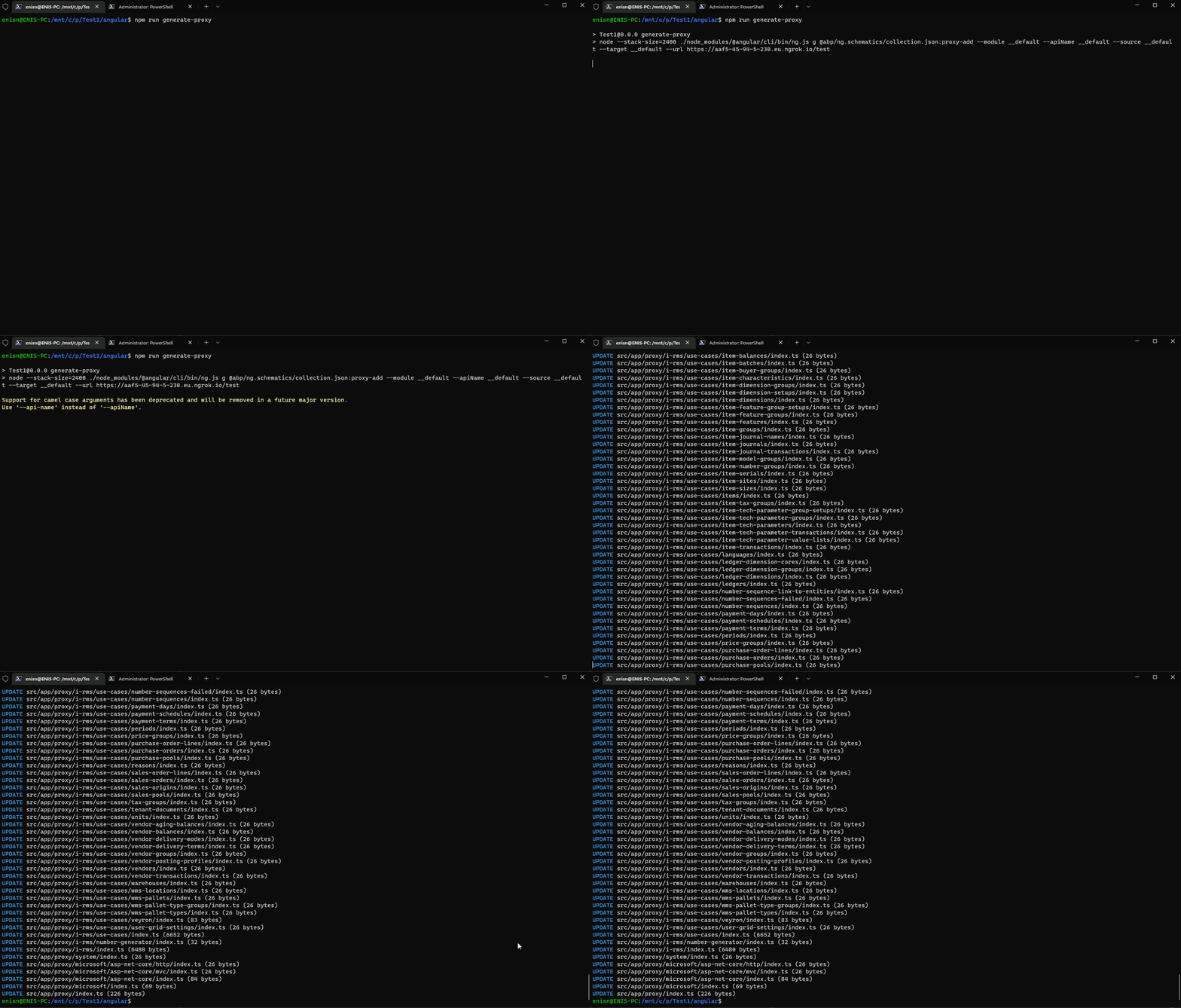 (It takes much more time, I've just clipped the waiting time from the gif)
Or you can use macOS or Linux development environment. But Windows WSL2 is doing its job well.
Hi @huseyininalan
Currently, CmsKit doesn't have Features.
I've created an issue (#13579) for that implementation to the next release.
But I'll share some ways to achieve that on your version.
Let's say we'll add a feature for Pages feature.
Define a FeatureDefinitionProvider
public class CmsKitFeatureDefinitionProvider : FeatureDefinitionProvider
{
    public override void Define(IFeatureDefinitionContext context)
    {
        var cmsKit = context.AddGroup(CmsKitFeatures.GroupName);

        cmsKit.AddFeature(CmsKitFeatures.Pages, "true", L("Pages"), L("Toggle pages feature"), new ToggleStringValueType());
    }

    private static LocalizableString L(string name)
    {
        return LocalizableString.Create<MyProjectNameResource>(name);
    }
}

public static class CmsKitFeatures
{
    public const string GroupName = "CmsKit";

    public const string Pages = GroupName + ".Pages";
}
Override both Admin & Public PagesAppService and add [RequiresFeature] attribute on them
using Volo.Abp.DependencyInjection;
using Volo.Abp.Features;
using Volo.CmsKit.Admin.Pages;
using Volo.CmsKit.Contents;
using Volo.CmsKit.Domain.Shared.Volo.CmsKit;
using Volo.CmsKit.Pages;
using Volo.CmsKit.Public.Pages;

namespace MyCompanyName.MyProjectName;

[Dependency(ReplaceServices = true)]
[ExposeServices(typeof(PageAdminAppService))]
[RequiresFeature(CmsKitFeatures.Pages)]
public class MyCmsKitPageAdminAppService : PageAdminAppService
{
    public MyCmsKitPageAdminAppService(IPageRepository pageRepository, PageManager pageManager) : base(pageRepository, pageManager)
    {
    }
}


[Dependency(ReplaceServices = true)]
[ExposeServices(typeof(PagePublicAppService))]
[RequiresFeature(CmsKitFeatures.Pages)]
public class MyCmsKitPagePublicAppService : PagePublicAppService
{
    public MyCmsKitPagePublicAppService(IPageRepository pageRepository, ContentParser contentParser) : base(pageRepository, contentParser)
    {
    }
}
Hide it from Admin menu if disabled a. Add a custom menu contributor
public class MyMenuContributor : IMenuContributor
{
    public async Task ConfigureMenuAsync(MenuConfigurationContext context)
    {
        var cmsMenu = context.Menu.FindMenuItem(CmsKitAdminMenus.GroupName);

        if (cmsMenu is not null)
        {
            var featureChecker = context.ServiceProvider.GetRequiredService<IFeatureChecker>();

            if (!await featureChecker.IsEnabledAsync(CmsKitFeatures.Pages))
            {
                cmsMenu.TryRemoveMenuItem(CmsKitAdminMenus.Pages.PagesMenu);
            }
        }

        return;
    }
}
b. Configure it to the module file
 ```csharp
 Configure<AbpNavigationOptions>(options =>
 {
     options.MenuContributors.Add(new MyMenuContributor());
 });
 ```
That's it. You'll see it in the features modal and you'll be able to manage it to the your tenants.
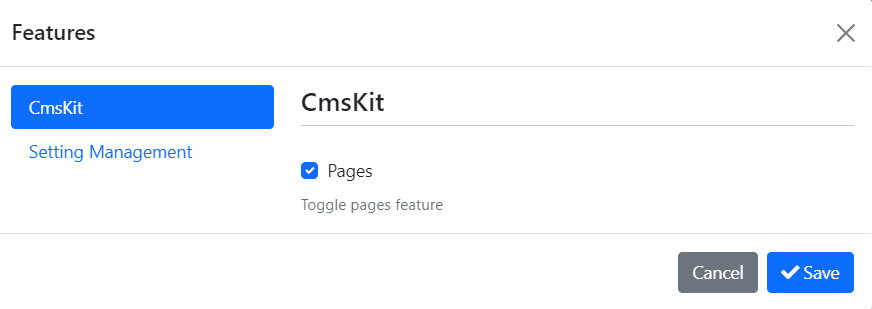
You can apply those methods for each of the CmsKit features.
Hi @AndrewT
We've published ABP 6.0.0-rc.1, so you can start to use PageLayout to set current menu item with that version.
@enisn can you update the label on the menu to show for instance the number of new items and outstanding items dynamically without changing the pages, eg;
Menu text would be "System Issues (2 New; 3 Open)" - where the items in brackets are changed dynamically? and can you change their colour eg "2" would be red, and "3" would be green text.
As an answer to that question;
You can override the Menu item component in blazor project and customize it as you wish. To achieve that, you may follow these steps:
Create a new file in blazor projects named MyMainSiderbarMenuItem.razor
@using Volo.Abp.DependencyInjection
@using Volo.Abp.AspNetCore.Components.Web.LeptonTheme.Components.ApplicationLayout.Navigation

@inherits MainSiderbarMenuItem

@attribute [ExposeServices(typeof(MainSiderbarMenuItem))]
@attribute [Dependency(ReplaceServices = true)]

@if (MenuItem.MenuItem.IsLeaf)
{
    var url = MenuItem.MenuItem.Url == null? "#" : MenuItem.MenuItem.Url.TrimStart('/', '~');

    <li class="@(MenuItem.IsActive ? "current" : "") @MenuItem.MenuItem.CssClass" id="@MenuItem.MenuItem.ElementId">
        <a href="@url" target="@MenuItem.MenuItem.Target" @onclick="() => OnMenuItemClick(MenuItem)">
            <span class="lp-icon">
                <i class="@(MenuItem.MenuItem.Icon ?? "")"></i>
            </span>
            <span class="lp-text">
                @MenuItem.MenuItem.DisplayName

                @***  CUSTOMIZE THIS SECTION 👇 ****@
                @if(MenuItem.MenuItem.Name == "MyProjectName.HostDashboard")
                {
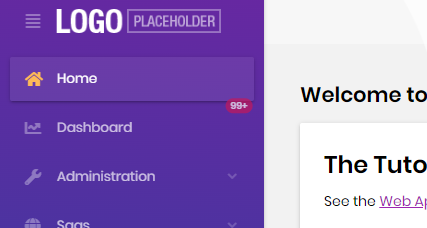
                    <span class="position-absolute top-0 start-100 translate-middle badge rounded-pill bg-danger">
                        99+
                        <span class="visually-hidden">unread messages</span>
                    </span>
                }
            </span>


        </a>
    </li>
}
else
{
    <li class="@(MenuItem.IsActive ? "current" : "") has-drop">
        <a href="#" @onclick:preventDefault @onclick="ToggleMenu">
            <span class="lp-icon">
                <i class="@(MenuItem.MenuItem.Icon ?? "")"></i>
            </span>
            <span class="lp-text">
                @MenuItem.MenuItem.DisplayName
            </span>
            <span class="lp-arrow-icon" for="@MenuItem.MenuItem.ElementId">
                <i class="fa fa-chevron-down"></i>
            </span>
        </a>
        <ul class="@MenuItem.MenuItem.CssClass" id="@MenuItem.MenuItem.ElementId" style="display:@(MenuItem.IsOpen ? "block" : "none")">
            @foreach (var childMenuItem in MenuItem.Items)
            {
                <MainSiderbarMenuItem Menu="@Menu" MenuItem="@childMenuItem"/>
            }
        </ul>
    </li>
}
Run the application and see this:
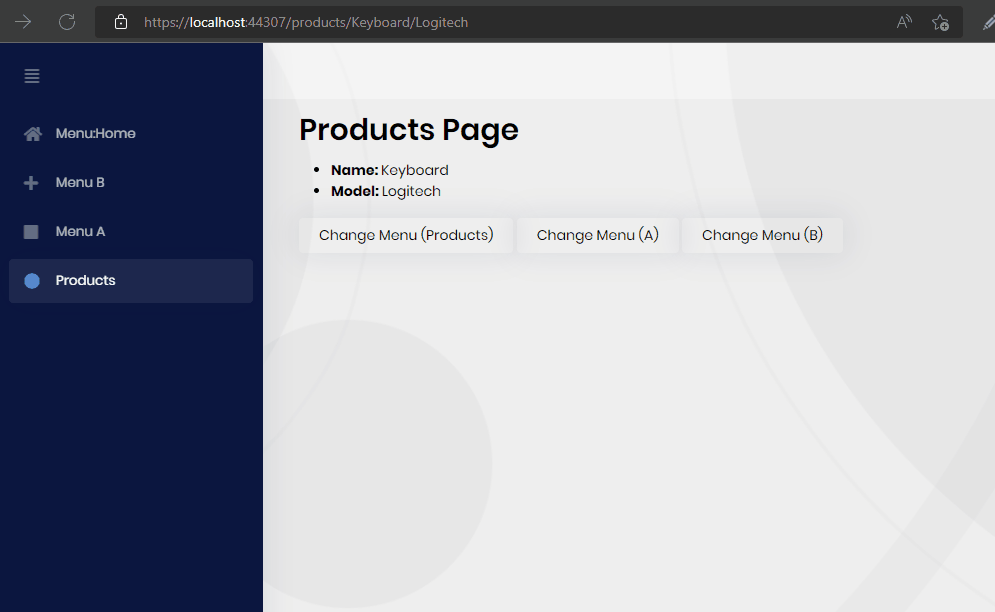
Unfortunately there is no way to handle that kinds of multiple-page routes while activating selected menu in the current version. (5.3)
So your credit is refunded.
But, we've developed a feature to solve that kind of issues in v6.0. (https://github.com/abpframework/abp/pull/12840)
You can track the releases from here , 6.0-rc.1 will be released on July 19.
After upgrading to v6.0, you can set the menu name like that:
@inject PageLayout PageLayout

@code {
    protected override async Task OnInitializedAsync()
    {
        PageLayout.MenuItemName = "MyProjectName.Products";
    }
}
And it'll automatically update the selected menu without refreshing the page.
Hi @adrianl
I have a couple of questions to determine the issue.
What is your page route?
Also, is that menu highlighted when you refresh the page?
Hi @Sturla
We're aware of the problem and almost solved it. It'll be released in a patch version.
Thanks for your patience.
Also your credit is refunded.
Hi @Tony_Albutt-
We are aware of the issue and hardly working on it. We'll release a patch version as soon as possible.
Thanks for your patience.
If I switch in the navigation e.g. from /identityserver/clients to Cms/Pages
the page flickers some milliseconds from Full Width to Boxed Layout If i look at the html output identityserver is render as BlazorServer Page with Cms/Pages it render as mvc static html page
CMS Kit Blazor support has been added in v5.3. If you migrated from an older version, blazor packages haven't been installed to your project. Can you try installing Volo.CmsKit.Pro.Admin.Blazor.Server packages for your blazor application and configure it in module file [DependsOn(typeof(CmsKitProAdminBlazorServerModule))]. That should solve the flicker problem because it removes blazor to mvc switch for cmskit pages.
Also there is a little Issue on BlazorServer the Login Button on Homepage is missing the L["Login"] Text. Sorry, I couldn't recognize which button did you mention here. Is that button on project templates or it's in cmskit components?
Hi, We're checking it. Until we find and solve problem, can you disable it with following writing type:
GlobalFeatureManager.Instance.Modules.CmsKitPro(cmsKitPro =>
{
    cmsKitPro.EnableAll();

    cmsKitPro.Disable<PollsFeature>();
});









