It's a plain AspNetCore issue. We don't implement any custom JSON serialization abstraction that is configurable for each module as ABP Framework.
So, following topic might help to you: https://stackoverflow.com/a/44860210/7200126
Solution has been merged and will be shipped in v5.2.1 very soon
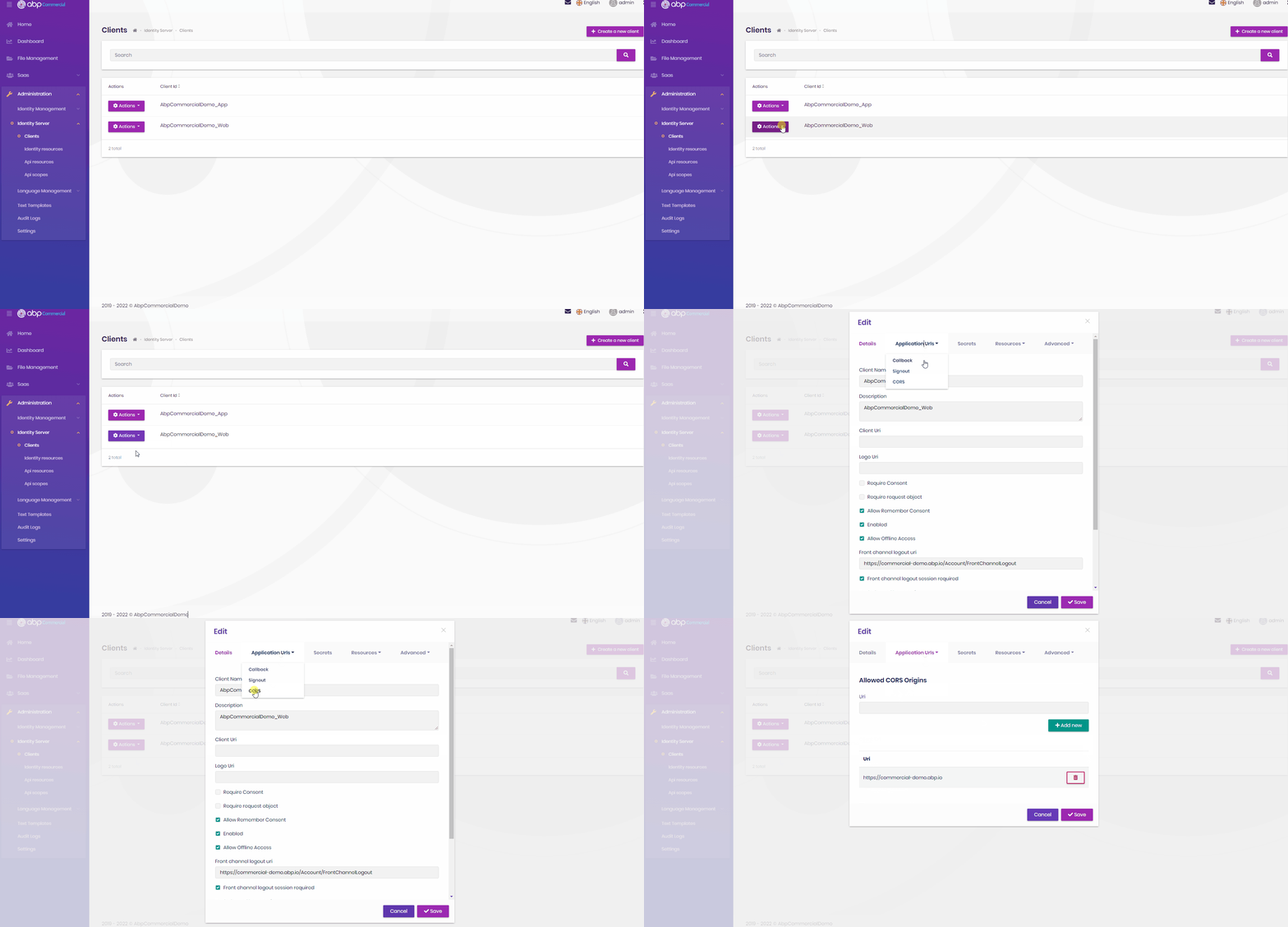
As I see, it's a CORS issue, did you configure cors properly for you client?
Make sure your IdentityServer configuration is made properly. https://docs.abp.io/en/abp/5.2/Modules/IdentityServer#client
Hi @balessi75
You can't reference any application layer in the domain layer. That violates DDD and also it's a circular dependency. If you have to add a validation to a DTO you can define it in Application.Contracts layer. You should use AppService interfaces since they're placed in the same layer and the runnable end application registers their implementations if it's a client proxy or application service instance.
As a note, if you convert your project to tiered or micro-service architecture, you have to know that appservice interface implementation will be replaced with client proxy implementation and it'll make a HTTP request for each usage.
Hi @LinchArnold
We've investigated and verified the issue. In the module-pro template, sample/test projects are not the real applications, they're just for testing your custom module. If your module is dependent on the account module or you develop something related to the account module, you have to add the account module reference to your project. By doing it, you'll see the account permissions and that setting tab in your application.
If your module doesn't depend on the account module but you still want to see the account in that test project, you can apply the following steps:
Volo.Abp.Account.Pro.Admin.Application.Contracts to the IdentityServer project.typeof(AbpAccountAdminApplicationContractsModule)
Then you can see account permissions and the account tab on the settings page.
Hi @AdamMusson
I'm trying to reproduce this issue and I have some questions about it?
We released v5.2 but this couldn't be shipped in v5.2 version, it'll be available very soon in the next patch version
In your json, type seems as string and value is "FontAwesome but it should int and values should be 0 and 1.
Most probably you've made a customization for json serializer such as serializing all enums as string in your project that affect the entire project.
Make sure ABP endpoints aren't affected that configuration if you have.
Hi @balessi75
I've confirmed the issue and we'll fix it in the next patch version of v5.2.
Thanks for your feedback, you question will be refunded (if available) since it's a misimplementation of some datagrid columns