Thank you for your response. I will review the information and get back to you with an update shortly.
Additionally, could you please advise when the production version will be available?
Best regards,
Hello ABP Team ,
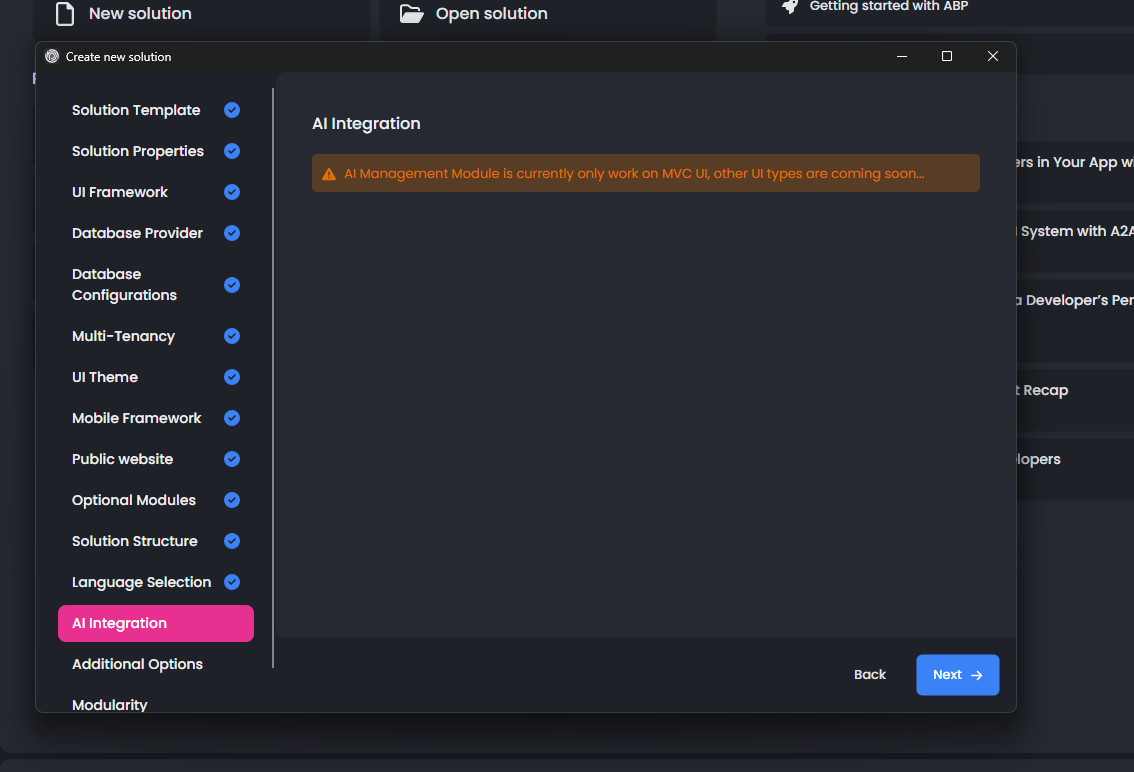
When will the AI integration for angular will be ready? And at what version of abp.io will it be available?
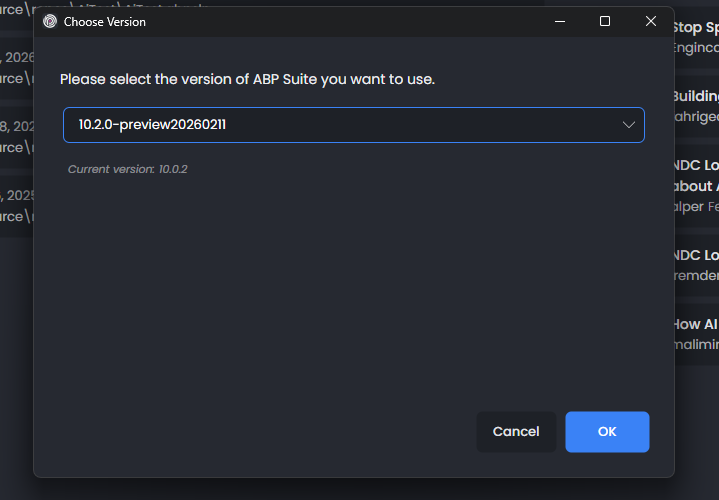
I tried to change to my version to the latest version, however still not shown as below screen shot please advsie
Furthemore please note that I am using 9.2. I want to know the upgrade process details in order to have this feature.
Thank you, this worked
Thank for the update , I added below at top of my file /angular/src/styles.scss but first load the but still the design not correct
//angular/src/styles.scss :root .lpx-header-top { justify-content: space-between; }
You only shared below CSS rule with me, is thier any CSS?
//angular/src/styles.scss :root .lpx-header-top { justify-content: space-between; }
Hello Summeyye,
Thank you for your reply,
which file you mean? i need to put the css on top?
It's occurred only first time do ctr+f5 its will raise one time then all good
Hello Sumeyye Kurtulus,
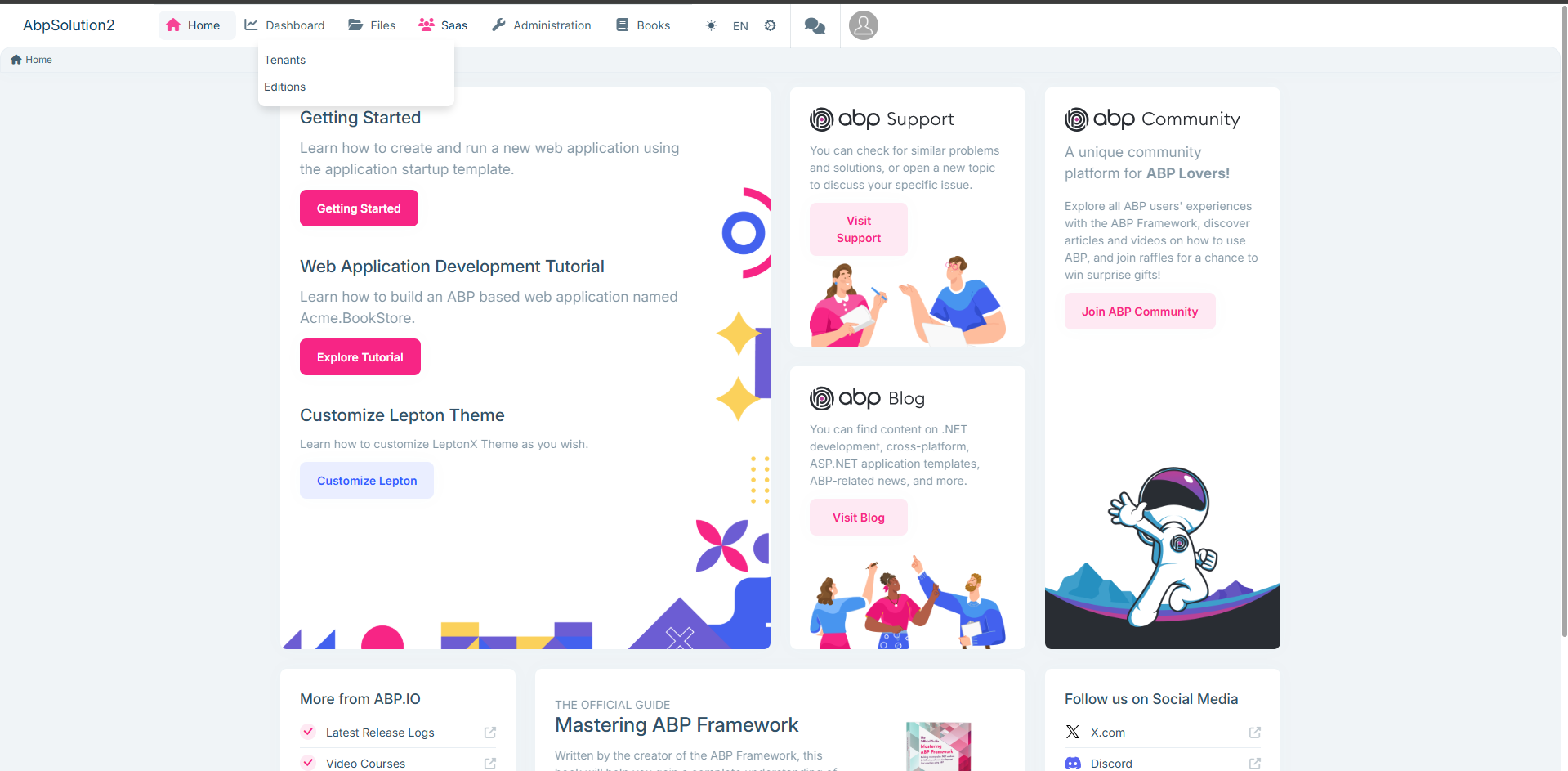
Thank you for your reply, it's worked, but I found below style issue below, noting that I worked on a new, fresh ABP project. Furthermore i put my code changes int for your review
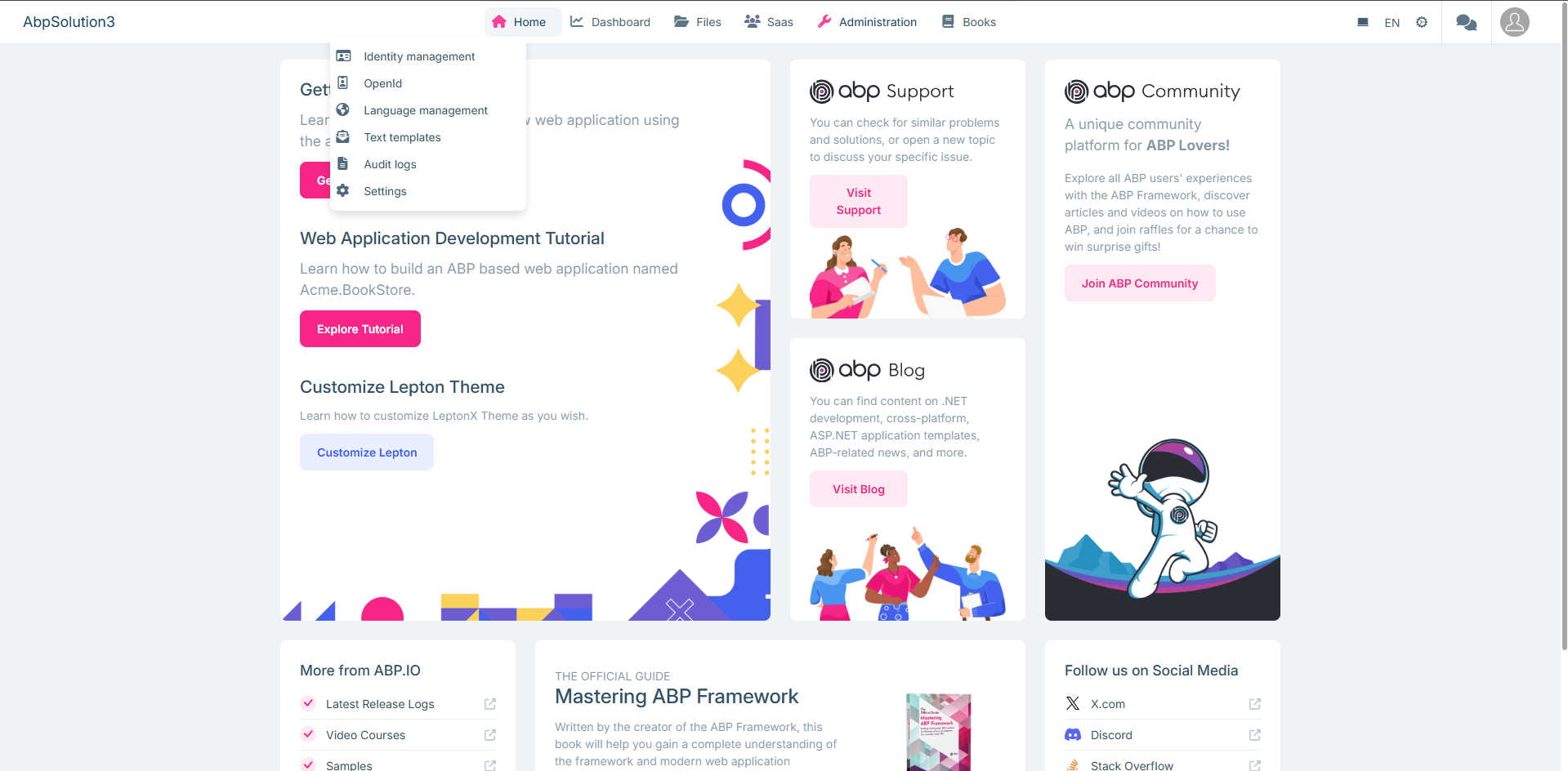
Please advise
import { Component, inject } from '@angular/core';
import { GdprCookieConsentComponent } from '@volo/abp.ng.gdpr/config';
import { DynamicLayoutComponent, ReplaceableComponentsService } from '@abp/ng.core';
import { LoaderBarComponent } from '@abp/ng.theme.shared';
import { eThemeLeptonXComponents } from '@volosoft/abp.ng.theme.lepton-x';
import { TopMenuNavbarComponent } from '@volosoft/ngx-lepton-x/layouts';
import { CustomMenu } from './layouts/custom-menu/custom-menu';
@Component({
selector: 'app-root',
template: <abp-loader-bar /> <abp-dynamic-layout /> <abp-gdpr-cookie-consent />,
imports: [LoaderBarComponent, DynamicLayoutComponent, GdprCookieConsentComponent],
})
export class AppComponent {
private replaceComponent = inject(ReplaceableComponentsService);
constructor() {
this.replaceComponent.add({
component: TopMenuNavbarComponent,
key: eThemeLeptonXComponents.TopNavbar,
});
this.replaceComponent.add({
  component: CustomMenu,
  key: eThemeLeptonXComponents.Navbar,
});

this.replaceComponent.add({
  component: CustomMenu,
  key: eThemeLeptonXComponents.Breadcrumb,
});
} }
import { Component } from '@angular/core';
@Component({ selector: 'app-custom-menu',
template: '',
}) export class CustomMenu {
}
/* You can add global styles to this file, and also import other style files */
:root .lpx-theme-dark { .abp-support { background-image: url('/assets/images/getting-started/abp-support-white.svg'); } .abp-community { background-image: url('/assets/images/getting-started/abp-community-white.svg'); } .abp-blog { background-image: url('/assets/images/getting-started/abp-blog-white.svg'); } .logo-x { background-image: url('/assets/images/getting-started/x-white.svg'); } }
:root { --lpx-theme-light-bg: url('/assets/images/login/login-bg-img-light.svg'); --lpx-theme-dim-bg: url('/assets/images/login/login-bg-img-dim.svg'); --lpx-theme-dark-bg: url('/assets/images/login/login-bg-img-dark.svg');
--lpx-logo-url: var(--lpx-logo-icon, url('/assets/images/logo/icon.svg')); --lpx-logo: var(--lpx-logo-icon);
.abp-logo { background-repeat: no-repeat; }
.abp-support { width: 178px; height: 30px; background-image: url('/assets/images/getting-started/abp-support.svg'); }
.abp-community { width: 215px; height: 30px; background-image: url('/assets/images/getting-started/abp-community.svg'); }
.abp-blog { width: 142px; height: 30px; background-image: url('/assets/images/getting-started/abp-blog.svg'); }
.logo-x { width: 20px; height: 20px; background-image: url('/assets/images/getting-started/x.svg'); } } :root .lpx-header-top { justify-content: space-between; }
Dear Abp Team
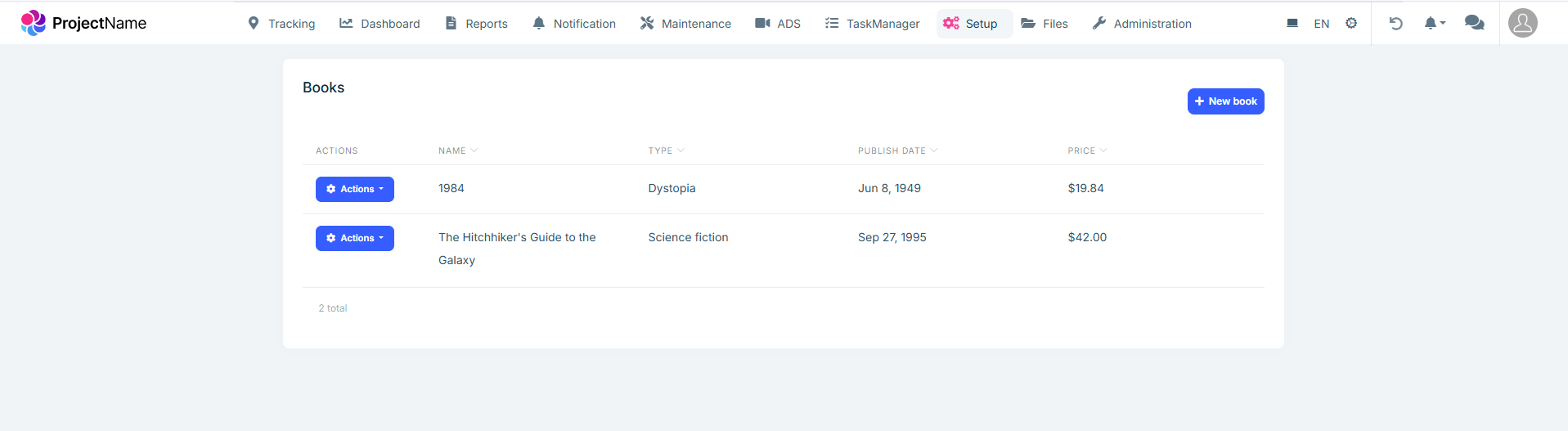
We would like to replace our lpx-top-menu-navbar to be placed between company log (lpx-header-top) and user menu (lpx-right-menu), our header has two navbar please find attached a screenshot from our project and our app.module.ts file. note our second screenshot is what we expect to have
Current
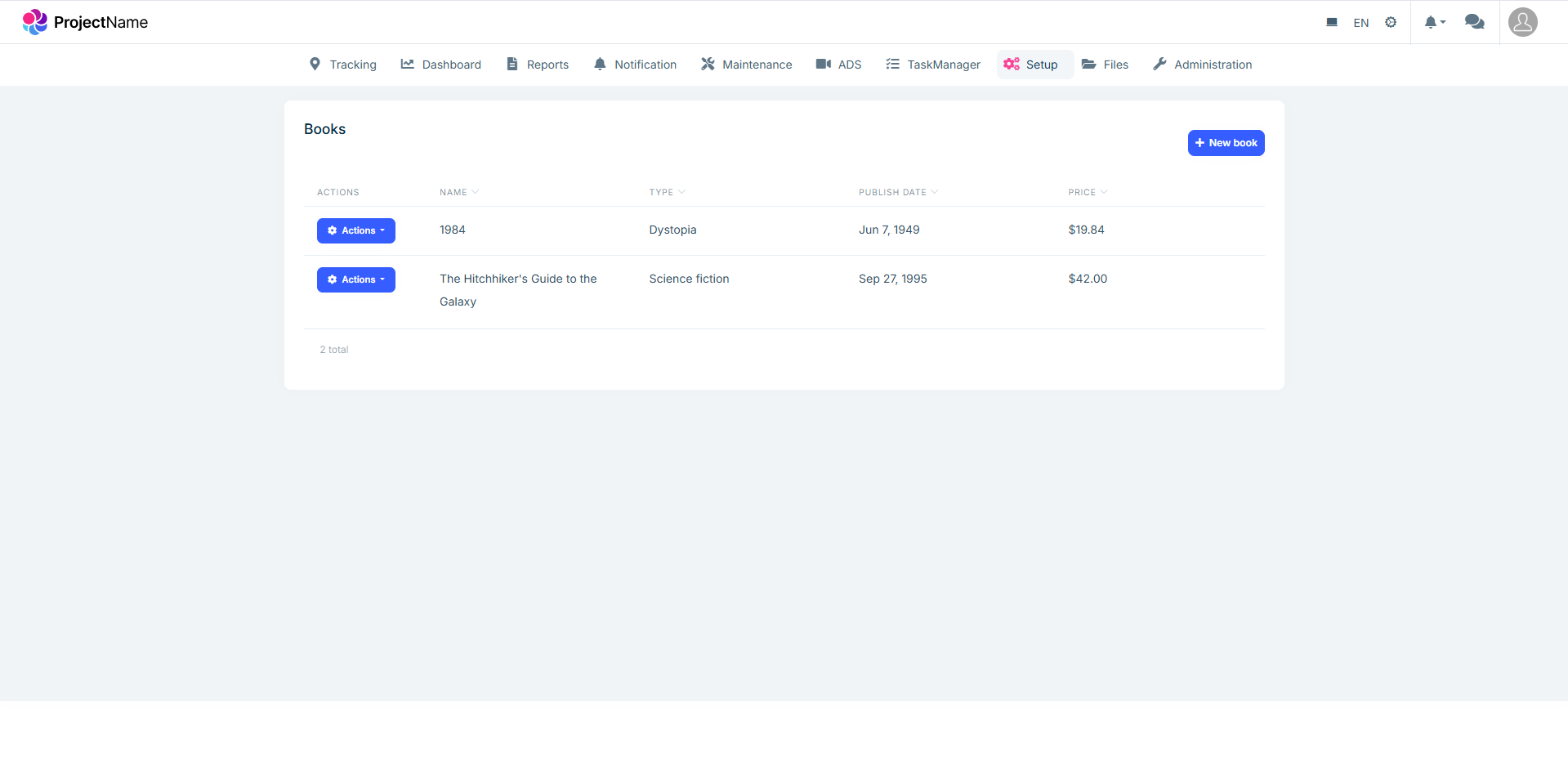
Expected