Check the docs before asking a question: https://docs.abp.io/en/commercial/latest/
Check the samples to see the basic tasks: https://docs.abp.io/en/commercial/latest/samples/index
The exact solution to your question may have been answered before, and please first use the search on the homepage.
Provide us with the following info:
- ABP Framework version: v7.2.2
- UI Type: MVC
- Database System: EF Core (SQL Server)
- Tiered (for MVC) or Auth Server Separated (microservices): yes/yes
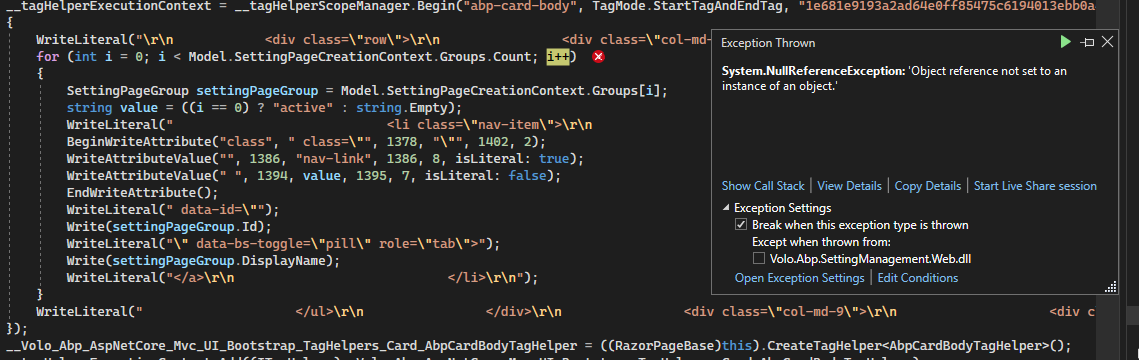
- Exception message and full stack trace: > Volo.Abp.SettingManagement.Web.dll!AspNetCoreGeneratedDocument.Pages_SettingManagement_Index.ExecuteAsync.AnonymousMethod__12_5() Line 148 C#
Microsoft.AspNetCore.Razor.Runtime.dll!Microsoft.AspNetCore.Razor.Runtime.TagHelpers.TagHelperExecutionContext.SetOutputContentAsync() Unknown
Volo.Abp.SettingManagement.Web.dll!AspNetCoreGeneratedDocument.Pages_SettingManagement_Index.ExecuteAsync.AnonymousMethod__12_1() Line 174 C#
Microsoft.AspNetCore.Razor.Runtime.dll!Microsoft.AspNetCore.Razor.Runtime.TagHelpers.TagHelperExecutionContext.SetOutputContentAsync() Unknown
Volo.Abp.SettingManagement.Web.dll!AspNetCoreGeneratedDocument.Pages_SettingManagement_Index.ExecuteAsync() Line 181 C#
Microsoft.AspNetCore.Mvc.Razor.dll!Microsoft.AspNetCore.Mvc.Razor.RazorView.RenderPageCoreAsync(Microsoft.AspNetCore.Mvc.Razor.IRazorPage page, Microsoft.AspNetCore.Mvc.Rendering.ViewContext context) Unknown
Microsoft.AspNetCore.Mvc.Razor.dll!Microsoft.AspNetCore.Mvc.Razor.RazorView.RenderPageAsync(Microsoft.AspNetCore.Mvc.Razor.IRazorPage page, Microsoft.AspNetCore.Mvc.Rendering.ViewContext context, bool invokeViewStarts) Unknown
Microsoft.AspNetCore.Mvc.Razor.dll!Microsoft.AspNetCore.Mvc.Razor.RazorView.RenderAsync(Microsoft.AspNetCore.Mvc.Rendering.ViewContext context) Unknown
Microsoft.AspNetCore.Mvc.ViewFeatures.dll!Microsoft.AspNetCore.Mvc.ViewFeatures.ViewExecutor.ExecuteAsync(Microsoft.AspNetCore.Mvc.Rendering.ViewContext viewContext, string contentType, int? statusCode) Unknown
...
- Steps to reproduce the issue: I have successfully extended (added new settings group ) to a layered (Bookstore) app following the instructions here: https://docs.abp.io/en/abp/latest/Modules/Setting-Management and can update the new settings fields.
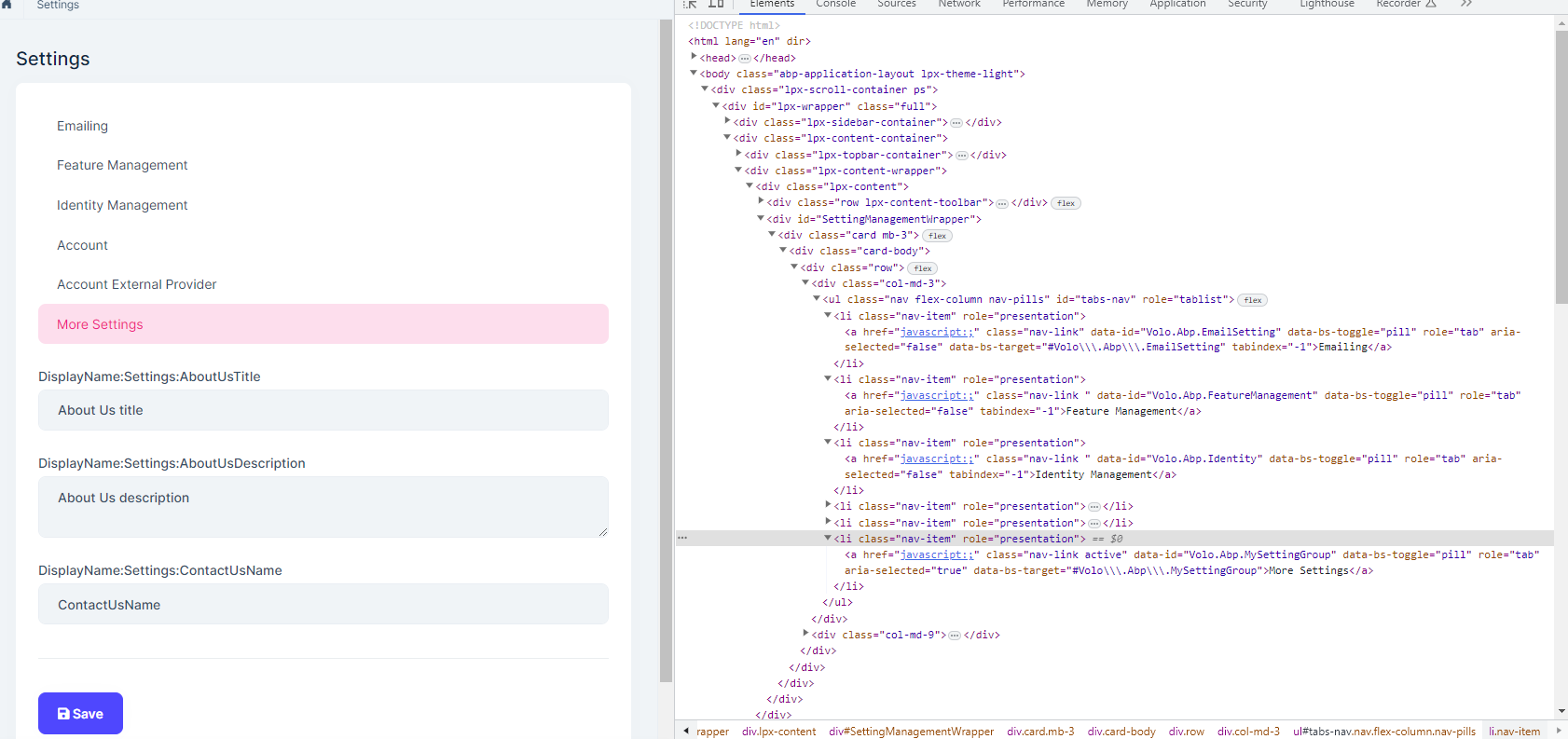
- However, we have a microservice solution and I'm trying to apply the same to the .web project of the AdministrationService microservice. I can get the new menu group to show and when clicked it will load the new settings. The issue is when clicking the 'save' button to persist the changes I get an 'object null reference' in the /Page/SettingManagement/Index.cshtml. The Model.SettingPageCreationContext object is null.
- Not sure why it is 'reloading' the Settings Page and not calling the form post in the component default.js file.
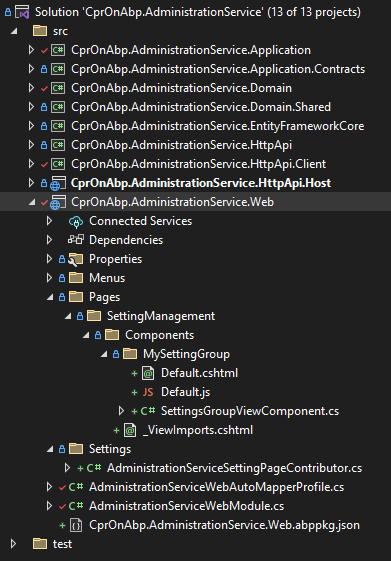
Here is the file structure for the AdministrationService.Web project and the Default.cshtml.
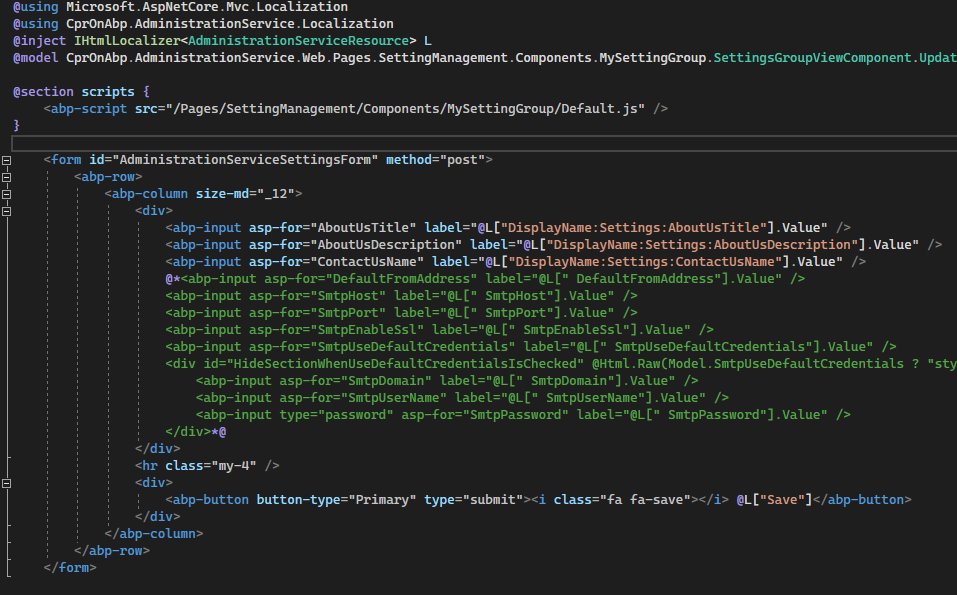 Default.js
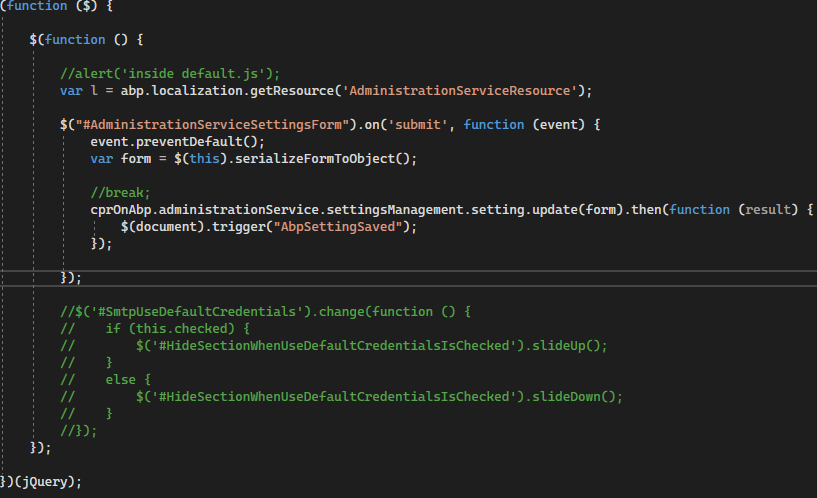
The Web (backend admin) application has been setup with
"[DependsOn(...
typeof(AdministrationServiceWebModule),
typeof(AdministrationServiceHttpApiClientModule),
...)]" --- this is from the microservices template (default behavior).
Can I get some direction on how to proceed to solve this issue (what code I am missing). I cannot find any microservice example that extends the Settings Management module. I did find most of the patterns in the https://github.com/abpframework/abp/tree/dev/modules/setting-management/src/Volo.Abp.SettingManagement.Web project.
Thanks in advance.









