It is working now. But i have other questions below
Hi Maliming,
It is not working.The button and column i added for customization still gone after adding new attribute using ABP Suite.Can you advise?
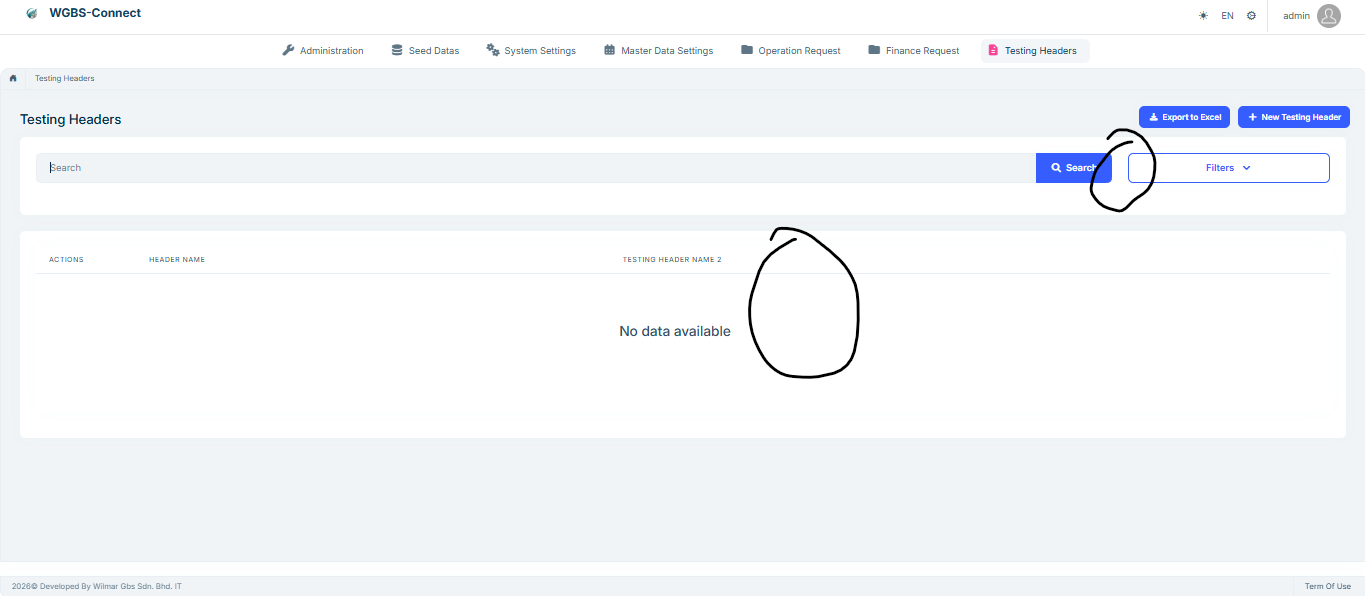
Below is the template txt for your reference. I use @//<suite-custom-code-block-11>@ and @//<suite-custom-code-block-12>@ for this is the only 2 placeholder used in template %%<if:IsModuleOrMicroservice>%%@page "/%%only-project-name%%/%%entity-name-plural%%"%%</if:IsModuleOrMicroservice>%%
%%<if:IsAppOrAppNoLayered>%%@page "/%%entity-name-plural-kebabcase%%"%%</if:IsAppOrAppNoLayered>%%
@attribute [Authorize(%%only-project-name%%Permissions.%%entity-name-plural%%.Default)] @using %%<if:IsModule>%%global::%%</if:IsModule>%%%%project-name%%.%%<if:IsMicroserviceNoLayerProject>%%%%microservice-dtos-namespace-prefix%%%%</if:IsMicroserviceNoLayerProject>%%%%entity-namespace%% @using %%<if:IsModule>%%global::%%</if:IsModule>%%%%project-name%%.%%<if:IsMicroserviceNoLayerProject>%%%%microservice-services-namespace-prefix%%%%</if:IsMicroserviceNoLayerProject>%%%%entity-namespace%% @using %%<if:IsModule>%%global::%%</if:IsModule>%%%%project-name%%.Localization @using %%<if:IsModule>%%global::%%</if:IsModule>%%%%solution-namespace%%%%<if:IsMicroserviceNoLayerProject>%%.%%microservice-dtos-namespace-prefix%%%%</if:IsMicroserviceNoLayerProject>%%%%<if:ApplicationContractsNotExists>%%.AppServices%%</if:ApplicationContractsNotExists>%%%%<if:IsNotMicroserviceNoLayerProject>%%.%%</if:IsNotMicroserviceNoLayerProject>%%Shared @using Microsoft.AspNetCore.Authorization @using Microsoft.Extensions.Localization @using Microsoft.AspNetCore.Components.Web @using Blazorise @using Blazorise.Components @using Blazorise.DataGrid @using Volo.Abp.BlazoriseUI @using Volo.Abp.BlazoriseUI.Components @using Volo.Abp.ObjectMapping @using Volo.Abp.AspNetCore.Components.Messages @using Volo.Abp.AspNetCore.Components.Web.Theming.Layout %%child-entities-namespaces-razor%% @using %%<if:IsModule>%%global::%%</if:IsModule>%%%%project-name%%.Permissions @using Volo.Abp.AspNetCore.Components.Web @using Volo.Abp.AspNetCore.Components %%<if:ExportExcel>%%@using Microsoft.AspNetCore.Components%%</if:ExportExcel>%% %%<if:ExportExcel>%%@using Volo.Abp.Http.Client%%</if:ExportExcel>%% @inherits %%component-base-name%%ComponentBase @inject I%%entity-name-plural%%AppService %%entity-name-plural%%AppService %%child-entities-appservice-injections%% @inject IUiMessageService UiMessageService @inject AbpBlazorMessageLocalizerHelper<%%only-project-name%%Resource> LH %%<if:ExportExcel>%%@inject IRemoteServiceConfigurationProvider RemoteServiceConfigurationProvider%%</if:ExportExcel>%% %%<if:ExportExcel>%%@inject NavigationManager NavigationManager%%</if:ExportExcel>%% %%enum-namespaces%% @* ************************* PAGE HEADER ************************* *@ <PageHeader Title="@L["%%entity-page-title%%"]" BreadcrumbItems="BreadcrumbItems" Toolbar="Toolbar">
</PageHeader>
<style> tr.table-row-selectable:hover { cursor: default; } </style>
@* ************************* SEARCH ************************* @ @//<suite-custom-code-block-11>@ <Card> <CardBody> @//<suite-custom-code-block-1>@ @//</suite-custom-code-block-1>*@ <Row> <div class="col%%<if:HasAnyFilterableProperties>%% col-md-8 col-lg-10%%</if:HasAnyFilterableProperties>%%"> <div class="mb-3"> <Form id="%%entity-name%%SearchForm"> <Addons> <Addon AddonType="AddonType.Body"> <TextInput @bind-Value="@Filter.FilterText" Autofocus="true" Placeholder="@L["Search"]"> </TextInput> </Addon> <Addon AddonType="AddonType.End"> <SubmitButton Form="%%entity-name%%SearchForm" Clicked="Get%%entity-name-plural%%Async"> <Icon Name="IconName.Search" Class="me-1"></Icon>@L["Search"] </SubmitButton> </Addon> </Addons> </Form> </div> </div>
        %%advanced-filters-section%%
    </Row>
@//<suite-custom-code-block-3>@
@//</suite-custom-code-block-3>@
</CardBody>
</Card>
@//<suite-custom-code-block-11>@
@* ************************* DATA GRID ************************* @
@//<suite-custom-code-block-12>@
<Card>
<CardBody>%%bulk-delete-control-panel%%
<DataGrid TItem="%%dto-type%%"
@ref="DataGridRef"
Data="%%entity-name%%List"
%%bulk-delete-datagrid-options%%
%%<if:IsMasterWithChildEntities>%%DetailRowTrigger="DetailRowTriggerHandler"%%</if:IsMasterWithChildEntities>%%
%%<if:IsMasterWithChildEntities>%%DetailRowStartsVisible="false"%%</if:IsMasterWithChildEntities>%%
ReadData="OnDataGridReadAsync"
TotalItems="TotalCount"
ShowPager="true"
Responsive="true"
PageSize="PageSize"
Class="datagrid-detail">
<LoadingTemplate>
<Row Class="w-100 align-items-center" Style="height: 150px;">
<Column>
<RadarSpinner />
</Column>
</Row>
</LoadingTemplate>
<EmptyTemplate>
<Row Class="w-100 align-items-center" Style="height: 150px;">
<Column>
<Heading Size="HeadingSize.Is4" TextAlignment="TextAlignment.Center">@L["NoDataAvailable"]</Heading>
</Column>
</Row>
</EmptyTemplate>
<DataGridColumns>
%%multi-select-column%%
%%detail-row-toggle%%
<DataGridEntityActionsColumn TItem="%%dto-type%%" @ref="@EntityActionsColumn">
<DisplayTemplate>
<EntityActions TItem="%%dto-type%%" EntityActionsColumn="@EntityActionsColumn">
<EntityAction TItem="%%dto-type%%"
Visible="@CanEdit%%entity-name%%"
Clicked="async () => await OpenEdit%%entity-name%%ModalAsync(context.Item)"
Text="@L["Edit"]"></EntityAction>
<EntityAction TItem="%%dto-type%%"
Visible="@CanDelete%%entity-name%%"
Clicked="() => Delete%%entity-name%%Async(context.Item)"
ConfirmationMessage="@(()=> L["DeleteConfirmationMessage"])"
Text="@L["Delete"]"></EntityAction>
@//<suite-custom-code-block-4>@
@//</suite-custom-code-block-4>*@
</EntityActions>
</DisplayTemplate>
</DataGridEntityActionsColumn>
%%razor-datagrid-columns%%
</DataGridColumns>
        %%child-entity-detail-row%%
    </DataGrid>
</CardBody>
</Card> @//<suite-custom-code-block-12>@ @* ************************* CREATE MODAL ************************* @ <Modal @ref="Create%%entity-name%%Modal" Closing="@Create%%entity-name%%Modal.CancelClosingModalWhenFocusLost" Centered="true"> <ModalContent> @//<suite-custom-code-block-5>@ @//</suite-custom-code-block-5>@ <Form id="Create%%entity-name%%Form"> <ModalHeader> <ModalTitle>@L["New%%entity-name%%"]</ModalTitle> <CloseButton Clicked="CloseCreate%%entity-name%%ModalAsync" /> </ModalHeader> <ModalBody>%%tab-header-create%% <Validations @ref="@New%%entity-name%%Validations" Mode="ValidationMode.Auto" Model="@New%%entity-name%%" ValidateOnLoad="false"> %%main-create-tab-opener%% %%razor-modal-fields-create%% %%main-create-tab-closer%% %%razor-modal-navigation-connection-fields-new%% </Validations>%%create-tab-closer%% </ModalBody> <ModalFooter> <Button Color="Color.Secondary" Clicked="CloseCreate%%entity-name%%ModalAsync"> @L["Cancel"] </Button> <SubmitButton Form="Create%%entity-name%%Form" Clicked="Create%%entity-name%%Async"%%<if:HasFileProperty>%% Disabled="@IsCreateFormDisabled()"%%</if:HasFileProperty>%%/> @//<suite-custom-code-block-6>@ @//</suite-custom-code-block-6>@ </ModalFooter> </Form> @//<suite-custom-code-block-7>@ @//</suite-custom-code-block-7>*@ </ModalContent> </Modal>
@* ************************* EDIT MODAL ************************* @ <Modal @ref="Edit%%entity-name%%Modal" Closing="@Edit%%entity-name%%Modal.CancelClosingModalWhenFocusLost" Centered="true"> <ModalContent> @//<suite-custom-code-block-8>@ @//</suite-custom-code-block-8>@ <Form id="Edit%%entity-name%%Form"> <ModalHeader> <ModalTitle>@L["Update"]</ModalTitle> <CloseButton Clicked="CloseEdit%%entity-name%%ModalAsync" /> </ModalHeader> <ModalBody>%%tab-header-edit%% <Validations @ref="@Editing%%entity-name%%Validations" Mode="ValidationMode.Auto" Model="@Editing%%entity-name%%" ValidateOnLoad="false"> %%main-edit-tab-opener%% %%razor-modal-fields-edit%% %%main-edit-tab-closer%% %%razor-modal-navigation-connection-fields-editing%% </Validations>%%edit-tab-closer%% </ModalBody> <ModalFooter> <Button Color="Color.Secondary" Clicked="CloseEdit%%entity-name%%ModalAsync"> @L["Cancel"] </Button> <SubmitButton Form="Edit%%entity-name%%Form" Clicked="Update%%entity-name%%Async"%%<if:HasFileProperty>%% Disabled="@IsEditFormDisabled()"%%</if:HasFileProperty>%% /> @//<suite-custom-code-block-9>@ @//</suite-custom-code-block-9>@ </ModalFooter> </Form> @//<suite-custom-code-block-10>@ @//</suite-custom-code-block-10>*@ </ModalContent> </Modal>
%%child-entities-create-edit-modals%%
Hi maliming, Step 2 is what i needed, can u advise how to add placeholder for this 2 block?
Hi maliming,
1.Please correct me if my understanding is correct. For my version, i have 20 placeholder to use but 10 already in fix places which i cannot change the location. So i am left with balance 10 only. Is that correct?
2. For my situation, my code customiztion is offen written in below 2 area.Is there any placeholder i can write to always protect this 2 whole block?
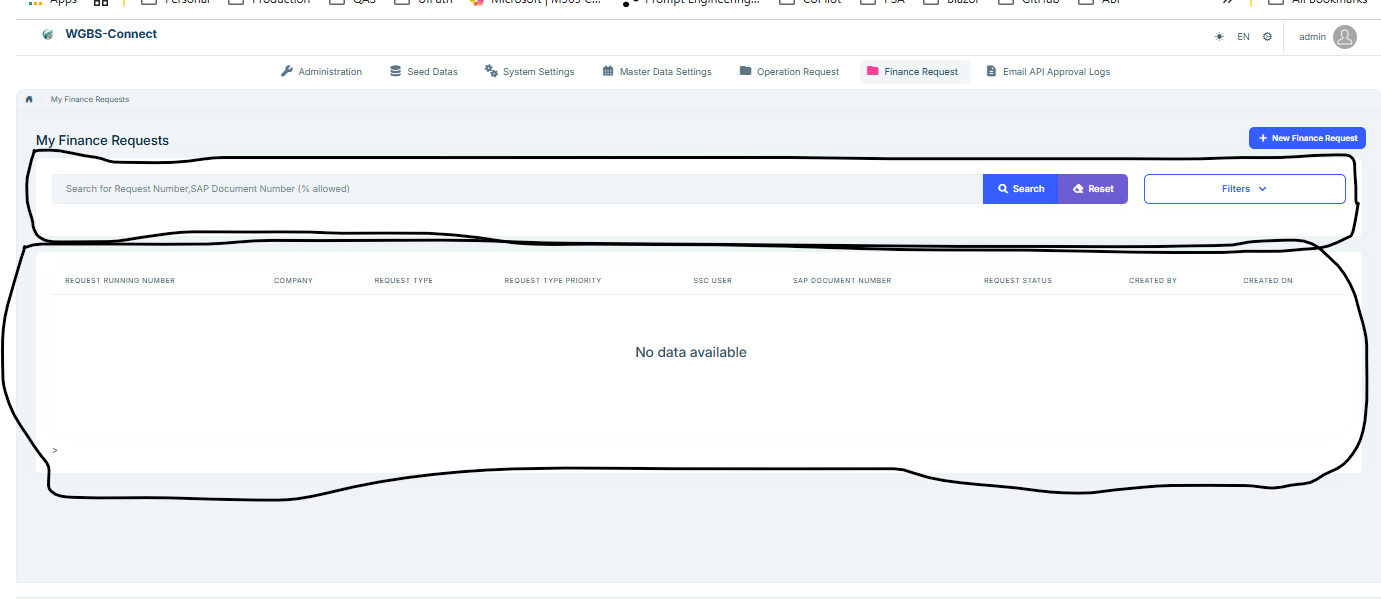
I have question below.
1.Is there any documentation for this?Is it true that we need to raise ticket for every placeholder to add?
2.The added placeholder will be available for use for all the pages?Does the palceholder will be added to every new generated page?
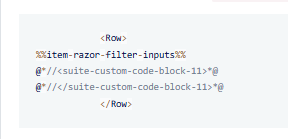 3.For my previous coding, i have too much customization already in razor page. How to to protect the whole header razor page whenever a new child entity is created?
4.For every time code generated using ABP Suites, the code behind that has customization will be overwritten if they are not written in .extended.cs?
The question is there is no template functionality availble in my abp studio. Please advise
Hi ,
I come across the article https://abp.io/docs/latest/suite/customizing-the-generated-code that customization can be protected using placeholder and it mention below.
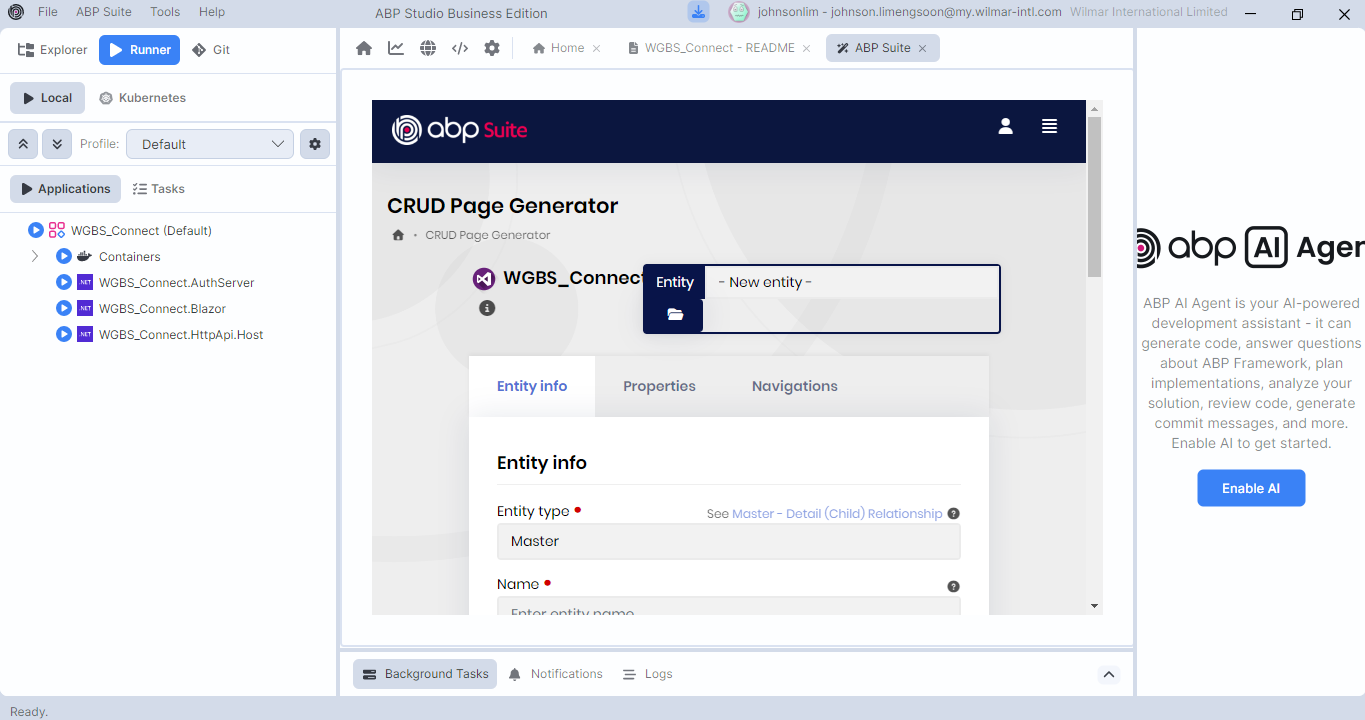
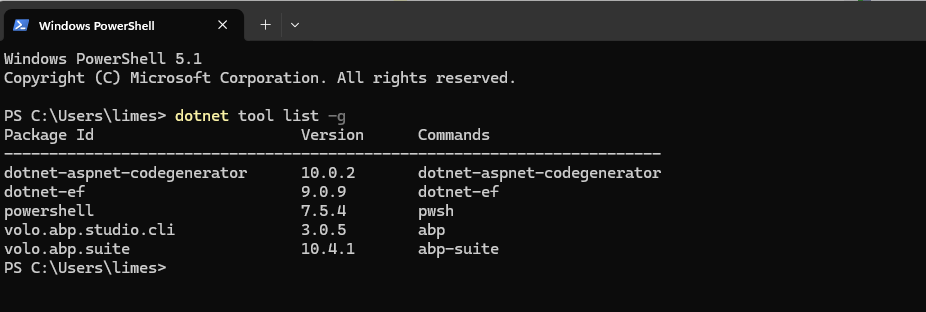
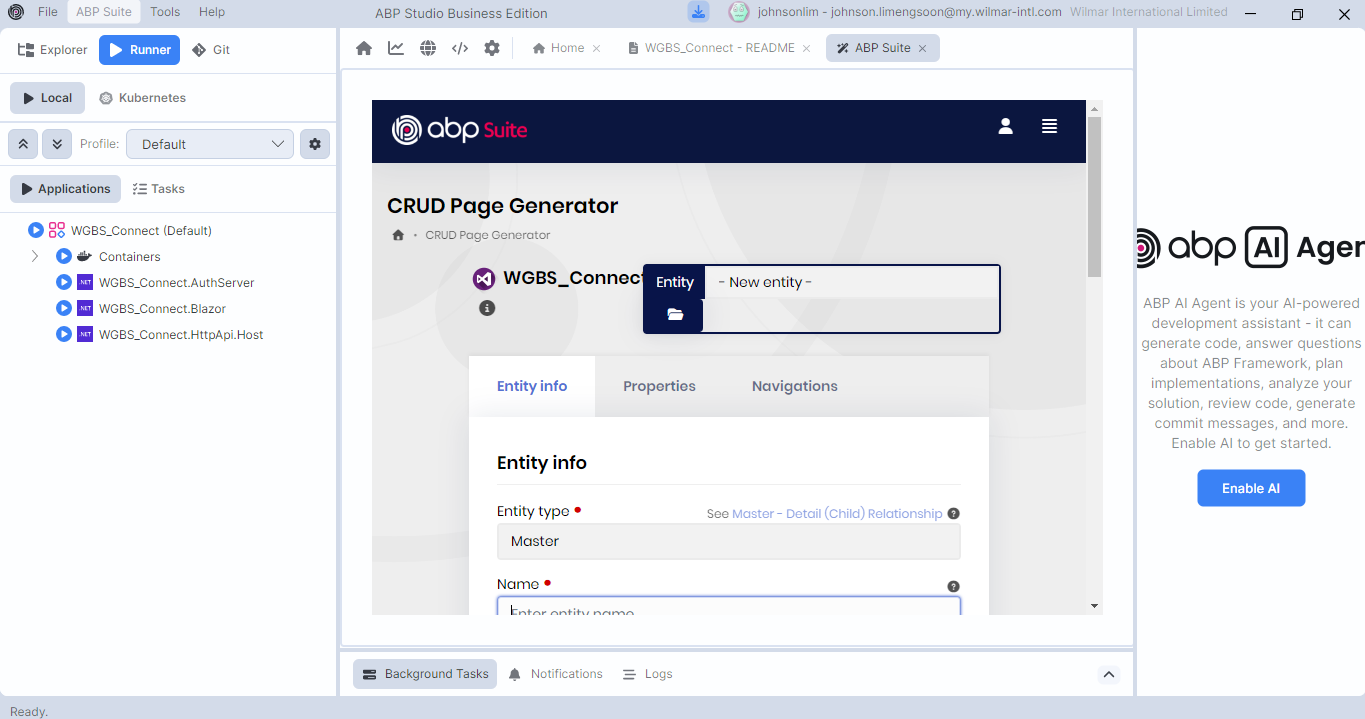
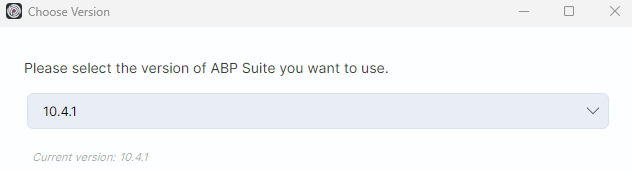
I am using ABP 10.4.1, refer to below picture.
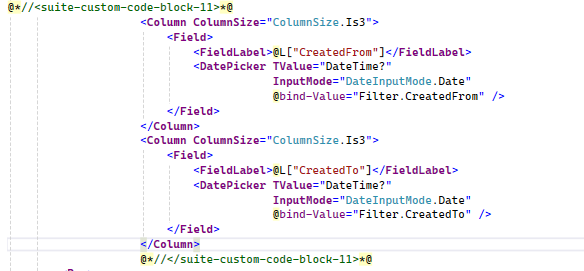
I find out that the code is overwritten when using ABP Studio to regenerate code for new column,the place holder i use is @*//<suite-custom-code-block-11>*@ .refer to picture below
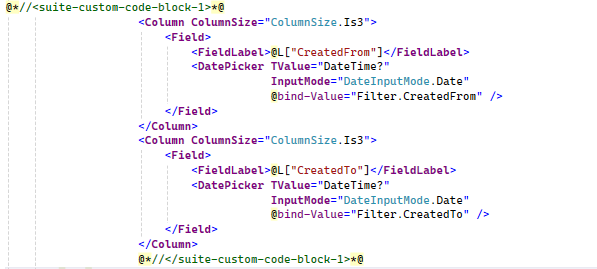
I try to use @*//<suite-custom-code-block-1>*@, the customization code is protected but moved to the original location of @*//<suite-custom-code-block-1>*@
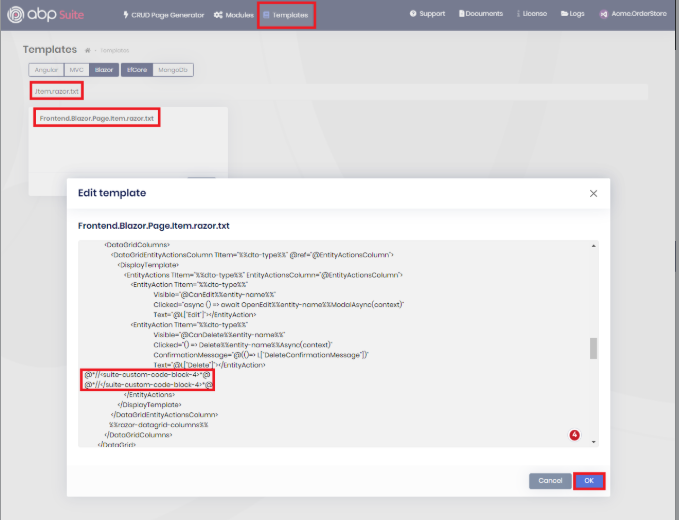
So my question is how to protect the customization code in razor page. I do not see the highlighted read functionality in my abp studio
Hi Maliming,
my version is10.4.1.
I have few question below can you help?
This is my first time doing the upgrade. Need to check with you in details for step below.



Hi Maliming,
my abp version is 3.0.5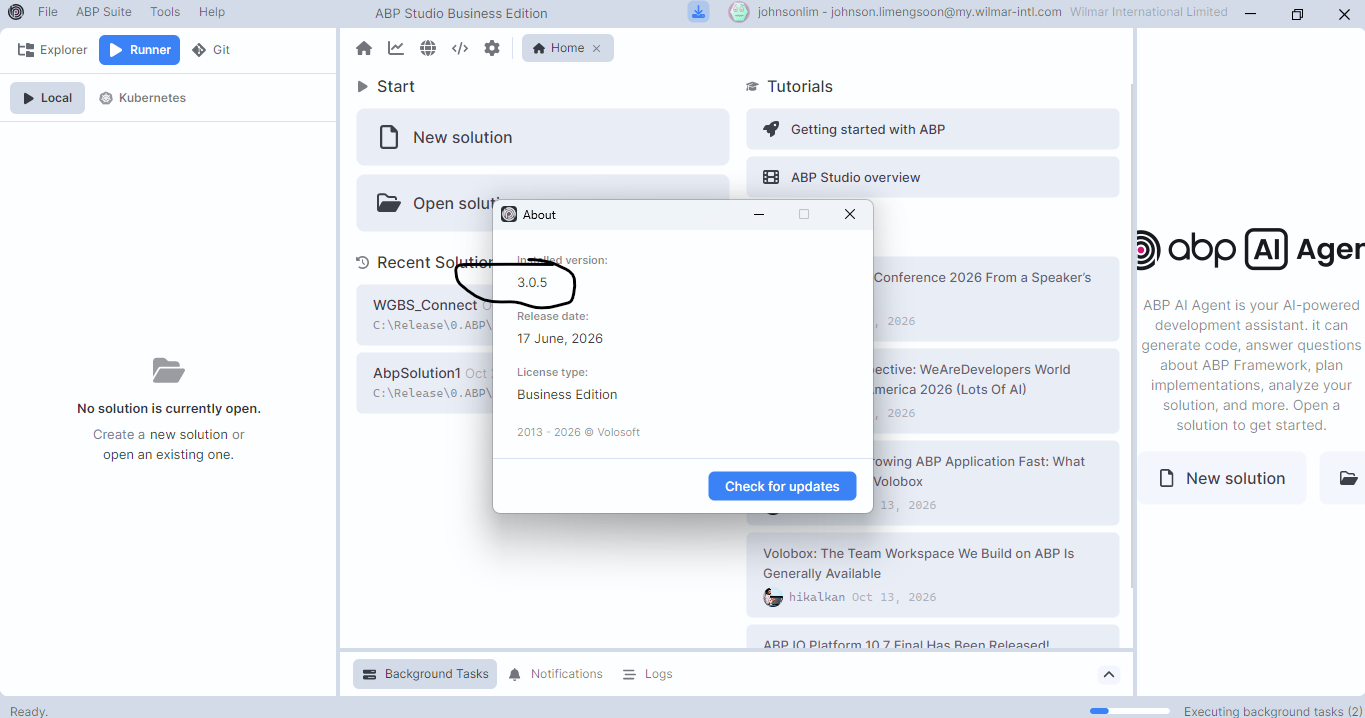
Hi, I have 2 question as below:




