Thank you for taking the time to provide these details. Upon reviewing the information, I was unable to identify any misconfiguration that could be causing the issue.
If you could share a minimal, reproducible example, I would be glad to investigate further. Please feel free to send it to me at: sumeyye.kurtulus@volosoft.com
Thank you for providing additional details about the versions. However, I'm still unable to reproduce the issue.
Could you also clarify which build system option you're using in your application — browser or application? This distinction can sometimes lead to issues due to differences in builder synchronization and prioritization.
Thank you for taking the time to send over the example. I look forward to receiving the email.
To help us troubleshoot the module error you're encountering, could you please provide the following additional details:
Routing Setup
If the problem occurs on navigation, we can troubleshoot these points.
loadChildren statement or the relevant part of your route configuration.TypeScript Configuration
tsconfig.json and tsconfig.app.json.tsconfig.base.json (if present) and confirm whether paths are being used for module resolution.These details will help us better understand how the library is being resolved and integrated into your application.
Hello, we apologize for the delay. I’ll look into this and get back to you as soon as possible. Thank you for your patience and understanding.
Hello, I’m unable to reproduce the issue on my end. Could you please provide the ABP version you’re using in your project, along with the theme you’ve applied?
Hello,
To change the version, please click on Abp Suite located in the top-left corner. In the dropdown menu, you'll find an option to switch versions. Select the stable version 9.2.0 from the list and update your suite accordingly.
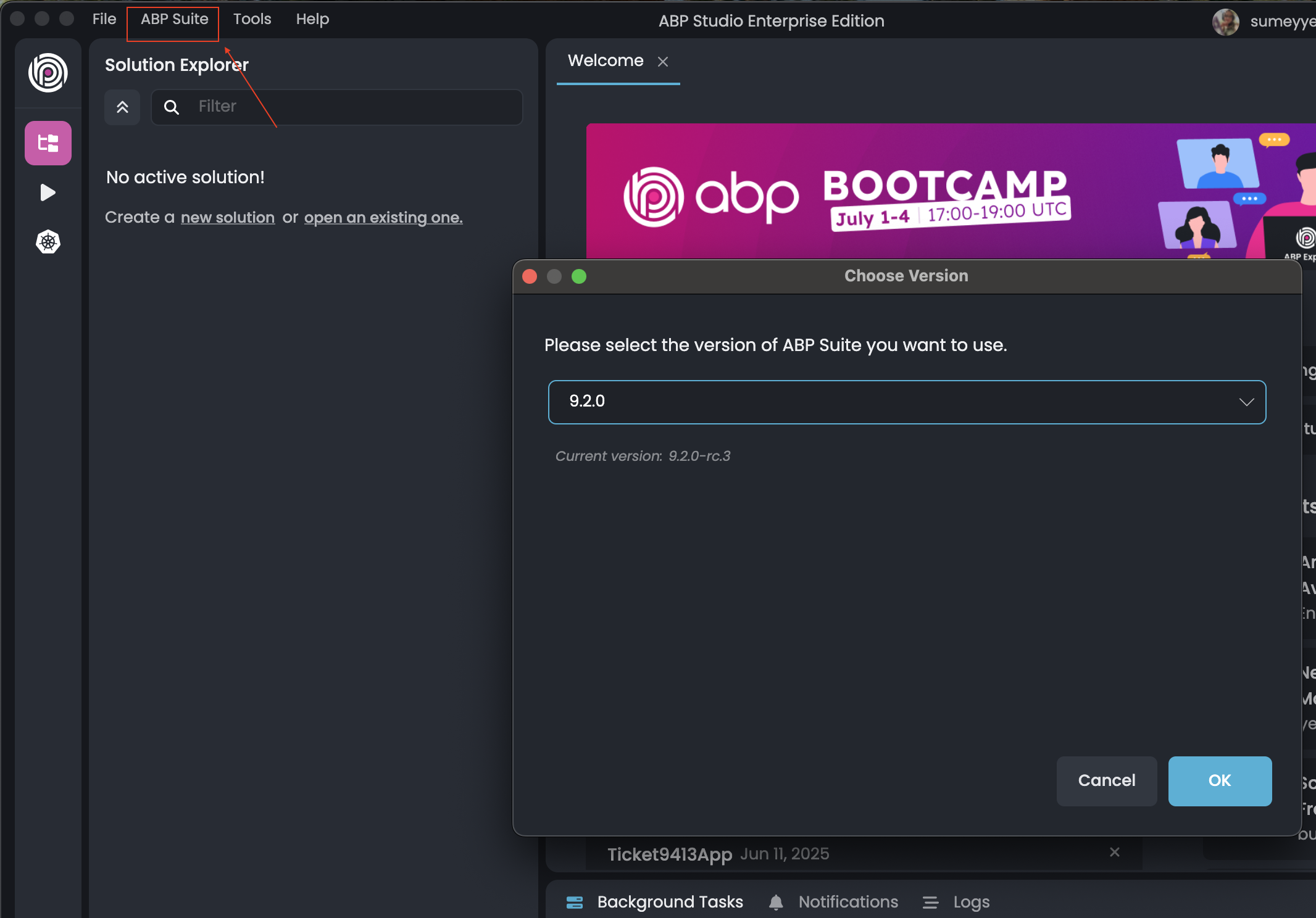
If you encounter any issues or the version change does not work, feel free to send me a sample project at sumeyye.kurtulus@volosoft.com, and I will be glad to assist you further.
Hello again, Thank you for sharing the related JSON file. However, I wasn’t able to reproduce the issue on my end.
I recommend updating your Suite version to the stable release 9.2.0, as that might resolve the problem. If the issue persists, I can provide you with a .suite file that may help troubleshoot further.
Please let me know if you'd like me to share that or if you need any additional assistance.
Hello, thank you for providing these details.
Unfortunately, I’m unable to access the JSON file at https://pastebin.com/CHpftErb, so I can’t reproduce the issue on my end.
Additionally, this version should have been updated to 9.0.0 with the latest release.
I’ve also tried clearing the .suite folder to force ABP Suite to fetch a fresh copy, but the issue still persists. For reference, the package.json of the .suite schematics currently shows:
"name": "@volo/abp.ng.suite", "version": "9.2.0-rc.3",
Hello again, and apologies for the delayed response.
Thank you for the additional details—this helps clarify the situation. As previously mentioned, it is not possible to override the settings overlay directly, as it is intended to be replaced in its entirety by design. However, reviewing the source code may still be beneficial if you plan to implement a custom overlay solution.
Please feel free to reach out if you need further assistance or guidance.









