Thank you — this confirms our suspicion and the layout hook approach makes sense. We'll implement it.
For completeness, could you provide the full code example for the Razor partial? Specifically, the @Url.Content("~/...") calls for the CSS variables, and the Configure<AbpLayoutHookOptions> registration. The partial path and hook target (LayoutHooks.Head.Last) you mentioned are clear, but an explicit snippet showing the inline <style> block with the correct variable names would help us avoid guessing the right hook and layout scope.
Also, one follow-up: should global-styles.css retain these CSS variable declarations (with absolute paths as a fallback) or should they be removed entirely once the layout hook is in place? Keeping both would cause a specificity race depending on load order, so we want to be sure which is the intended pattern.
Finally, should this be considered a bug in the project template? The generated global-styles.css uses root-absolute paths that work only when the app is hosted at the root. Sub-path deployments are a common and supported ASP.NET Core scenario (UsePathBase), yet the template generates code that silently breaks in that configuration with no warning. If the layout hook is the correct pattern, we would expect the template to generate that instead of a static CSS file with hard-coded absolute paths.
Thank you for the response. Unfortunately, switching to relative paths is something we already tried, and it broke after upgrading to LeptonX 5.2.0.
In LeptonX 5.2.0, global-styles.css is included in the LeptonX global CSS bundle, which is served from a URL such as /Themes/LeptonX/Global/side-menu/css/bootstrap-dark.css. Because CSS url() references resolve relative to the stylesheet's own URL, a relative path like url('images/logo/leptonx/icon.svg') resolves to /Themes/LeptonX/Global/side-menu/css/images/logo/leptonx/icon.svg instead of /images/logo/leptonx/icon.svg — so the resource 404s regardless of the path base. This is what forced us back to absolute paths.
So neither option works when the app is hosted under a path base:
| URL style | Breaks because |
|---|---|
| url('images/...') relative | Resolves against the bundle URL, not the app root (regression introduced in LeptonX 5.2.0) |
| url('/images/...') absolute | Resolves against the host root, ignoring UsePathBase |
The only correct fix is to define these CSS variables server-side where HttpContext.Request.PathBase is available — for example via a LeptonX Layout Hook that renders an inline <style> block using Url.Content("~/images/..."). Could you confirm whether that approach is officially supported, or whether there is a built-in ABP mechanism we are missing?
ABP version: 10.2.0 / LeptonX 5.2.0
Affected template: MVC/Razor Pages + Angular (HttpApi.Host), tiered
Reproduction URL pattern: https://example.com/server/Account/Manage (any MVC page when App:SelfUrl includes a sub-path, e.g. https://example.com/server)
Problem
The project template generates global-styles.css (in wwwroot/) with root-absolute url() references for LeptonX CSS custom properties:
:root {
    --lpx-theme-light-bg: url('/LeptonX/images/login-pages/login-bg-img-light.svg');
    --lpx-theme-dim-bg: url('/LeptonX/images/login-pages/login-bg-img-dim.svg');
    --lpx-theme-dark-bg: url('/LeptonX/images/login-pages/login-bg-img-dark.svg');
}

:root {
    --lpx-logo: url('/images/logo/leptonx/icon.svg');
    --lpx-logo-icon: url('/images/logo/leptonx/icon.svg');
}
When the application is hosted under a sub-application path (e.g. /server), these root-absolute URLs resolve against the host root instead of the application root. The browser requests:
GET /images/logo/leptonx/icon.svg → 404

instead of:
GET /server/images/logo/leptonx/icon.svg → 200
As a result, the application logo is not displayed and login page backgrounds are broken for any deployment that uses a path base.
Root cause
global-styles.css is a static file — it has no server-side context and cannot dynamically include the configured path base. Root-absolute paths (starting with /) always resolve from the host root, ignoring any UsePathBase middleware configuration.
Other parts of ABP handle this correctly by generating URLs server-side (e.g. LeptonX's accountLayoutBackgroundStyle uses a Razor-computed URL). The CSS variable definitions in global-styles.css have no equivalent mechanism.
Impact
Expected behaviour
Either:
Url.Content("~/...")) for these CSS variable definitions so the path base is respected, orglobal-styles.css when hosting under a sub-application path.Additional observation
We also briefly observed a similar 404 for bootstrap-dark.css (a LeptonX virtual file system asset) on the same page, which would suggest the issue may extend beyond global-styles.css to bundle-managed stylesheet URLs as well. However, we were unable to reproduce it consistently and it subsequently resolved itself, so we cannot confirm whether it is related or was an unrelated transient error.
Hi,
Thanks for the reply.
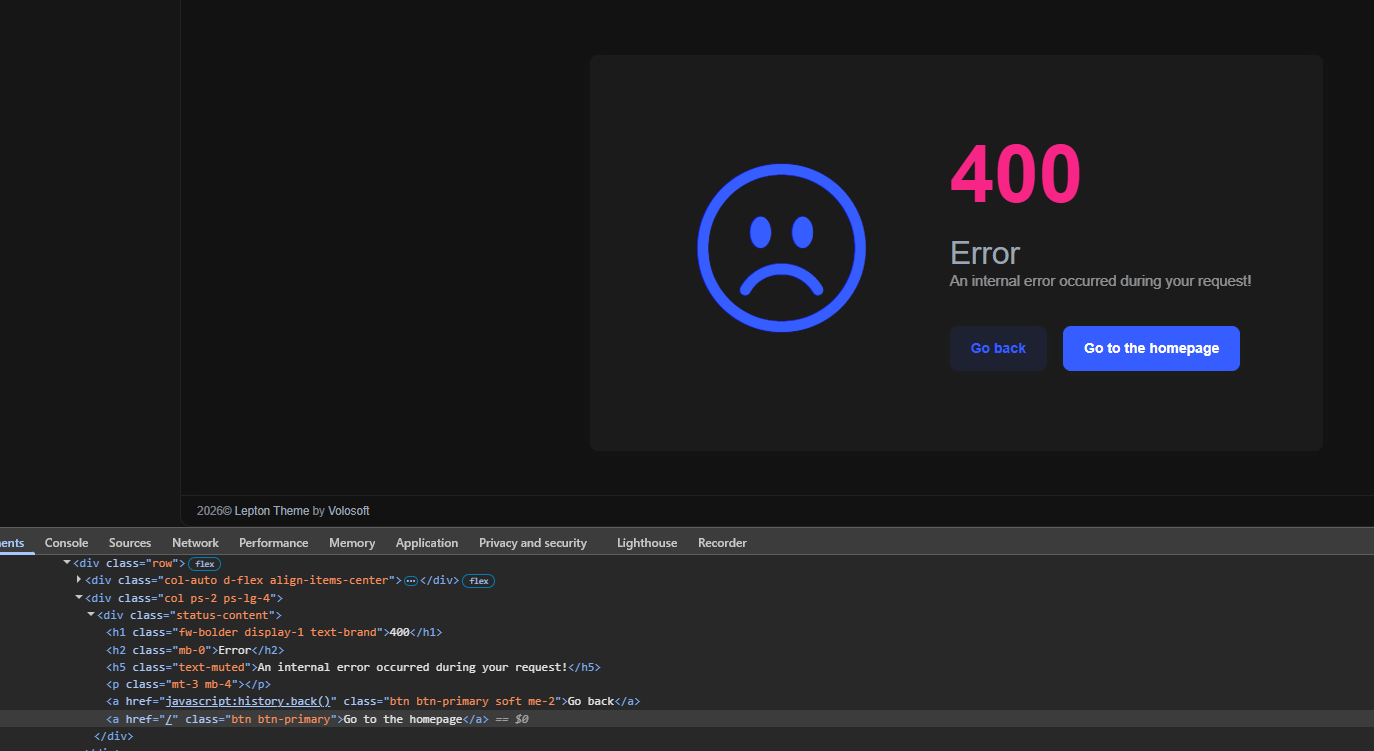
We found another sub-application/pathbase issue, this time on the Error page in the LeptonX MVC theme.
Problem:
When the application is hosted as an IIS sub-application under /server, the Error page button "Go to the homepage" redirects to root / instead of /server/.
It's probably coming from the installed theme package:
Volo.Abp.AspNetCore.Mvc.UI.Theme.LeptonX 5.0.2The homepage link is most probably hardcoded.
So this appears to be another pathbase/sub-application bug in the ABP commercial UI/theme layer.
Could you please confirm:
Thanks.
Thanks for the workaround suggestion.
In our case, this workaround is problematic because the affected Manage/Profile Picture UI is inside the ABP Pro package and we don’t have practical source-level access to patch that page directly in a maintainable way.
For this reason, we would strongly prefer an official bug fix in the module instead of a local workaround.
Could you please confirm this as a product bug in Volo.Abp.Account.Pro.Public.Web.
Hello ABP team,
I checked the docs/samples/search before opening this request.
We are using ABP Commercial and hosting the server as an IIS sub-application under /server (not at site root). We found that the Account Manage/Profile Picture UI generates an image URL without the app pathbase, which breaks under sub-application hosting.
We validated this on package version Volo.Abp.Account.Pro.Public.Web 10.1.1 (same behavior as 10.0.2).
https://<host>/server/https://<host>/web/No server exception is thrown. This is a client-side URL generation issue resulting in 404 for profile picture image requests under https://<host>/server/Account/Manage (please note this is not web but server side app)
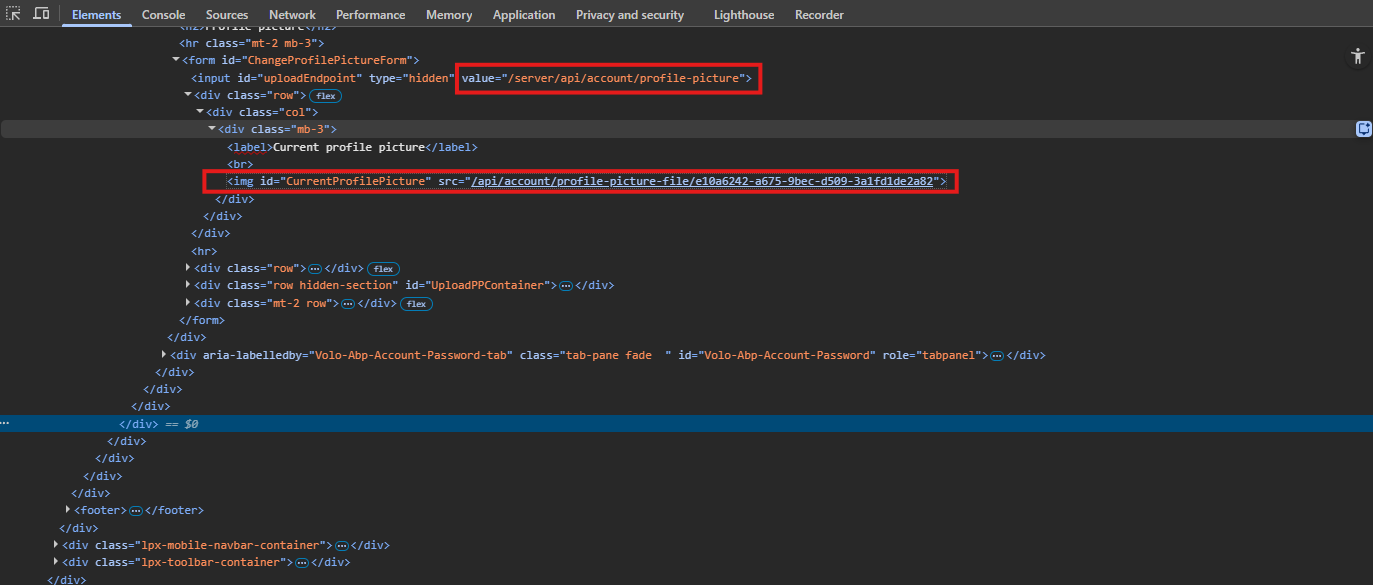
https://<host>/server/Account/Manage).https://<host>/api/account/profile-picture-file/{id} (missing /server)https://<host>/server/api/account/profile-picture-file/{id}<img id="CurrentProfilePicture" ...> points to root-relative /api/account/profile-picture-file/{id}.~/api/... / pathbase-aware URL generation.abp.appPath and <base href> are correctly set to /server/.Please advise whether this is a known issue and if there is an official fix/workaround planned.









