I am very practices with HTTPS reverse proxy. And I added below lines to xxxModule.cs to supprot HTTPS.
    public override void OnApplicationInitialization(ApplicationInitializationContext context)
    {

        var app = context.GetApplicationBuilder();
        var env = context.GetEnvironment();

        if (env.IsDevelopment())
        {
            app.UseDeveloperExceptionPage();
        }

#if RELEASE
            //这里的作用是:跳转到微信的登入页面时,原始网址是https而不是http
            app.Use(async (context, next) =>
            {
                context.Request.Scheme = "https";

                await next.Invoke();
            });
#endif

        app.UseAbpRequestLocalization();

        if (!env.IsDevelopment())
        {
            app.UseErrorPage();
        }

        app.UseCorrelationId();
        app.UseStaticFiles();
        app.UseRouting();
        app.UseAbpSecurityHeaders();
        app.UseCors();
        app.UseAuthentication();
        app.UseAbpOpenIddictValidation();

        if (MultiTenancyConsts.IsEnabled)
        {
            app.UseMultiTenancy();
        }

        app.UseUnitOfWork();
        app.UseDynamicClaims();
        app.UseAuthorization();

        app.UseAuditing();
        app.UseAbpSerilogEnrichers();
        app.UseConfiguredEndpoints();
    }
#
my blazor application is behined a Nginx veverse proxy.
In fact, all blazer pages get the same exception, include ABP built in CMS module.
[03:30:33 INF] Executing endpoint '/_Host'
[03:30:33 INF] Route matched with {page = "/_Host", action = "", controller = "", area = ""}. Executing page /_Host
[03:30:33 INF] Skipping the execution of current filter as its not the most effective filter implementing the policy Microsoft.AspNetCore.Mvc.ViewFeatures.IAntiforgeryPolicy
[03:30:33 INF] Antiforgery token validation failed. The required antiforgery header value "RequestVerificationToken" is not present.
Microsoft.AspNetCore.Antiforgery.AntiforgeryValidationException: The required antiforgery header value "RequestVerificationToken" is not present.
   at Microsoft.AspNetCore.Antiforgery.DefaultAntiforgery.ValidateRequestAsync(HttpContext httpContext)
   at Microsoft.AspNetCore.Mvc.ViewFeatures.Filters.ValidateAntiforgeryTokenAuthorizationFilter.OnAuthorizationAsync(AuthorizationFilterContext context)
[03:30:33 INF] Authorization failed for the request at filter 'Microsoft.AspNetCore.Mvc.ViewFeatures.Filters.AutoValidateAntiforgeryTokenAuthorizationFilter'.
[03:30:33 INF] Executing StatusCodeResult, setting HTTP status code 400
@page "/line"
@using Yee.Erp2.Gitlab.Blazor.Shared

@foreach (ProjectConnector connector in connectors)
{
    <h3>@connector</h3>
    <ProjectFlow FirstProject="@connector.Project" NextProjectPath="@connector.DownstreamPath" SubPipelineTriggered="StarPipeline" />
}

@code {

    List<ProjectConnector> connectors = new List<ProjectConnector>();

    protected override async Task OnInitializedAsync()
    {
        await base.OnInitializedAsync();

        this.connectors.Add(new ProjectConnector()
        {
            DownstreamPath = "framework/third/topsdk"
        });
    }

    async void StarPipeline( ProjectDto current, string path)
    {
        this.connectors.Add(new ProjectConnector()
        {
            Project = current,
            DownstreamPath = path
        });

        this.StateHasChanged();
    }
}
@using System.Text
@using System.Text.RegularExpressions
@inject IProjectAppService ProjectService

<Row>

    @foreach (ProjectDto project in projects)
    {
        <Column ColumnSize="ColumnSize.Is1">
            <Card>
                <CardHeader>
                    <Badge Color="Color.Primary" Pill>master</Badge>

                    <Badge Color="Color.Success">
                        <Tooltip Text="Confirmed">
                            <Icon Name="IconName.ArrowRight" aria-label="Confirmed" />
                        </Tooltip>
                    </Badge>

                </CardHeader>
                <CardBody>
                    @project.Name
                </CardBody>
                <CardFooter>
                    <a href="@string.Concat("https://gitlab.mycompany.com/", project.PathWithNamespace)" target="_blank">
                        打开
                    </a>
                </CardFooter>
            </Card>
        </Column>
    }
</Row>

@code {

    [Parameter]
    public ProjectDto? FirstProject { get; set; }

    [Parameter]
    public string? NextProjectPath { get; set; }

    public delegate void PathChangedHandler(ProjectDto current, string path);

    [Parameter]
    public PathChangedHandler SubPipelineTriggered { get; set; }

    List<ProjectDto> projects = new List<ProjectDto>();

    protected override async Task OnInitializedAsync()
    {
        await base.OnInitializedAsync();

        if (this.FirstProject != null)
        {
            this.projects.Add(FirstProject);
        }

        ProjectDto current = await this.ProjectService.GetProjectAsync(NextProjectPath);

        projects.Add(current);

        while (current != null)
        {

            List<ProjectDto> next = await this.GetNext(current.Id);

            if (next.Count > 0)
            {
                projects.Add(next.First());

                if (next.Count > 1)
                {
                    if (SubPipelineTriggered != null)
                    {
                        for (int i = 1; i < next.Count; i++)
                        {
                            await InvokeAsync(() => this.SubPipelineTriggered.Invoke(current, next[i].PathWithNamespace));
                        }
                    }
                }

                await InvokeAsync(() => this.StateHasChanged());

                current = next.FirstOrDefault();
            }
            else
            {
                current = null;
            }
        }

    }

    async Task<List<ProjectDto>> GetNext(int projectId)
    {
        string encodedContent = await this.ProjectService.GetGitlabCiYmlAsync(projectId);

        var decodedBytes = Convert.FromBase64String(encodedContent);
        var decodedContent = Encoding.UTF8.GetString(decodedBytes);

        List<ProjectDto> list = await this.Analyze(decodedContent);

        return list;
    }

    async Task<List<ProjectDto>> Analyze(string yamlContent)
    {
        List<string> projectPaths = new List<string>();

        // 使用正则表达式查找所有匹配项
        MatchCollection matches = Regex.Matches(yamlContent, @"^\s*project:\s*(\S.*)$", RegexOptions.Multiline);

        foreach (System.Text.RegularExpressions.Match match in matches)
        {
            projectPaths.Add(match.Groups[1].Value);
        }

        List<ProjectDto> result = new List<ProjectDto>();

        // 输出所有找到的项目路径
        foreach (string projectPath in projectPaths)
        {
            // Console.WriteLine("Extracted project path: " + projectPath);

            ProjectDto current = await this.ProjectService.GetProjectAsync(projectPath);

            if (current != null)
            {
                result.Add(current);
            }
        }

        return result;
    }

}
I must tell you that the problem is happened after I install Volt.Chat module.
in Visual Studio. the problem is the same as in Internet Server.
my HttpApi is very simple. I paste as below.
using Microsoft.AspNetCore.Mvc;
using System.Collections.Generic;
using System.Threading.Tasks;
using Volo.Abp;

namespace Yee.Erp2.Gitlab.Projects
{
    [Area(GitlabRemoteServiceConsts.ModuleName)]
    [RemoteService(Name = GitlabRemoteServiceConsts.RemoteServiceName)]
    [Route("api/gitlab/project")]
    public class ProjectController : GitlabController, IProjectAppService
    {
        private readonly IProjectAppService _gitlabRepositoryService;

        public ProjectController(IProjectAppService gitlabRepositoryService)
        {
            _gitlabRepositoryService = gitlabRepositoryService;
        }

        [HttpGet]
        [Route("id")]
        public virtual Task<string> GetGitlabCiYmlAsync(int repositoryId)
        {
            return this._gitlabRepositoryService.GetGitlabCiYmlAsync(repositoryId);
        }

        [HttpGet]
        [Route("list")]
        public virtual Task<List<ProjectDto>> GetProjectsListAsync()
        {
            return this._gitlabRepositoryService.GetProjectsListAsync();
        }

        [HttpGet]
        [Route("path")]
        public virtual Task<ProjectDto> GetProjectAsync(string path)
        {
            return this._gitlabRepositoryService.GetProjectAsync(path);
        }
    }
}
[03:21:23 INF] The access_token is active.
[03:21:23 INF] Executing endpoint '/_Host'
[03:21:23 INF] Route matched with {page = "/_Host", action = "", controller = "", area = ""}. Executing page /_Host
[03:21:23 INF] Skipping the execution of current filter as its not the most effective filter implementing the policy Microsoft.AspNetCore.Mvc.ViewFeatures.IAntiforgeryPolicy
[03:21:23 INF] Antiforgery token validation failed. The required antiforgery header value "RequestVerificationToken" is not present.
Microsoft.AspNetCore.Antiforgery.AntiforgeryValidationException: The required antiforgery header value "RequestVerificationToken" is not present.
   at Microsoft.AspNetCore.Antiforgery.DefaultAntiforgery.ValidateRequestAsync(HttpContext httpContext)
   at Microsoft.AspNetCore.Mvc.ViewFeatures.Filters.ValidateAntiforgeryTokenAuthorizationFilter.OnAuthorizationAsync(AuthorizationFilterContext context)
[03:21:23 INF] Authorization failed for the request at filter 'Microsoft.AspNetCore.Mvc.ViewFeatures.Filters.AutoValidateAntiforgeryTokenAuthorizationFilter'.
[03:21:23 INF] Executing StatusCodeResult, setting HTTP status code 400
[03:21:23 INF] Executed page /_Host in 0.279ms
[03:21:23 INF] Executed endpoint '/_Host'
I log in to Blazor Server application. and I want to set https://localhost:44346/openIddict/Applications. how to split multi URL? why not give some HINT in web UI?
waste 2 hours. hope your reply!
ABP CLI 8.1.0
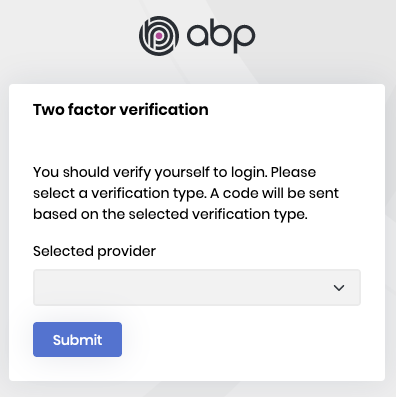
Password: Two factor authentication is enabled for your account. Please use `abp login --device` command to login.
PS V:\downloads\githubfast-main> abp login --device
ABP CLI 8.1.0
Open your browser, go to: "https://account.abp.io/connect/verify"
and enter the following one-time code:
8595-4011-****
hi
Can you get the same exception on a new 8.0.5 template project?
It is very normal. I have created a new application with ABP Suite 8.0.5 just now.









