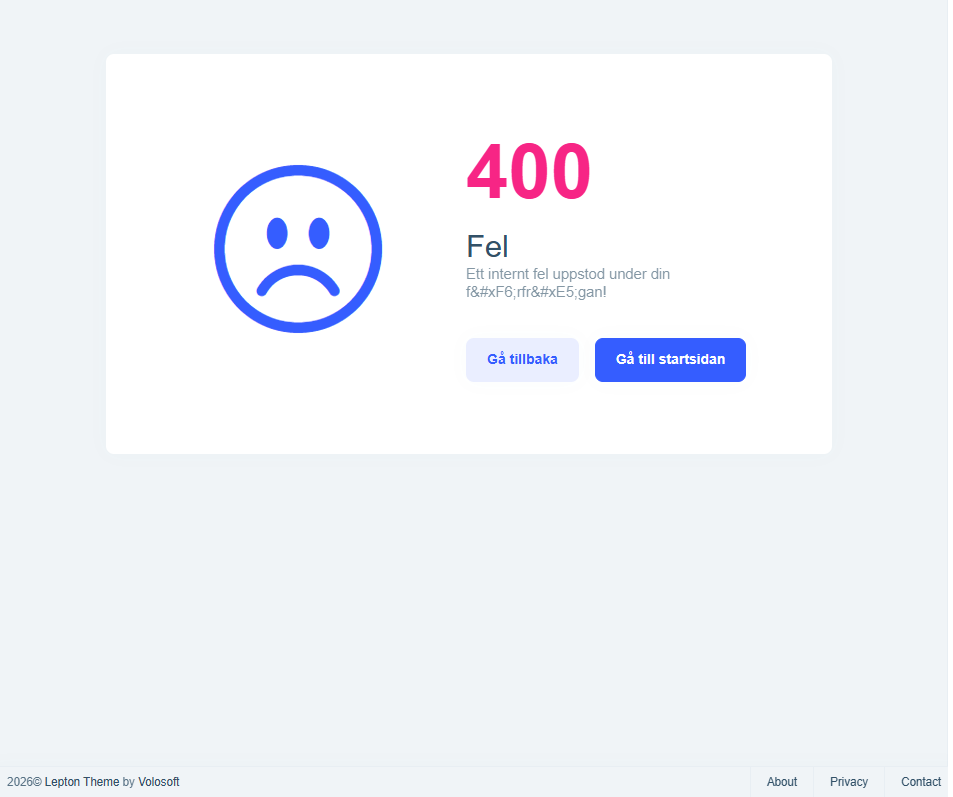
I can't believe this is still a problem in 2026 despite numerous requests for it over the years, but how can you change or hide the footer in the LeptonX theme?

Even having to do this in a commercial product intended to build things for other clients that are not Volosoft is crazy in itself, even more so that AFAIK, you are still required to actually modify code to do so? Or is there now a better way so we can at least hide the footer with simple CSS change? What is the recommended way to get rid of this?
What is the state of the promised fix / new / updated theme so that this won't be a problem and that you can just change the footer settings?
Please just remove this and let anyone who actually actually have a copyright footer implement it themselves.
Thanks.
45 Answer(s)
-
0
- Solution
For LeptonX + Angular (ABP 10) there is currently no built‑in setting or simple CSS switch to change/remove the
2026© Lepton Theme by Volosoftfooter.
The supported way is to own the layout (or theme source) and register your own layout component via the Angular component replacement mechanism.A. Recommended approach – replace the LeptonX Application Layout
Download LeptonX source (commercial)
In ABP Suite → Tools → Download LeptonX Source, download the Angular LeptonX package.
This gives you the actual layout component HTML/TS so you can start from a copy instead of from scratch.Copy the application layout component into your Angular app
From the downloaded source, locate the application layout component (it contains the current footer markup).
Copy that component (TS + HTML + SCSS) into your Angular project under e.g.src/app/layout/custom-application-layout.Edit the footer section
In your copied HTML template, remove or change the footer markup – e.g. delete the copyright text or replace it with your own footer.
Register your layout via
ReplaceableComponentsServiceIn a root module (usually
AppModule), register your custom layout component as the implementation for the LeptonX application layout:
import { NgModule } from '@angular/core';
   import { ReplaceableComponentsService } from '@abp/ng.core';
   import { eThemeLeptonXComponents } from '@volosoft/abp.ng.theme.lepton-x';
   import { CustomApplicationLayoutComponent } from './layout/custom-application-layout/custom-application-layout.component';

   @NgModule({
     declarations: [CustomApplicationLayoutComponent],
     // imports: [...]
   })
   export class AppModule {
     constructor(replaceableComponents: ReplaceableComponentsService) {
       replaceableComponents.add({
         component: CustomApplicationLayoutComponent,
         key: eThemeLeptonXComponents.ApplicationLayout,
       });
     }
   }
Once this is in place, your layout (with your footer or no footer at all) is used everywhere, and the original Volosoft copyright footer disappears.
B. About “CSS only” alternatives
LeptonX does not expose a documented CSS variable or configuration flag specifically for hiding the footer; the theme is designed to be customized via:
- Component replacement (Angular)
- Partial / component overrides (MVC, Blazor)
Because of that, the supported and future‑proof way on Angular is what’s described above: replace the layout component (or, if a dedicated footer component is used in your version, replace that footer component via the same mechanism).
C. “Promised fix / new theme” status
For ABP 10 and current LeptonX for Angular, the situation is:
- There is no runtime setting (in appsettings, UI, or CSS variables) to change/remove the footer text.
- Customization is done via component replacement / theme source customization as above.
If you want this to become a simple configuration option, the official channel is to open a feature request or continue the discussion on the support portal so it can be tracked as a product change.
- Sources
- Angular component replacement (used by LeptonX to switch layouts/components):
https://abp.io/docs/latest/ui/angular/component-replacement - LeptonX theme intro & customization overview (Angular):
https://abp.io/community/articles/z0fqq5di - Footer customization example for LeptonX (MVC/Blazor – same general idea of overriding footer/layout):
https://abp.io/docs/latest/ui-themes/lepton-x/mvc#customizing-the-footer-section
This response was generated by AI. If it didn’t solve your problem, feel free to post a new answer — our support team will jump in to help you soon.
Markdown supported.Copy, paste, or drag & drop images and files (max 100 MB per file, 100 MB total per post) -
1
For Angular, you can try:
Create
footer.component.ts:import { Component } from '@angular/core'; @Component({ selector: 'app-footer', template: ` <div class="lpx-footbar"> <div class="lpx-footbar-copyright"> <span>© 2026 Your Company</span> <small class="text-muted">All rights reserved.</small> </div> </div> `, }) export class FooterComponent {}In your root component (e.g.,
app.component.ts):import { Component, OnInit, inject } from '@angular/core'; import { ReplaceableComponentsService } from '@abp/ng.core'; import { eThemeLeptonXComponents } from '@volosoft/abp.ng.theme.lepton-x'; import { FooterComponent } from './footer/footer.component'; export class AppComponent implements OnInit { private readonly replaceable = inject(ReplaceableComponentsService); ngOnInit() { this.replaceable.add({ key: eThemeLeptonXComponents.Footer, component: FooterComponent, }); } }https://abp.io/docs/latest/framework/ui/angular/component-replacement
Thanks.
Markdown supported.Copy, paste, or drag & drop images and files (max 100 MB per file, 100 MB total per post) -
0
Hi,
Thanks.
But why is this even needed? What is the reason for this being there to begin with as I find it hard to imagine a business case where any of your customers would want a Copyright Volosoft in their app? It is kind of like if Microsoft would add a Copyright Microsoft to every new document in Word by default and then let people know how to remove it if they ask for it :)
Also, I believe that the only way to find out what component to actually replace with component replacement would be to either ask for it or reverse engineer the LeptonX theme, both which seems unnecessary to me.
Seems like we must be missing something here compared to just not having to to this (or even better, have a optional Copyright message which you could both enable/disable and modify via settings).
Markdown supported.Copy, paste, or drag & drop images and files (max 100 MB per file, 100 MB total per post) -
0
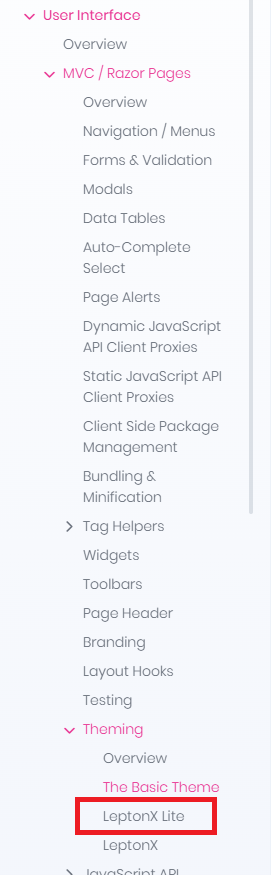
I notice there are some problems with the documentation in this regard, where the "LeptonX Lite" mentions stuff that isn't mentioned for LeptonX, like the stuff about Footer component.
https://abp.io/docs/latest/ui-themes/lepton-x-lite/angular
https://abp.io/docs/latest/ui-themes/lepton-x/angular
And from what I can see, there are no backlinks from the non Lite to to the Lite documentation
There is also a bit of confusion regarding the Naming, as in some places, LeptonX means only the commercial version and in others, there seem to be mentioned just "Lepton" with regards to the free version.
Markdown supported.Copy, paste, or drag & drop images and files (max 100 MB per file, 100 MB total per post) -
0
[maliming] said: hi
I will provide feedback to the team.
I think we can add
footer.component.tsin the Angular app template.Thanks
Have not used the other templates in a while but I believe that it is something that would be nice to have for MVC/Blazor as well if there is a similar situation there. But still believe that it should not require an action to hide the Copyright Volosoft, rather if you wanted it to be shown.
Addint the footer.component.ts would probably be a nice workaround for now though, as well as updating the documentation so what is written for LeptonX Lite is also mentioned for the commercial package, as I would imagine that is where most commercial customers would look.
Markdown supported.Copy, paste, or drag & drop images and files (max 100 MB per file, 100 MB total per post) -
0
hi
We will add
footer.component.tsin the Angular app template(MVC and Blazor templates already have it).Then the user can easily change the footer content in the solution.
Thanks.
Markdown supported.Copy, paste, or drag & drop images and files (max 100 MB per file, 100 MB total per post) -
0
-
0
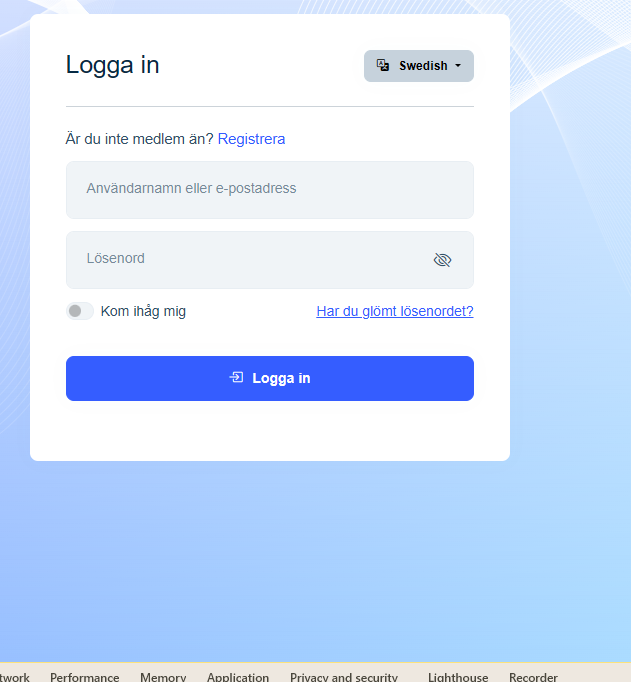
What is weird though is that only the error pages seem to have this footer, not the main login which I assume is also in MVC?
Regardless, please consider just removing this as discussed before, I see zero added value in having the default footer being displayed by default and then having to do code changes just to hide it. Outside of Volosoft, I find it hard to imagine that anyone would want a "Copyright Volosoft" displayed in their apps...
Not sure what "and copy your account _Footer.cshtml in it?" refers to?
Markdown supported.Copy, paste, or drag & drop images and files (max 100 MB per file, 100 MB total per post) -
0
[maliming] said: hi

How did you customize this footer in your mvc project?
Can you share your project file structure info?
Thanks.
We haven't (AFAICR), which was the main reason I was surprised that it was different between different pages.
Markdown supported.Copy, paste, or drag & drop images and files (max 100 MB per file, 100 MB total per post) -
0
hi
You can create a new mvc template project and copy the
_Footer.cshtmlto your project with the same folder structure and customize it.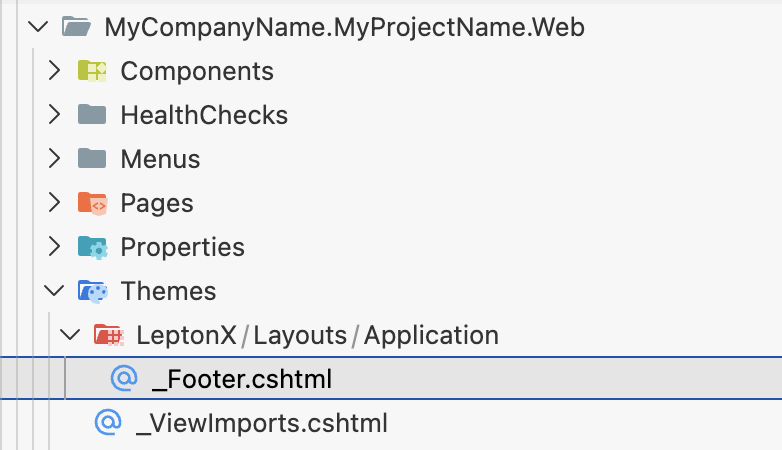 ThanksMarkdown supported.Copy, paste, or drag & drop images and files (max 100 MB per file, 100 MB total per post)
 -
0
[maliming] said: hi
You can create a new mvc template project and copy the
_Footer.cshtmlto your project with the same folder structure and customize it.
ThanksNot sure why we would need/want to create an MVC project?
Please just at least make it default that the footer is empty so that those projects that actually want to have a footer like this can then do this rather than every project not wanting to have a Copyright Volosoft need to remove it. Thanks.
Markdown supported.Copy, paste, or drag & drop images and files (max 100 MB per file, 100 MB total per post) -
0
[maliming] said: hi
We provide the
_Footer.cshtmlfile instead of an empty file in the template, allowing the customer to change it more easily.Thanks.
But this template assumes that you are using MVC from what I understand, if not, things get more complicated just to remove a Copyright notice which, at least according to me, never should have been there to begin with (even though the option to enable it if needed would be nice).
Thanks.
Markdown supported.Copy, paste, or drag & drop images and files (max 100 MB per file, 100 MB total per post) -
0
[maliming] said: hi
Every template project will include a footer component. You can change it in MVC. blazor and angular.
Thanks.
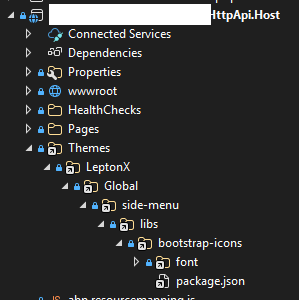
Is this something that will be introduced as at least in our :NET + Angular we don't seem to have this, even though I assume we could create a new MVC project, take that footer.cshtml and move it into the existing structure.
 Markdown supported.Copy, paste, or drag & drop images and files (max 100 MB per file, 100 MB total per post)