It seems to be intermittent. I just tried again a couple of times on the demo site - it worked OK the first time but then I managed to reproduce the issue.
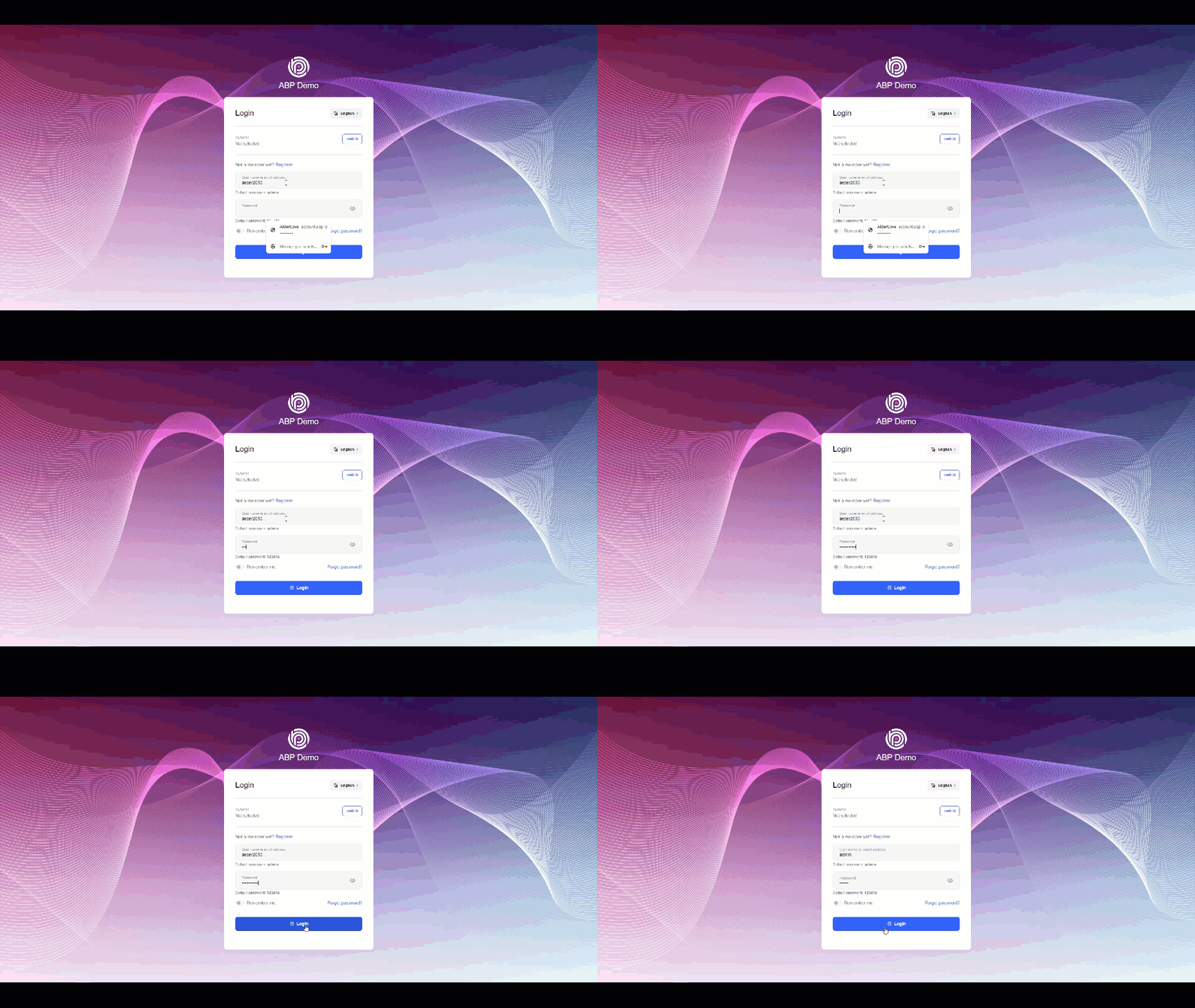
I first noticed this in my own application, then tested the abp demo application to ensure it wasn't a local issue.
The system does not provide any feedback that the password is incorrect.
It appears that this was addressed in the framework by issue 19753 (https://github.com/abpframework/abp/issues/19753).
Add a class to extends TitleStrategy and localize the title in that class: https://dev.to/brandontroberts/setting-page-titles-natively-with-the-angular-router-393j
@NgModule({
  imports: [RouterModule.forRoot(routes)],
  exports: [RouterModule],
  providers: [
    {
      provide: TitleStrategy,
      useClass: TemplatePageTitleStrategy
    }
  ]
})
export class AppRoutingModule { }
import { LocalizationService } from '@abp/ng.core';
import { Injectable, Injector } from '@angular/core';
import { Title } from '@angular/platform-browser';
import { RouterStateSnapshot, TitleStrategy } from '@angular/router';

@Injectable()
export class TemplatePageTitleStrategy extends TitleStrategy {
  constructor(private readonly title: Title, private injector: Injector) {
    super();
  }
  private localizationService: LocalizationService;
  override updateTitle(routerState: RouterStateSnapshot) {
    this.localizationService = this.injector.get(LocalizationService);

    let localizedAppTitle = this.l('::BrowserTitle:Application');

    const routeTitle = this.buildTitle(routerState);

    if (routeTitle !== undefined && localizedAppTitle !== undefined) {
      let localizedRouteTitle = this.l(routeTitle);
      this.title.setTitle(`${localizedRouteTitle} - ${localizedAppTitle}`);
    } else {
      this.title.setTitle(`${localizedAppTitle}`);
    }
  }

  l(key: string): string {
    return this.localizationService.instant({
      key: key,
      defaultValue: 'Default',
    });
  }
}
It looks like this was a framework issue and has now been fixed with 7.4: https://support.abp.io/QA/Questions/5641/Bugs--Issues-v73x#answer-3a0dbedf-b3c3-29cc-e89a-c525a839f0a6
Unable to upload profile picture Angular Project in My Account --> Profile Picture:
First experienced in our app, then replicated issue in scratch 7.3.2 project.
Error in browser
core.mjs:10171 ERROR TypeError: Cannot read properties of undefined (reading 'nativeElement')
    at volo-abp.ng.account-public.mjs:1758:60
    at timer (zone.js:2367:41)
    at _ZoneDelegate.invokeTask (zone.js:402:31)
    at core.mjs:25893:55
    at AsyncStackTaggingZoneSpec.onInvokeTask (core.mjs:25893:36)
    at _ZoneDelegate.invokeTask (zone.js:401:60)
    at Object.onInvokeTask (core.mjs:26194:33)
    at _ZoneDelegate.invokeTask (zone.js:401:60)
    at Zone.runTask (zone.js:173:47)
    at invokeTask (zone.js:483:34)
image.png
Unable to upload profile picture Angular Project in My Account --> Profile Picture:
First experienced in our app, then replicated issue in scratch 7.3.2 project.
Error in browser
core.mjs:10171 ERROR TypeError: Cannot read properties of undefined (reading 'nativeElement')
at volo-abp.ng.account-public.mjs:1758:60
at timer (zone.js:2367:41)
at _ZoneDelegate.invokeTask (zone.js:402:31)
at core.mjs:25893:55
at AsyncStackTaggingZoneSpec.onInvokeTask (core.mjs:25893:36)
at _ZoneDelegate.invokeTask (zone.js:401:60)
at Object.onInvokeTask (core.mjs:26194:33)
at _ZoneDelegate.invokeTask (zone.js:401:60)
at Zone.runTask (zone.js:173:47)
at invokeTask (zone.js:483:34)

Hi
The supplied javascript did not work (as described earlier).
The approach I tried using separate components for the appearance and language on the LeptonX\Top Menu\Main Header resolved the keyboard issues but resulted in an exception in the browser that prevented the User Menu from functioning.
lepton-x.bundle.min.js?_v=638270199920000000:2 Uncaught TypeError: Cannot read properties of null (reading 'parentElement')
at t.initChildren (lepton-x.bundle.min.js?_v=638270199920000000:2:43721)
at new t (lepton-x.bundle.min.js?_v=638270199920000000:2:41474)
at t.create (lepton-x.bundle.min.js?_v=638270199920000000:2:41563)
at t.createSettingGroupWithMenu (lepton-x.bundle.min.js?_v=638270199920000000:2:86551)
at e [as constructor] (lepton-x.bundle.min.js?_v=638270199920000000:2:68837)
at new e (lepton-x.bundle.min.js?_v=638270199920000000:2:71613)
at e.create (lepton-x.bundle.min.js?_v=638270199920000000:2:71708)
at t.createSettingGroups (lepton-x.bundle.min.js?_v=638270199920000000:2:73132)
at t.create (lepton-x.bundle.min.js?_v=638270199920000000:2:72833)
at NodeList.forEach (<anonymous>)
I was unable to resolve the issues and have reverted to the framework code for the menus and we have flagged this as a framework issue to our clients.
Here is the approach I took that you can use to recreate the exception ( using 7.3.2) in the Web.Public MVC project:
Toolbar Appearance Component (...\Components\Toolbar\Appearance\AppearanceViewComponent.cs):
public class AppearanceViewComponent : AbpViewComponent
    {
        public virtual IViewComponentResult Invoke()
        {
            return View("~/Components/Toolbar/Appearance/Default.cshtml");
        }
    }
\Components\Toolbar\Appearance\Default.cshtml:
@using Microsoft.AspNetCore.Mvc.Localization @using Acs.Cts.Portal.Localization @using Microsoft.Extensions.Localization; @using Microsoft.Extensions.Options @using Volo.Abp.AspNetCore.Mvc.UI.Theme.LeptonX @using Volo.Abp.LeptonX.Shared; @using Volo.Abp.Users @inject IOptions<LeptonXThemeOptions> Options @inject IStringLocalizerFactory LocalizerFactory @inject IHtmlLocalizer<PortalResource> L @inject ICurrentUser CurrentUser <li class="outer-menu-item" id="lpx-settings"> <div class="dropdown"> <a href="#" class="lpx-menu-item-link lpx-menu-item" role="button" id="dropdownMenuLink" data-bs-toggle="dropdown" aria-haspopup="true" aria-expanded="false" data-lpx-setting-group="appearance"> <span class="lpx-menu-item-icon" data-lpx-setting-icon="appearance" data-lpx-setting-id="settings-context-menu"> <i class="lpx-icon bi bi-palette-fill" aria-hidden="true"></i> </span> <span class="lpx-menu-item-text">@L["Appearance"]</span> </a> <div class="dropdown-menu dropdown-menu-end" aria-labelledby="dropdownMenuLink" data-lpx-context-menu="settings-context-menu"> <ul class="lpx-nav-menu lpx-inner-menu hidden-in-hover-trigger collapsed" style="align-items:start; display: block;" data-id="appearance"> @foreach (var item in Options.Value.Styles) { <li class="lpx-inner-menu-item"> <a href="javascript:void(0)" class="lpx-menu-item-link lpx-menu-item" data-lpx-setting="@item.Key"> <span class="lpx-menu-item-icon"> <i class="lpx-icon @item.Value.Icon" aria-hidden="true"></i> </span> <span class="lpx-menu-item-text hidden-in-hover-trigger">@item.Value.DisplayName.Localize(LocalizerFactory).Value</span> </a> </li> } </ul> </div> </div> </li>
<br> Main Header (\Themes\LeptonX\Components\TopMenu\MainHeader\Default.cshtml):
@using Acs.Cts.Portal.Web.Components.Toolbar.Appearance; @using Acs.Cts.Portal.Web.Components.Toolbar.Language; @using Volo.Abp.AspNetCore.Mvc.UI.Theme.LeptonX.Themes.LeptonX.Components.Common.MainHeaderBranding @using Volo.Abp.AspNetCore.Mvc.UI.Theme.LeptonX.Themes.LeptonX.Components.TopMenu.MainHeaderToolbar @using Volo.Abp.AspNetCore.Mvc.UI.Theme.LeptonX.Themes.LeptonX.Components.TopMenu.MainMenu <header> <div class="lpx-header-top"> @await Component.InvokeAsync(typeof(MainHeaderBrandingViewComponent)) <nav class="lpx-nav me-auto"> <ul class="lpx-nav-menu"> @await Component.InvokeAsync(typeof(AppearanceViewComponent)) </ul> </nav> @await Component.InvokeAsync(typeof(MainHeaderToolbarViewComponent)) </div> <div class="lpx-header-bottom"> <nav class="lpx-nav"> <ul class="lpx-nav-menu"> @await Component.InvokeAsync(typeof(MainMenuViewComponent)) </ul> </nav> </div> </header>
General Settings (...\Themes\LeptonX\Components\Common\GeneralSettings\Default.cshtml): @using Microsoft.Extensions.Localization @using Microsoft.Extensions.Options @using Volo.Abp.AspNetCore.Mvc.UI.Theme.LeptonX @using Volo.Abp.AspNetCore.Mvc.UI.Theme.LeptonX.Themes.LeptonX.Components.SideMenu.Toolbar.LanguageSwitch @using Volo.Abp.LeptonX.Shared @using Volo.Abp.LeptonX.Shared.Localization @inject ThemeLanguageInfoProvider ThemeLanguageInfoProvider @inject IOptions<LeptonXThemeOptions> Options @inject IOptions<LeptonXThemeMvcOptions> MvcOptions @inject IStringLocalizer<LeptonXResource> L @inject IStringLocalizerFactory LocalizerFactory @{ var languageModel = await ThemeLanguageInfoProvider.GetLanguageSwitchViewComponentModel(); } @*<div class="lpx-settings" id="lpx-settings"> COMMENTED OUT </div>*@ Hope that helps. Jamie
<br>
Hi
I like what you're doing with the lepton-x theme and example components, for example the wizard: https://x.leptontheme.com/side-menu/custom-pages/wizard-horizontal
Are there to develop angular components for these and is the current javascript for the demo pages available?
If there are plans for angular components, can you share a roadmap?
Thanks Jamie
Check the docs before asking a question: https://docs.abp.io/en/commercial/latest/ Check the samples to see the basic tasks: https://docs.abp.io/en/commercial/latest/samples/index The exact solution to your question may have been answered before, and please first use the search on the homepage. Provide us with the following info:
Accessibility tests raises critical issues (using AXE DevTools) for images that do not have alternate text.
A good example of this is the avatar image:

Test results: Ensures <img src=""> elements have alternate text or a role of none or presentation https://dequeuniversity.com/rules/axe/4.7/image-alt?application=AxeChrome
To solve this problem, you need to fix at least (1) of the following:
Can you please update Lepton-x to address this issue.
Thanks
Hi
Thank you for the technical solution.
Unfortunately, the menu doesn't behave as expected.
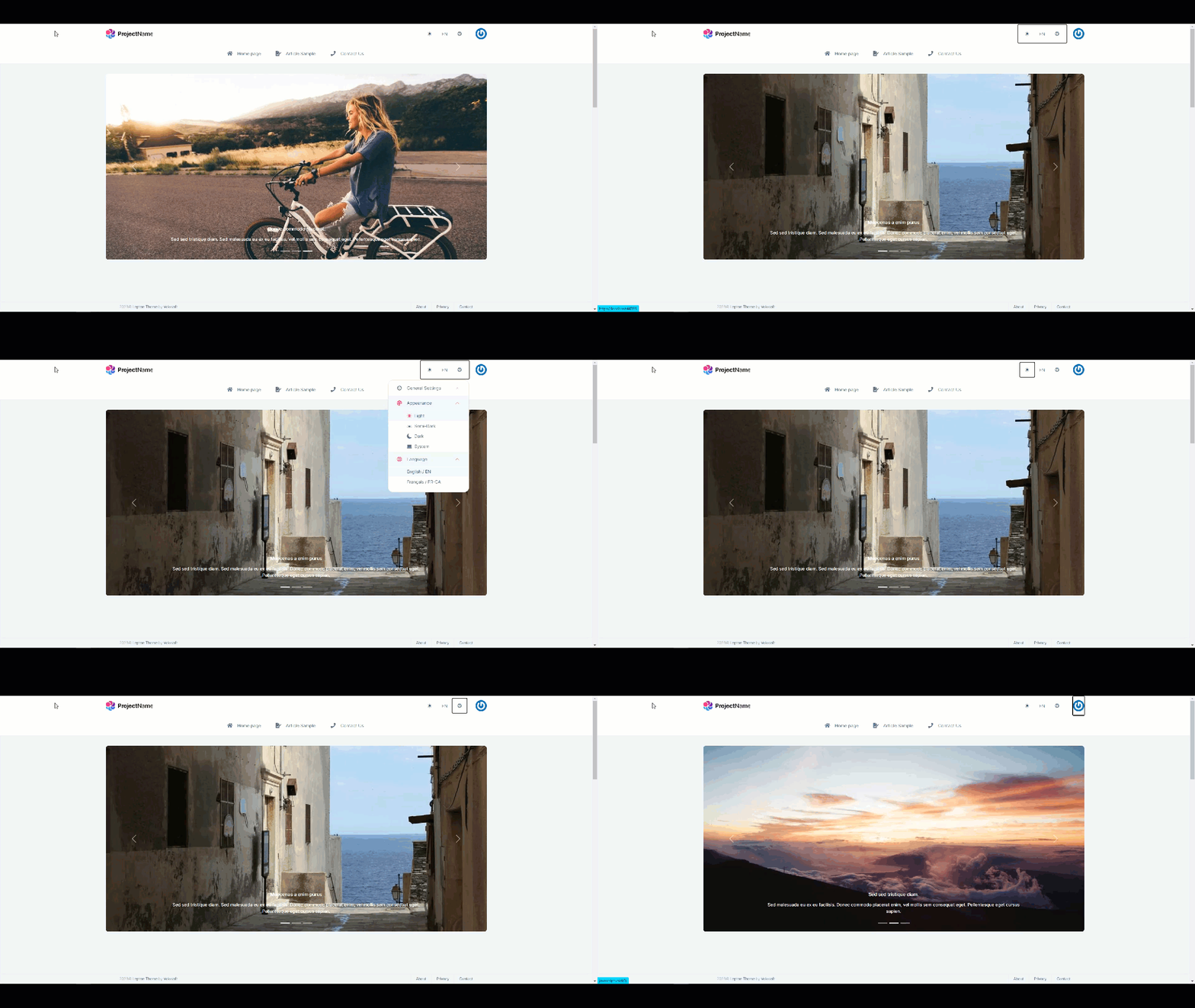
Can you address these issues?
As an alternative, I thought it would be possible to move the appearance and language menus to the top toolbar like this:

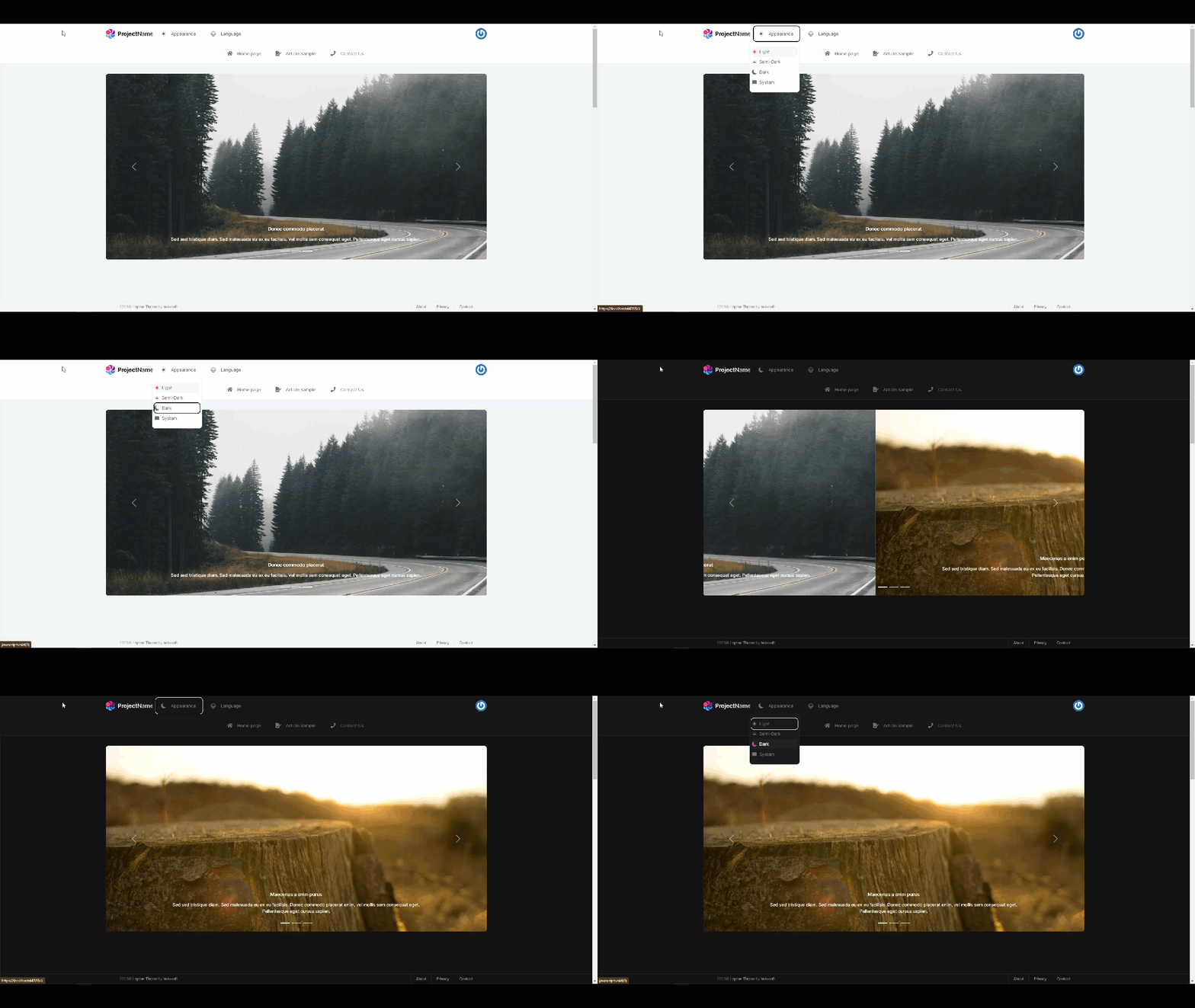
I've got it partially working but have run into some issues due to the javascript for the general settings menu. I don't have much insight into what's happening under the hood, but I'm getting an exception which prevents the user menu from loading.
Uncaught TypeError: Cannot read properties of null (reading 'parentElement')
    at t.initChildren (lepton-x.bundle.min.js?_v=638261408440000000:2:43721)
    at new t (lepton-x.bundle.min.js?_v=638261408440000000:2:41474)
    at t.create (lepton-x.bundle.min.js?_v=638261408440000000:2:41563)
    at t.createSettingGroupWithMenu (lepton-x.bundle.min.js?_v=638261408440000000:2:86551)
    at e [as constructor] (lepton-x.bundle.min.js?_v=638261408440000000:2:68837)
    at new e (lepton-x.bundle.min.js?_v=638261408440000000:2:71613)
    at e.create (lepton-x.bundle.min.js?_v=638261408440000000:2:71708)
    at t.createSettingGroups (lepton-x.bundle.min.js?_v=638261408440000000:2:73132)
    at t.create (lepton-x.bundle.min.js?_v=638261408440000000:2:72833)
    at NodeList.forEach (<anonymous>)
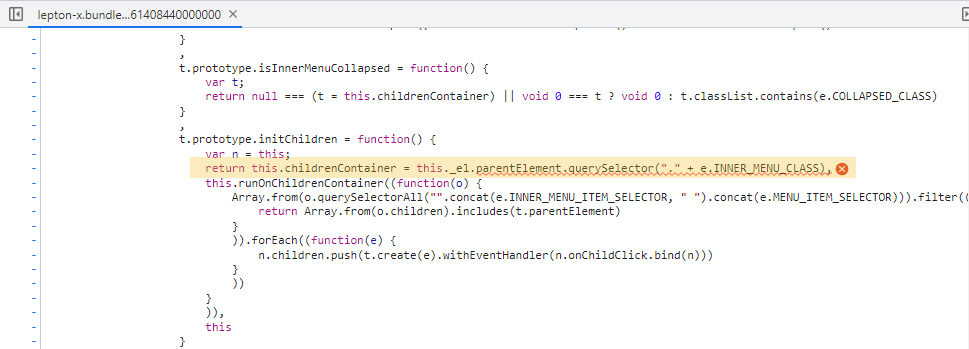
If the tabbing/enter issue in the general settings cannot be addressed, can you kindly assist in providing a technical solution for implementing two independent components on the toolbar to change the appearance and language?
Thanks









