Hi you can access a video using the link below...
The video shows the following...
https://www.icloud.com/iclouddrive/08aBbYcniD17PdTME67mBM9RQ#Demo_CSD_-_Google_Chrome_2023-12-14_23-26-58
Item 2 is the scenario where we want to redirect to a custom access denied page.
Thangs again @liangshiwei,
Your temporary solution works perfectly!
ABP Commercial 7.4.2 / Blazor Server / EF / Non tiered / Separate Host and Tenant DBs / Lepton Theme
Hi, We found that when a page is not authorized for a particular user, and that user attempts to access the page's URL in the browser address bar, (while logged in) the page still loads, but it's contents are empty.
In ABP, what's the best approach to redirect the user to an Access Denied page?
Thanks in advance!
Thanks @liangshiwei,
I appreciate the quick response. I'll test and let you know how things look.
With a Blazor Server project using the Lepton Theme, do the following...
It seems that any save in the My Account > Personal Info tab unconditionally triggers the Authenticator app to be a valid 2fa provider for the user.
I reproduced this with a newly created 7.4.2 Blazor Server project with the Lepton Theme.
This is excellent news. I believe this feature is a must have for the framework.
ABP Commercial 7.4.2 / Blazor Server / EF / Non tiered / Separate Host and Tenant DBs / Lepton Theme
Hi, We found that that the 2FA option for using an Authenticator App is being presented to the user when logging in even if they have not setup 2FA on their account.
We recently upgraded to 7.4.2 which includes the Authenticator feature and when a user sets it up, it works perfectly.
What we noticed, however, is that if a user never sets it up, and simply saves something on their 'My Account' area (not related to 2fa or authenticator) the new 2fa option is now presented to the user when logging in - even though they never set it up and can't use it.
Please advise. Any workarounds are greatly appreciated.
Thanks
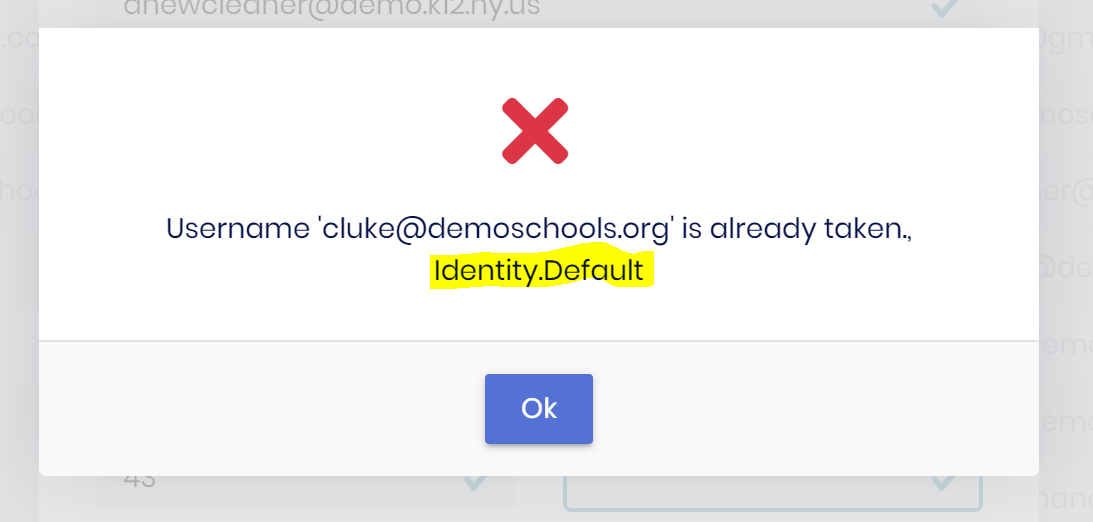
Thanks. We found another area when adding a user...
ABP Commercial 7.4.2 / Blazor Server / EF / Non tiered / Separate Host and Tenant DBs / Lepton Theme
Hi,
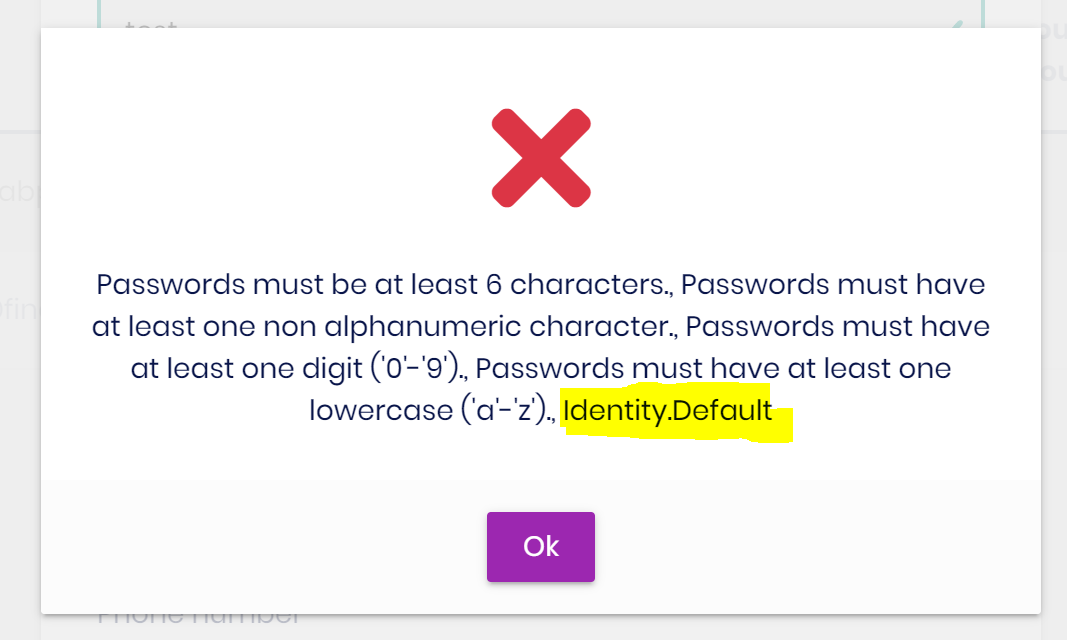
The password complexity validation message can sometimes have the text Identity.Default appended to the end of it.
Steps to reproduce:
For anyone running into the same issue, you just need to inject ABP's ISettingProvider
See ABP's documentation









