Hello,
Thank you for reporting this issue. We’re aware of this and are working on a fix for an upcoming release. I am also refunding your ticket.
For now, a temporary workaround is to manually correct the affected imports and references. We appreciate your patience and will keep you updated with the releases.
Hello, I cannot produce the same problem on my end. Could you provide the update details in your package.json?
Hello, you will need to use parentName to group the navigation items.
You can follow this documentation for managing navigation elements in angular: https://abp.io/docs/latest/framework/ui/angular/modifying-the-menu#how-to-add-a-navigation-element
You can also get a reference from here for blazor: https://abp.io/docs/latest/framework/ui/blazor/navigation-menu#menu-item-properties
Hello, this problem was fixed with this release https://github.com/abpframework/abp/releases/tag/9.0.5 in this PR https://github.com/abpframework/abp/pull/22120
Hello, this problem has been fixed with the version 9.0.6
You can move @angular-eslint/builder and @angular-eslint/schematics dependencies to peerDependencies in your package.json file for the time being like this:
{
  ...
  "private": true,
  "dependencies": {
    "@abp/ng.account": "~9.0.5",
    "@abp/ng.components": "~9.0.5",
    "@abp/ng.core": "~9.0.5",
    "@abp/ng.identity": "~9.0.5",
    "@abp/ng.oauth": "~9.0.5",
    "@abp/ng.setting-management": "~9.0.5",
    "@abp/ng.tenant-management": "~9.0.5",
    "@abp/ng.theme.lepton-x": "~4.0.6",
    "@abp/ng.theme.shared": "~9.0.5",
    "@angular/animations": "~18.1.0",
    "@angular/common": "~18.1.0",
    "@angular/compiler": "~18.1.0",
    "@angular/core": "~18.1.0",
    "@angular/forms": "~18.1.0",
    "@angular/localize": "~18.1.0",
    "@angular/platform-browser": "~18.1.0",
    "@angular/platform-browser-dynamic": "~18.1.0",
    "@angular/router": "~18.1.0",
    "bootstrap-icons": "~1.8.0",
    "rxjs": "~7.8.0",
    "tslib": "^2.0.0",
    "zone.js": "~0.14.0"
  },
  "devDependencies": {
    "@abp/ng.schematics": "~9.0.5",
    "@angular-devkit/build-angular": "~18.1.0",
    "@angular-eslint/eslint-plugin": "~18.1.0",
    "@angular-eslint/eslint-plugin-template": "~18.1.0",
    "@angular-eslint/template-parser": "~18.1.0",
    "@angular/cli": "~18.1.0",
    "@angular/compiler-cli": "~18.1.0",
    "@angular/language-service": "~18.1.0",
    "@types/jasmine": "~3.6.0",
    "@types/node": "^12.11.1",
    "@typescript-eslint/eslint-plugin": "7.16.0",
    "@typescript-eslint/parser": "7.16.0",
    "eslint": "^8.0.0",
    "jasmine-core": "~4.0.0",
    "karma": "~6.3.0",
    "karma-chrome-launcher": "~3.1.0",
    "karma-coverage": "~2.1.0",
    "karma-jasmine": "~4.0.0",
    "karma-jasmine-html-reporter": "^1.7.0",
    "typescript": "~5.5.0"
  },
  "peerDependencies": {
    "@angular-eslint/builder": "~18.1.0",
    "@angular-eslint/schematics": "~18.1.0"
  }
}
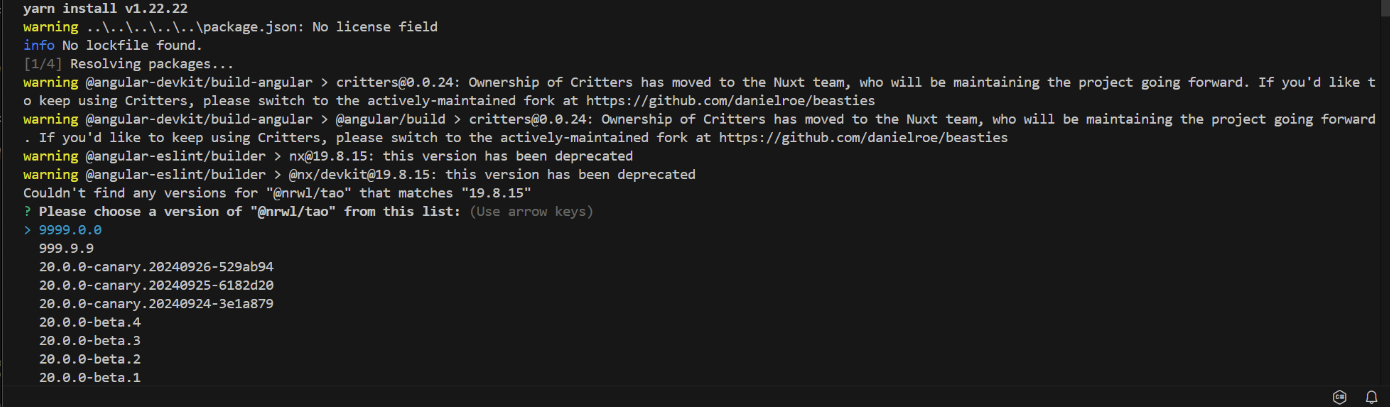
Thanks for reaching out! I understand the frustration, and let's resolve this step by step.
[Invalid Module] Backend module "CoreService" does not exist in API definition.
CoreService is not defined in the API.CoreServiceRemoteServiceConsts.cs for the correct module name and update your command accordingly.[Project Not Found] Either define a default project in your workspace or specify the project name in schematics options.
angular.json "projects": {
"ticket8665": {
"projectType": "application",
...
"root": "projects/ticket8665",
"sourceRoot": "projects/ticket8665/src",
"prefix": "app",
...
},
"my-service-1": {
"projectType": "library",
"root": "projects/my-service-1",
"sourceRoot": "projects/my-service-1/src",
"prefix": "lib",
...
},
"my-service-2": {
"projectType": "library",
"root": "projects/my-service-2",
"sourceRoot": "projects/my-service-2/src",
"prefix": "lib",
...
}
}
For reference, here’s a sample project. If issues persist, please share your API definition and error screenshot so we can assist further.
Could you also try replacing the component like this https://abp.io/docs/latest/framework/ui/angular/component-replacement#how-to-replace-a-component
import { ReplaceableComponentsService } from '@abp/ng.core';
import { Component, inject } from '@angular/core';
import { eThemeLeptonXComponents } from '@volosoft/abp.ng.theme.lepton-x';
import { MySettingsComponent } from './my-settings/my-settings.component';

@Component({
  selector: 'app-root',
  template: `
    <abp-loader-bar></abp-loader-bar>
    <abp-dynamic-layout></abp-dynamic-layout>
    <abp-gdpr-cookie-consent></abp-gdpr-cookie-consent>
  `,
})
export class AppComponent {
  private replaceComponent = inject(ReplaceableComponentsService);
  constructor() {
    this.replaceComponent.add({
      component: MySettingsComponent,
      key: eThemeLeptonXComponents.Toolbar,
    });
  }
}
Hello again, I understand your frustration regarding the ticket closure. We are continuously working on improving our processes, including refining our support automation to prevent premature closures.
As for the React Native templates, the work is in progress, and we appreciate your patience and cooperation. If you need any further updates or have any concerns, feel free to reach out—we are happy to assist.
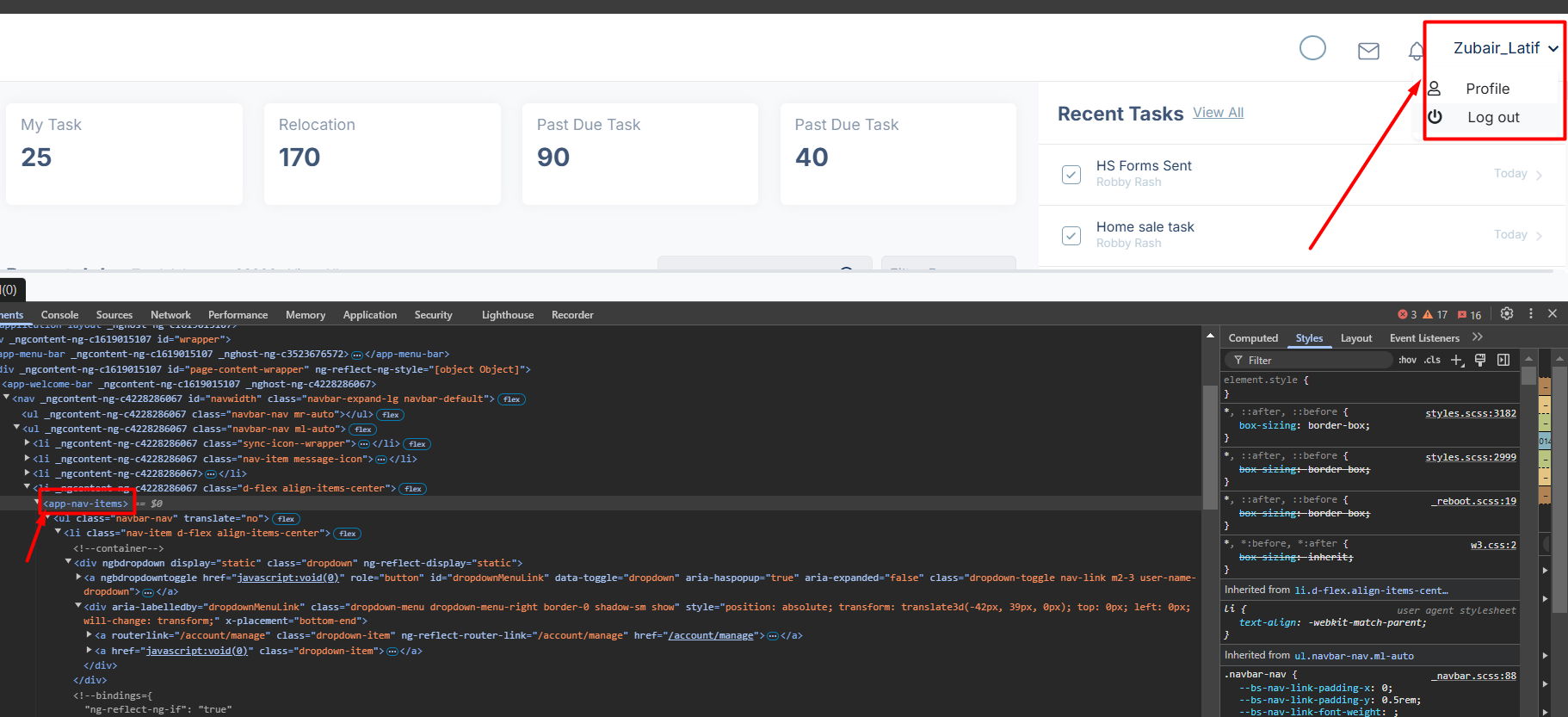
I'm using abp-nav-items
in the abp-nav-items I have the logout button so now do I need to write custom component for SSO to logout?because I need to add logout logic in this button
Logout process should also require another custom logic. Here is how you can manage that part:
import { UserMenuService } from '@abp/ng.theme.shared';
import { eUserMenuItems } from '@volosoft/abp.ng.theme.lepton-x';
import { APP_INITIALIZER, inject, NgModule } from '@angular/core';

@NgModule({
  ...
  providers: [
    ...
    { provide: APP_INITIALIZER, useFactory: userMenuFactory },
    ...
  ],
  bootstrap: [AppComponent],
})
export class AppModule {}

function userMenuFactory() {
  const userMenu = inject(UserMenuService);

  userMenu.patchItem(eUserMenuItems.Logout, {
    action: () => {
      console.log('Custom logout action');
    },
  });
}