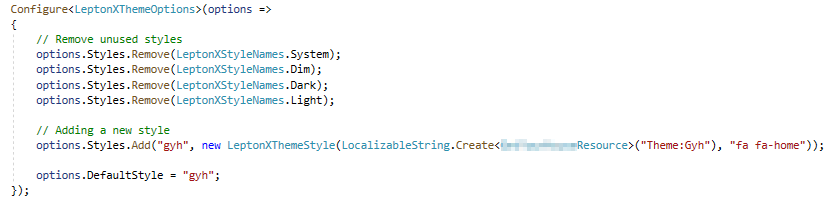
I have defined my own style according to your instructions (Documentation).
During development (Visual Studio) it works very well. But as soon as I deploy to Azure, the style is not applied correctly (see also [Ticket #3951](https://support.abp.io/QA/Questions/3951/LeptonX-Customization)).
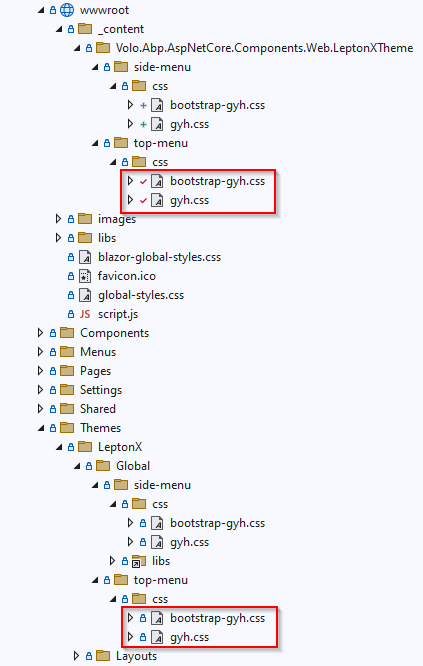
Problem 1: On the MVC side (e.g. login) I could solve the problem by setting the "PreserveNewest" flag on the CSS files in the themes folder. But I guess that this should not be necessary, otherwise you would have written this in the manual. So what could be the reason that everything in the themes folder is ignored on publish?
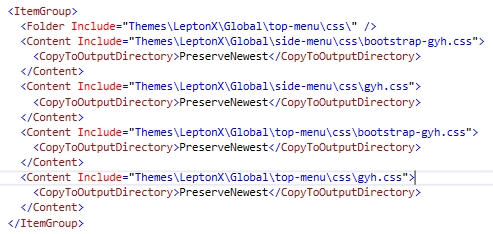
Problem 2: It does not work at all in the Blazor application. The CSS files are present on the server, but they are not applied . It looks like they are overwritten by the original styles. I have tried a few things with the bundles, but unfortunately without success. In general, I find it interesting that the wrong styles are being loaded at all, since I defined and set a new style.
Example of how it should look (screenshot from development environment):
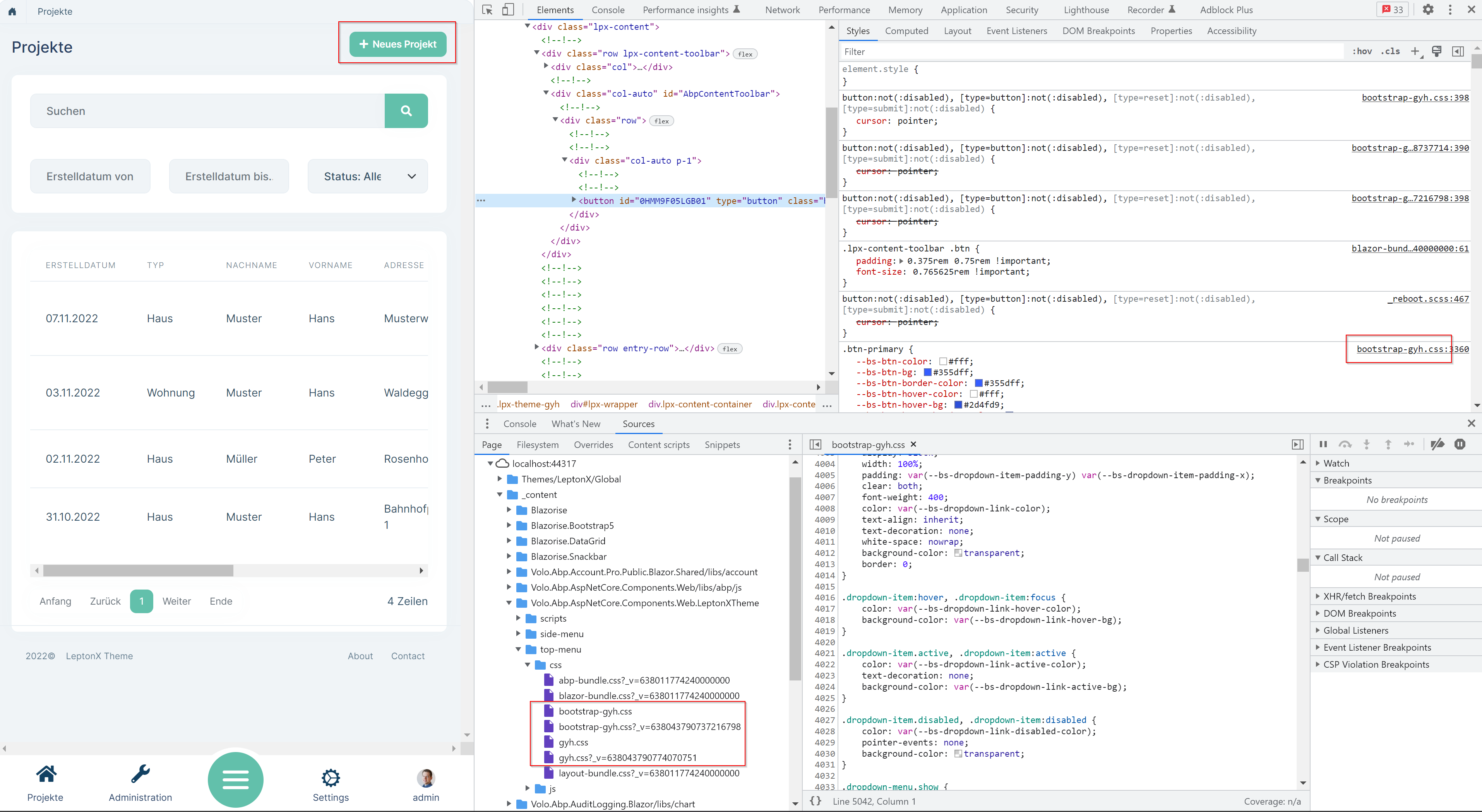
And this is how it looks when running on Azure:
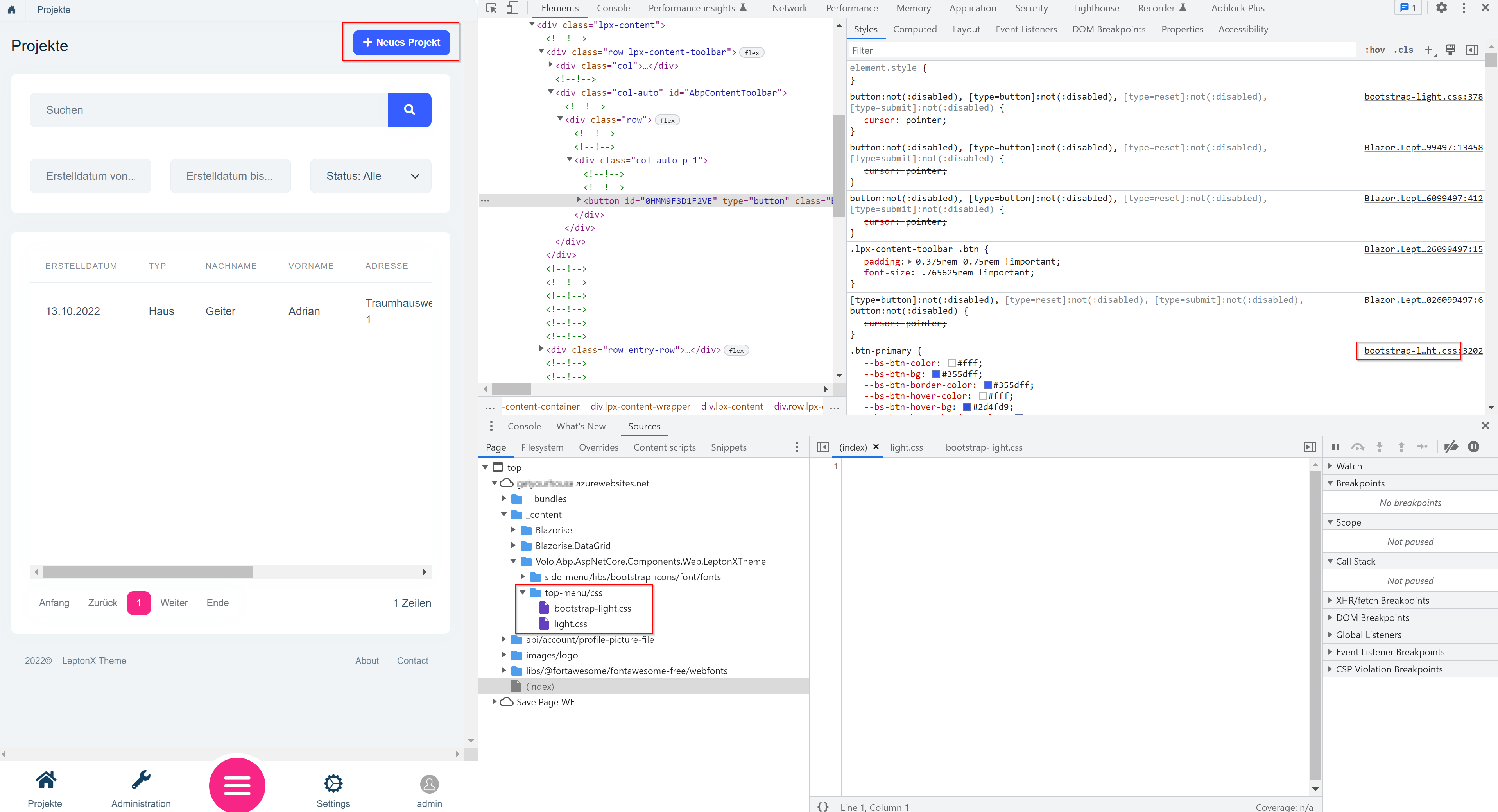
It looks like the "Light" style is loaded even though I remove that and explicitly set "gyh" as the DefaultStyle.
Everything looks exactly the same for me.
But I found out that only the CSS files from the wwwroot are on the server. The ones under the folder "Themes" are not there.
When I set "Copy to Output Directory" to "Copy always", then they are exported. But according to your screenshot you didn't have to do that either... would you know what else it could be?
Thanks for the quick feedback.
Looks exactly the same as mine (just with difference top-menu).
But it probably only runs on your computer (via Visual Studio)? Then you will probably have the same problems with the deployment...
Unfortunately I get the following error message with my site on Azure: Refused to apply style from 'https://myproject.azurewebsites.net/Error?httpStatusCode=404' because its MIME type ('text/html') is not a supported stylesheet MIME type, and strict MIME checking is enabled.
Do you know how to integrate the CSS files in the folder Themes/LeptonX/Global/top-menu/css into the bundle?
It looks good on my machine, but when I deploy to Azure, the CSS files are missing.
Thanks for the feedback.
For me the name appears correctly when I am on the profile page (which is made with MVC). But on the normal application pages (Blazor) it looks like yours.
System.ArgumentException: The type 'MyProject.Blazor.Components.Layout.MyMainHeaderToolbar' is not assignable to service 'Volo.Abp.AspNetCore.Components.Web.LeptonXTheme.Components.ApplicationLayout.TopMenu.MainHeader.MainHeaderToolbar'.
   at Autofac.Builder.RegistrationBuilder.CreateRegistration(Guid id, RegistrationData data, IInstanceActivator activator, IResolvePipelineBuilder pipelineBuilder, Service[] services, IComponentRegistration target)
   at Autofac.Builder.RegistrationBuilder.CreateRegistration[TLimit,TActivatorData,TSingleRegistrationStyle](IRegistrationBuilder`3 builder)
   at Autofac.Builder.RegistrationBuilder.RegisterSingleComponent[TLimit,TActivatorData,TSingleRegistrationStyle](IComponentRegistryBuilder cr, IRegistrationBuilder`3 builder)
   at Autofac.ContainerBuilder.Build(IComponentRegistryBuilder componentRegistry, Boolean excludeDefaultModules)
   at Autofac.ContainerBuilder.Build(ContainerBuildOptions options)
   at Volo.Abp.Autofac.AbpAutofacServiceProviderFactory.CreateServiceProvider(ContainerBuilder containerBuilder)
   at Microsoft.Extensions.Hosting.Internal.ServiceFactoryAdapter`1.CreateServiceProvider(Object containerBuilder)
   at Microsoft.Extensions.Hosting.HostBuilder.CreateServiceProvider()
   at Microsoft.Extensions.Hosting.HostBuilder.Build()
   at Microsoft.AspNetCore.Builder.WebApplicationBuilder.Build()
   at MyProject.Blazor.Program.Main(String[] args) in D:\Projects\MyProject\src\MyProject.Blazor\Program.cs:line 65
using Volo.Abp.AspNetCore.Components.Web.LeptonXTheme.Components.ApplicationLayout.TopMenu.MainHeader;
using Volo.Abp.DependencyInjection;

namespace MyProject.Blazor.Components.Layout
{
    [ExposeServices(typeof(MainHeaderToolbar))]
    [Dependency(ReplaceServices = true)]
    public partial class MyMainHeaderToolbar
    {
        public string Name = "My Main Header Toolbar";
    }
}
Does this still need to be registered somewhere?
I finally got it working. Path must be like this: wwwroot/_content/Volo.Abp.AspNetCore.Components.Web.LeptonXTheme/side-menu/css/
Found out that the name is displayed correctly when you are on the profile page.
Unfortunately, the custom theme does not work for me yet. I copied the files "bootstrap-light.css" and "light.css" from the LeptonX theme and added them to the following two paths with new names: wwwroot\top-menu\css\bootstrap-custom.css wwwroot\top-menu\css\custom.css
Themes\LeptonX\Global\top-menu\css\bootstrap-custom.css Themes\LeptonX\Global\top-menu\css\custom.css
Are these paths wrong? @christophe.baille, can you take me again screenshots of the solution tree with you?
The name thing doesn't work for me either....
Hello,
Sorry for the late response
There is no way to override bootstrap colors with CSS variables right now. But this is in our roadmap.
Is there any way that I could replace the whole file? Then I can replace all colors in there with search + replace. If so, where can I find the source file?
Oh, sorry I missed that you're using Blazor-Server single project. So, you should make that MVC configuration in your Blazor.Server project module file.
Thanks, I should have figured it out myself... works!
The breadcrumb are unfortunately not displayed there. But it's not a problem for me at the moment.




