You can find documentation of all tag helpers from here: https://docs.abp.io/en/abp/latest/UI/AspNetCore/Tag-Helpers/Index
You can visit Form Elements section for abp-input
https://docs.abp.io/en/abp/latest/UI/AspNetCore/Tag-Helpers/Form-elements
Setting Management doesn't provide any UI component automatically like feature management. You should implement it yourself. If you store data in database, you should write a Custom Setting Value Provider and AppServices for it.
You should define your view like email settings here: https://github.com/abpframework/abp/blob/dev/modules/setting-management/src/Volo.Abp.SettingManagement.Web/Pages/SettingManagement/Components/EmailSettingGroup/Default.cshtml
And Create a SettingPage Contributo that inherits from SettingPageContributorBase
https://github.com/abpframework/abp/blob/b515f89b9f465b462c81e62a2b1bbd2093d96b75/modules/setting-management/src/Volo.Abp.SettingManagement.Web/Settings/EmailingPageContributor.cs#L21-L25
Configure<SettingManagementPageOptions>(options =>
{
    options.Contributors.Add(new YourSettingPageContributor());
});
That's it, your component will be visible on UI
Hi,
We're hardly working on documentation currently.
The watermark is the same with logo that you used.
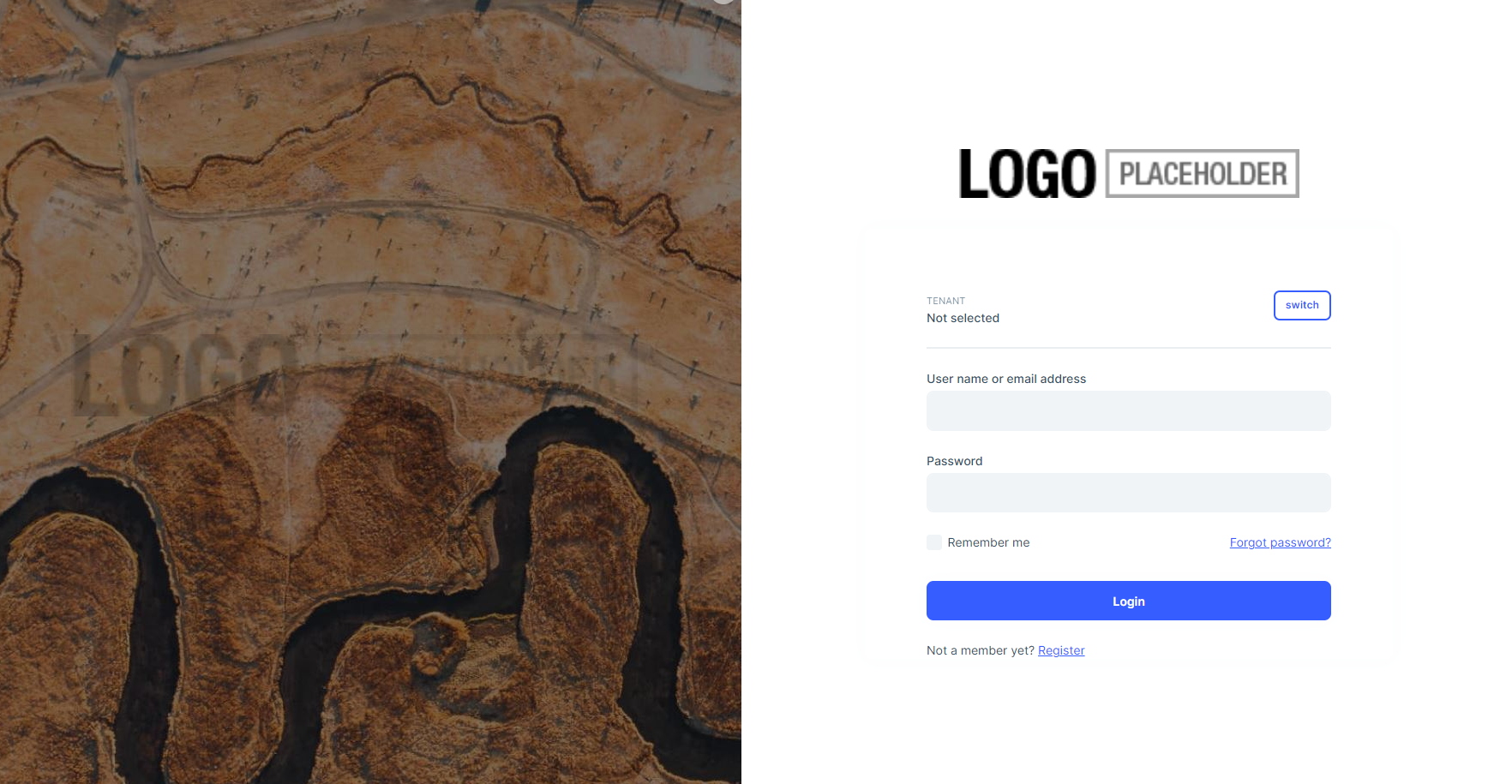
You can customize the logo with following CSS:
:root {
    --lpx-logo: url('/images/logo/logo-dark.png') !important;
    --lpx-logo-icon: url('/images/logo/logo-dark-icon.png');
    --lpx-brand: #edae53;
 }
Even you can set it according to the theme
  :root {
    .lpx-theme-dark {
      --lpx-logo: url('/images/logo/logo-dark.png');
      --lpx-logo-icon: url('/images/logo/logo-dark-icon.png');
      --lpx-brand: #edae53;
    }

    .lpx-theme-dim {
      --lpx-logo: url('/images/logo/logo-light.png.png');
      --lpx-logo-icon: url('/images/logo/logo-light-icon.png.png');
      --lpx-brand: #f15835;
    }

    .lpx-theme-light {
      --lpx-logo: url('/images/logo/logo-light.png.png') !important;
      --lpx-logo-icon: url('/images/logo/logo-light.png-icon.png');
      --lpx-brand: #69aada;
    }
}
Hi dlapointe
Firstly, which theme are you using in your project?
I've checked with LeptonX and it doesn't provide any time picker right now. There is a native input shown when you use type="time".
So it depends on operation system of user.
For example, I've switched to 24H system in my computer and I see it in 24H but if any user uses 12H system, will see 12H picker.
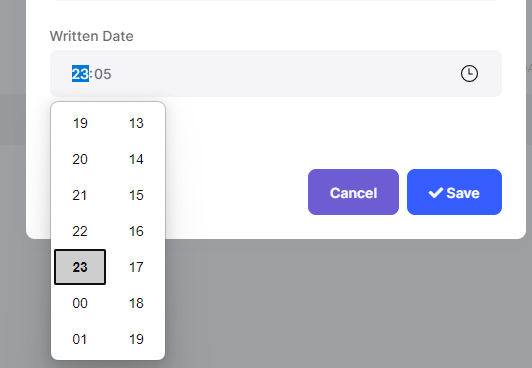
If you don't prefer this logic, you can choose one of the timepicker library and use it in your application.
Hi jfistelmann
We are aware of MAUI Blazor's power, which makes existing blazor apps an app on each platform.
We are discussing that topic, but it's not clear yet and there will be no development about it in v6.0 as so far. Maybe in v7.0 but it's not clear, I can't say anything yet.
You can check this example: https://github.com/hikalkan/maui-abp-playing
And you can implement login flow via following this article on that infrastructure: https://community.abp.io/posts/integrating-maui-client-via-using-openid-connect-aqjjwsdf
App.razor files are part of the UI Theme. Each time implements it according to their requirements. You can create a new App.razor in your project and use it.
But ABP Framework and Modules can't support Lazy Loading since they register their services into the dependency injection container and UI Components are resolved from ServiceProvider before rendering. So, that logic makes all of them replaceable from outside of the original assembly.
You can see this issue: https://github.com/abpframework/abp/issues/5543
But Blazorise supports it by default and you don't need to do any configuration. It loads required js and dll files when you use a component.
UPDATE: There is a useful article about it: https://community.abp.io/posts/prerendering-blazor-wasm-application-with-abp-6.x-2v8590g3
Can you share steps to reproduce the issue?
By the way, did you configure it like in this documentation? https://docs.abp.io/en/abp/5.3/Object-Extensions#object-extension-manager
1- Define it
ObjectExtensionManager.Instance
    .AddOrUpdateProperty<IdentityUser, string>("SocialSecurityNumber");
user.SetProperty("SocialSecurityNumber", value);
var value = user.GetProperty("SocialSecurityNumber");
Hello,
Truncate operation is done here: https://github.com/abpframework/abp/blob/e3e1779de6df5d26f01cdc8e99ac9cbcb3d24d3c/framework/src/Volo.Abp.EntityFrameworkCore/Volo/Abp/EntityFrameworkCore/EntityHistory/EntityHistoryHelper.cs#L173
Can you also try to set EntityPropertyChangeInfo.MaxValueLength static property?
EntityPropertyChangeInfo.MaxValueLength = 1000000
We've fixed the issue it'll be released in the next patch version.
You can use the following workaround for your existing project.
[Dependency(ReplaceServices = true)]
[ExposeServices(typeof(OrganizationUnitsManagement))]
public class MyOrganizationManagementComponent : OrganizationUnitsManagement
{
    public MyOrganizationManagementComponent(IOrganizationUnitAppService organizationUnitAppService) : base(organizationUnitAppService)
    {
    }


    protected override async Task OpenAddMemberModalAsync()
    {
        await base.OpenAddMemberModalAsync();
        AddMemberModal.Visible = true;
    }

    protected override async Task OpenAddRoleModalAsync()
    {
        await base.OpenAddRoleModalAsync();
        AddRoleModal.Visible = true;
    }
}
Verified bug.
I'm creating an internal issue for this. I'll inform you in this issue after finding a workaround in your version
Also your credit is refunded.









