Hi,
Here is a detailed explanation of why this does not work in the tiered architecture and what needs to be done to make it work. If you have any questions, please feel free to ask.
I suppose you are using auto API controllers feature which is default with the startup template.
In such case, ABP can not generate Dynamic JavaScript Proxies as @maliming stated. For tiered usage, you should manually create API controllers in the .HttpApi project and call the related application service. I guess you understand the reason; because Web project will have no reference to the app layer as @maliming said. But when you create manual API controller in the HttpApi project, Web will know the API and can produce dynamic JS proxies.
Because of this reason, we always manually create API Controllers for pre-build modules to make them tiered-compatible. Example: https://github.com/abpframework/abp/blob/dev/modules/identity/src/Volo.Abp.Identity.HttpApi/Volo/Abp/Identity/IdentityUserController.cs
Hello,
YourComponentName-routing.module.ts should be as follows:
import { CreateBookComponent } from './create-book/create-book.component';
import { EditBookComponent } from './edit-book/edit-book.component';

const routes: Routes = [
  { path: '', component: BookComponent, canActivate: [authGuard, permissionGuard] },
  { path: 'create', component: CreateBookComponent },
  { path: 'edit/:id', component: EditBookComponent },
];
More information on this topic can be found here: https://abp.io/community/articles/converting-createedit-modal-to-page-angularui-doadhgil
Hi,
We apologize for the trouble. We will do our best to prevent it from happening again.
The problem with the Suite should be fixed by uninstalling and reinstalling the Suite.
abp suite remove
abp suite install
Hi,
Can you send your entity contents and if you have a configuration for AbpDistributedEntityEventOptions?
Hi,
You can check this document to add domain or subdomain tenant resolver in Angular. There is probably a problem with your angular environment. However, you can resolve this error by comparing it with the document.
Hi,
If you don't use the Setting Management module, you can simply define the settings inside your appsettings.json file:
"Settings": {
  "Abp.Mailing.Smtp.Host": "127.0.0.1",
  "Abp.Mailing.Smtp.Port": "25",
  "Abp.Mailing.Smtp.UserName": "",
  "Abp.Mailing.Smtp.Password": "",
  "Abp.Mailing.Smtp.Domain": "",
  "Abp.Mailing.Smtp.EnableSsl": "false",
  "Abp.Mailing.Smtp.UseDefaultCredentials": "true",
  "Abp.Mailing.DefaultFromAddress": "noreply@abp.io",
  "Abp.Mailing.DefaultFromDisplayName": "ABP application"
}
See more: https://abp.io/docs/latest/framework/infrastructure/emailing#email-settings
Hi,
Records are deleted after they are published to the event bus. However, if you want to test this, you can test it by setting send to false as below:
Configure<AbpDistributedEventBusOptions>(options =>
{
    options.Outboxes.Configure(config =>
    {
        // IsSendingEnabled (default: true): You can set to false to disable sending outbox events to the actual event bus. If you disable this, events can still be added to outbox, but not sent. This can be helpful if you have multiple applications (or application instances) writing to outbox, but use one of them to send the events.
        config.IsSendingEnabled = false
    });
});
reference: https://abp.io/docs/latest/framework/infrastructure/event-bus/distributed#outbox-configuration
Hello, I reviewed the code you sent. There does not seem to be a problem in the code, but I also get the error you get about not being able to connect to the database. The reason for this error is that the FileManagement service also needs access to the database of the LanguageManagement service. For this reason, if you want to start the FileManagement service on its own, you need to start the other services first. If you want to learn more about microservice application development, you can follow this tutorial.
Hi,
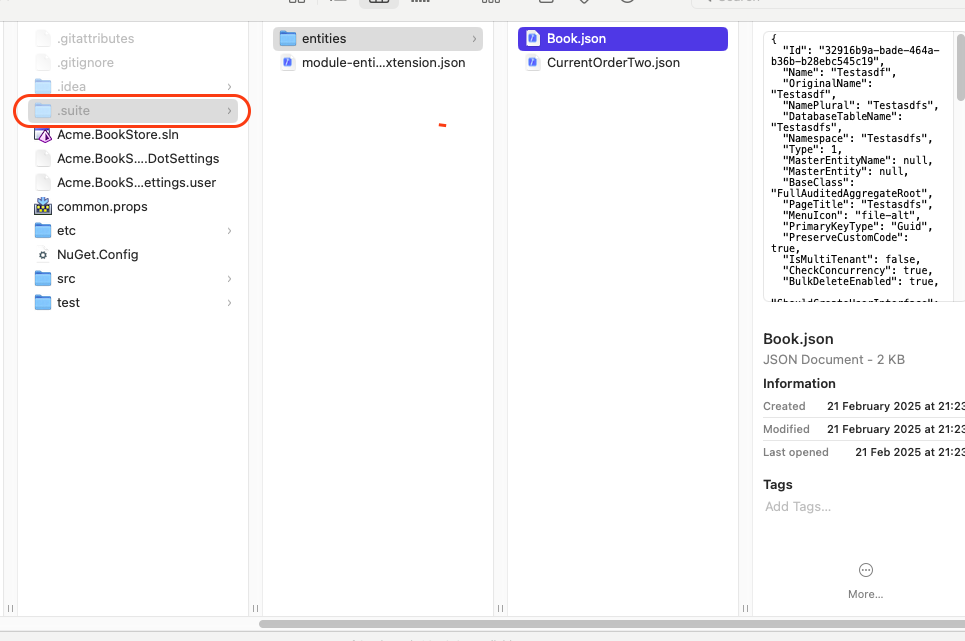
I'm having difficulty reproducing the problem. Can you send the name of the project you created (e.g. Acme.BookStore) and the .suite folder inside your solution to berkan.sasmaz@volosoft.com so that I can reproduce the problem exactly?
Hi,
Clear your local NuGet cache will fix the problem.
dotnet nuget locals all --clear









