






CMS Kit: Menus
CMS Kit Menu system allows to manage public menus dynamically.
Enabling the Menu Feature
By default, CMS Kit features are disabled. Therefore, you need to enable the features you want, before starting to use it. You can use the Global Feature system to enable/disable CMS Kit features on development time. Alternatively, you can use the ABP's Feature System to disable a CMS Kit feature on runtime.
Check the "How to Install" section of the CMS Kit Module documentation to see how to enable/disable CMS Kit features on development time.
The User Interface
Menu items
CMS Kit module admin side adds the following items to the main menu, under the CMS menu item:
- Menus: Menu management page.
CmsKitAdminMenus class has the constants for the menu item names.
Menus
Menu Management
Menus page is used to manage dynamic public menus in the system.
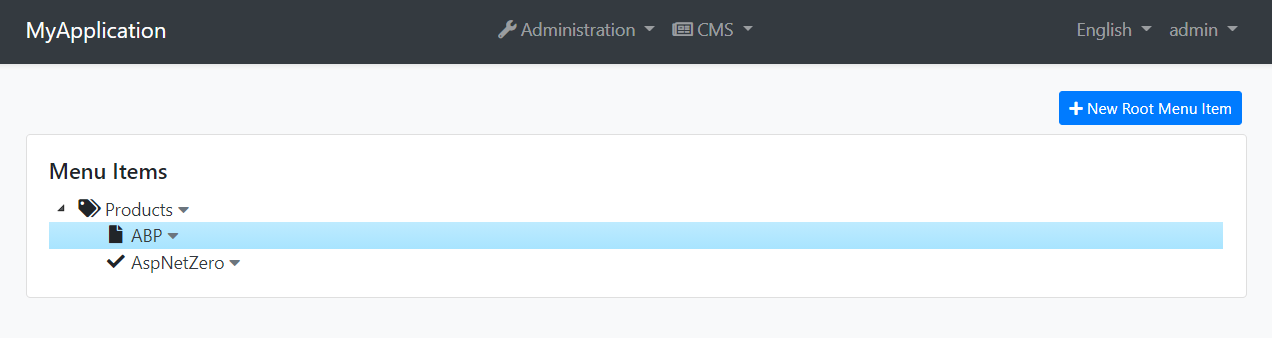
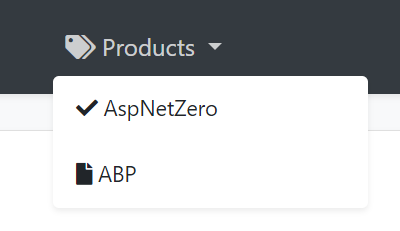
The created menu items will be visible on the public-web side, as shown below:
Menu Item Behavior
Menu items form an ordered tree. Moving an item changes its parent and position, and CMS Kit normalizes the sibling order. Inactive root or child items are omitted from the public menu.
A menu item can target either a URL or a CMS Kit page. When it targets a page, CMS Kit stores the page relationship and updates the menu URL after the page slug changes. It can also define an icon, link target, element ID, CSS class and a required permission. The public menu contributor omits permission-protected items for users who do not have the configured permission.
The public contributor builds the named CmsKit.Public menu. CMS Kit registers that name as a main menu and caches the ordered menu-item DTOs in the distributed cache. Creating, updating, moving or deleting a menu item invalidates the cache.
Internals
Domain Layer
Aggregates
This module follows the Entity Best Practices & Conventions guide.
MenuItem(aggregate root): A Menu Item presents a single node at menu tree.
Repositories
This module follows the Repository Best Practices & Conventions guide.
Following custom repositories are defined for this feature:
IMenuItemRepository
Domain services
This module follows the Domain Services Best Practices & Conventions guide.
Menu Item Manager
MenuItemManager is used to perform some operations for the MenuItemManager aggregate root.
Application layer
Application services
MenuItemAdminAppService(implementsIMenuItemAdminAppService): Implements the management operations of menu system.MenuItemPublicAppService(implementsIMenuItemPublicAppService): Implements the public use cases of menu system.
Database providers
Common
Table / collection prefix & schema
All tables/collections use the Cms prefix by default. Set static properties on the AbpCmsKitDbProperties class if you need to change the table prefix or set a schema name (if supported by your database provider).
Connection string
This module uses CmsKit for the connection string name. If you don't define a connection string with this name, it fallbacks to the Default connection string.
See the connection strings documentation for details.
Entity Framework Core
Tables
- CmsMenuItems
MongoDB
Collections
- CmsMenuItems



