






Running on Web
Running the React Native app in a browser is the fastest way to test login, navigation, and API integrations. No emulator, Cloudflare tunnel, or manual backend configuration is required.
React Native project folder
react-native/
Install dependencies once with yarn install or npm install in that folder.
Using ABP Studio (Recommended)
Solutions created with ABP Studio include a Default run profile in the Solution Runner.
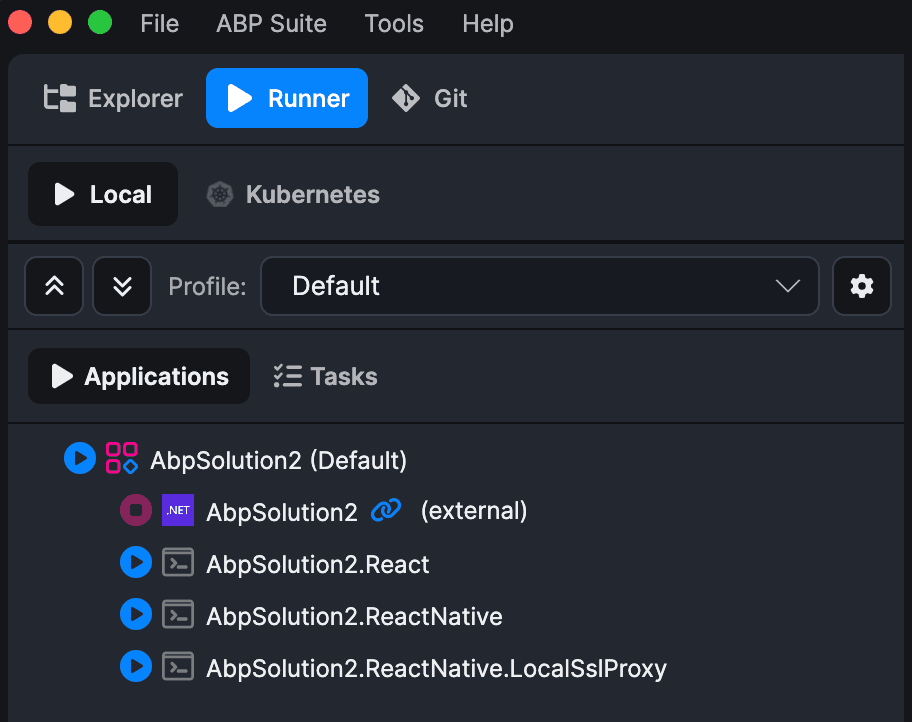
One-time setup: Initialize Solution
Run the Initialize Solution task from the Tasks tab if you have not already. For React Native solutions, this task also creates local SSL certificates (localhost.pem and localhost-key.pem) in the React Native folder using mkcert. These certificates are required by the Default profile's local SSL proxy.
Start the Default profile
When you start the Default profile, ABP Studio runs these main applications:
- The backend host
- ReactNative.LocalSslProxy — terminates HTTPS on
https://localhost:8443and forwards to Expo Web on port8081 - ReactNative — runs
npx expo start --weband openshttps://localhost:8443in your browser
The solution template already adds https://localhost:8443 to backend CorsOrigins and RedirectAllowedUrls, so no manual backend configuration is required.
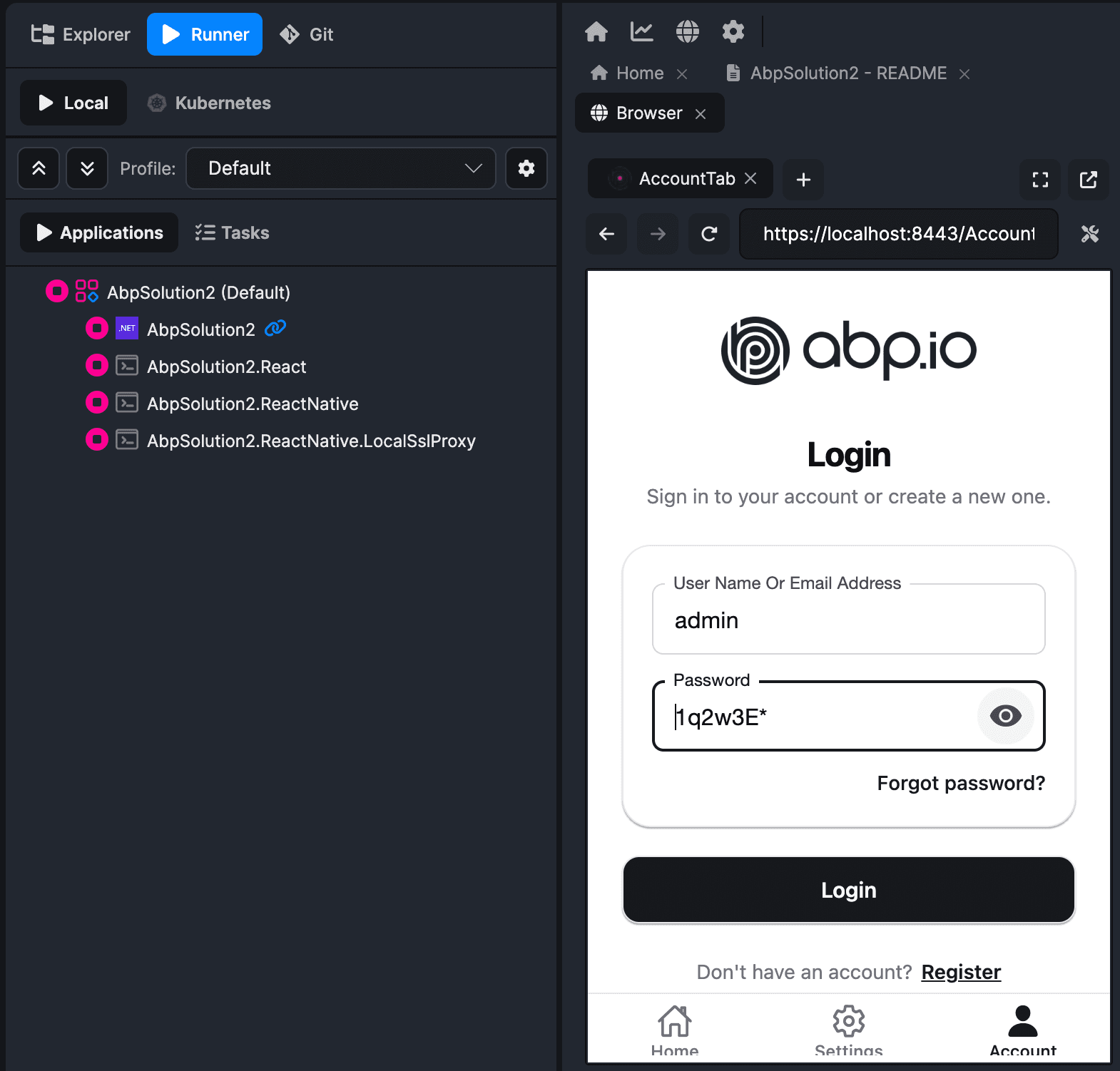
You can enter admin as the username and 1q2w3E* as the password to log in.
Manual setup (without ABP Studio)
If you are not using ABP Studio, use Expo Web with a local HTTPS proxy as described in the Expo local HTTPS development guide.
- Navigate to the React Native folder and install dependencies if you have not already.
- Generate SSL certificates in the React Native folder:
mkcert localhost
- Start Expo Web:
yarn web
- In a separate terminal, start the local SSL proxy (port
8443matches the ABP Studio Default profile):
npx local-ssl-proxy --source 8443 --target 8081 --cert localhost.pem --key localhost-key.pem
Alternatively, run yarn create:local-proxy and set SOURCE_PORT=8443 if your template uses a different default port.
- Open
https://localhost:8443in your browser.
Next steps
To test on an Android emulator, iOS simulator, or physical device, continue with Running on Device.


